Page 171
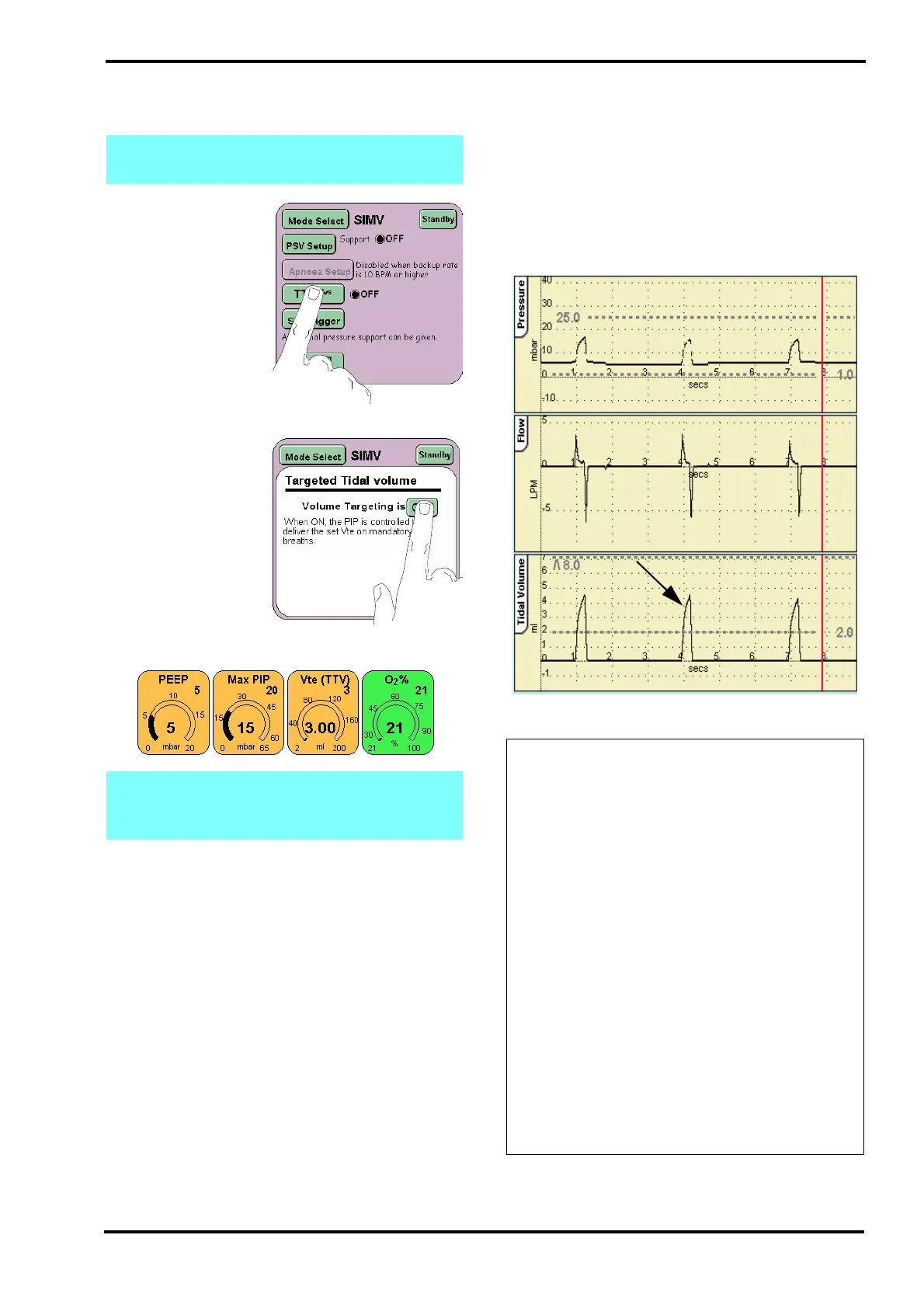
Step 42. From the mode select panel press the
TTV
plus
button.
Step 43. Turn on the
Volume targeting by
pressing the button
marked OFF. The text
in the button will
change to ON.
Press the Return
button to return to the
Mode Panel.
Step 44. The Tidal Vol parameter will now appear.
Step 45. Set the
Tidal volume Vte (TTV) of 5ml,
Ti of 0.40 sec
Max PIP of 20mbar
Verify that:
The displayed waveform changes, showing a rise in
flow with a sharp cut off.
Step 46. Turn off the volume limiting.
Note: Skip Step 42. to Step 46., if functionally
testing without a flow sensor.
Note: The PIP parameter control changes to
the Max PIP parameter control when volume
limiting is turned on.
Action: If the TTV
plus
waveform does not
display as described in the manual, perform
the following actions in the order suggested
below. After each action retest the ventilator.
If the ventilator successfully passes all these
tests after performing one of these actions,
go to Step 47.
• Replace the test lung with an SLE
recommended test lung.
• Check patient circuit is set up correctly as
shown in Section 12: Ventilator Set-up. Pay
close attention to proximal airway, fresh
gas connection and the expiratory limb.
• Check waveshape settings are correct
• Check software version and confirm it is
correct.
If the fault continues after checking all the
possible causes, remove the ventilator from
service and contact an SLE approved
engineer.



 To Next Page