93
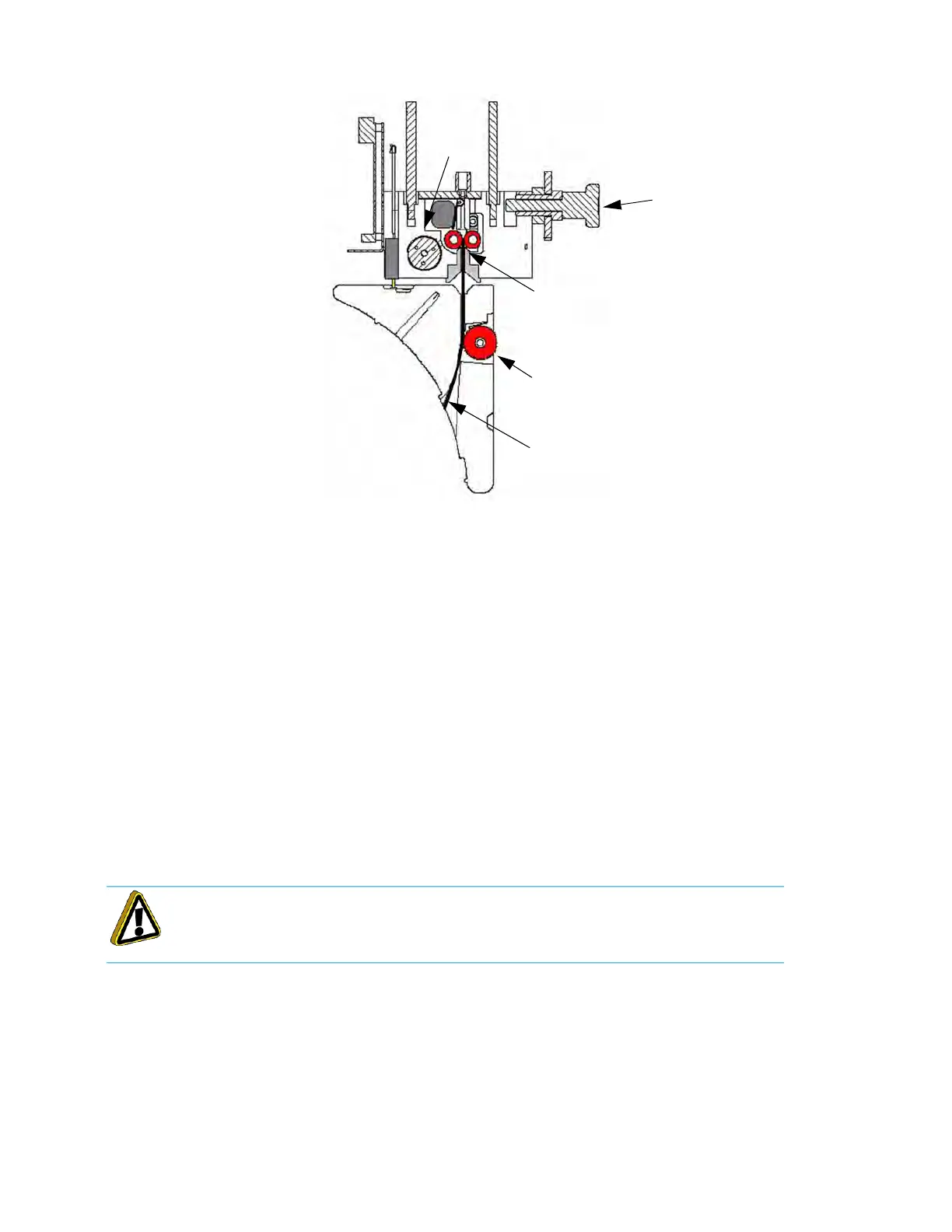
Figure 4-40: Preloading Filament
12. Preload filament to the drive wheels:
A
. Open the thumbwheel door.
B
. Remove the square foam gasket on the inside of the thumbwheel door. (Fi
gure 4-39)
C. Stick the gasket onto the canister.
•
The square foam gasket prevents the thumbwheel from moving.
•
The gasket must only be removed when the canister is in the system.
•
The gasket is re-used if the canister is to be stored.
D
. Feed the filament into the filament drive mechanism by pressing in and down on the
t
humbwheel. (Figure 4-40)
E. T
urn the wheel until you feel the filament drive motor pull the filament.
•
The filament needs to be advanced approximately 2 inches (5 cm) to reach the drive motor drive
w
heels.
F. The system automatically completes the preloading of the filament.
•
The drive motor advances the filament until it contacts the filament present switch.
•
The drive motor stops, and the LED turns to green flashing.
G
. Close the thumbwheel door.
H
. Load material to the head (see “
Loading Material to the Liquefier Tips” on page 4-94).
Caution: Make sure that the thumbwheel door is closed after filament preload is
accomplished.
Drive Lever
Filament Thumbwheel
Filament Drive Wheels
Filament
Filament
Present
Switch














 To Next Page