DC5 User’s Manual
Setup 1-2
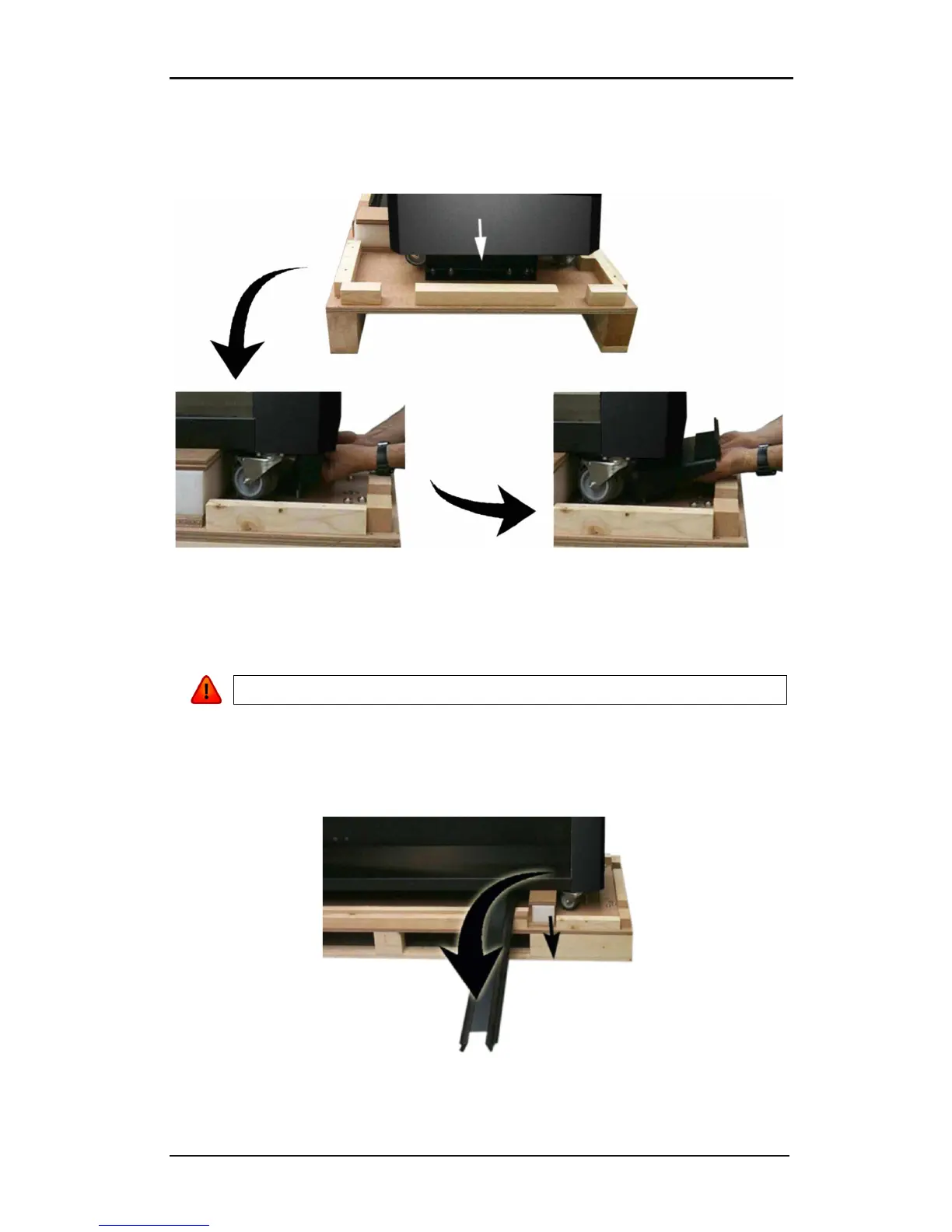
The printer is secured to the base with a bracket at each side.
Remove the 4 nuts (# 17 mm) located at each side. Next, lift the brackets up and out by
pulling the bottom part backwards under the DC5(sx), and then remove them.
FIG 1-2
1-2 UNPACKING DC5(sx) STAGE 2
Remove the two foam blocks from underneath the stand. Do this by using the two ramps,
which are screwed to the pallet. Slide the ramp under the stand, closest to the end with the
foam suspension blocks.
WARNING: From this point on, two people ARE REQUIRED for safety reasons.
Lift the DC5(sx) from each side, just high enough so the foam blocks can be pulled out from
underneath the DC5(sx).
FIG 1-3
1-3 UNPACKING OF THE DC5(sx)STAGE 3



 To Next Page