DC5 User’s Manual
Software 6-3
6.1.2 Installing printer tools
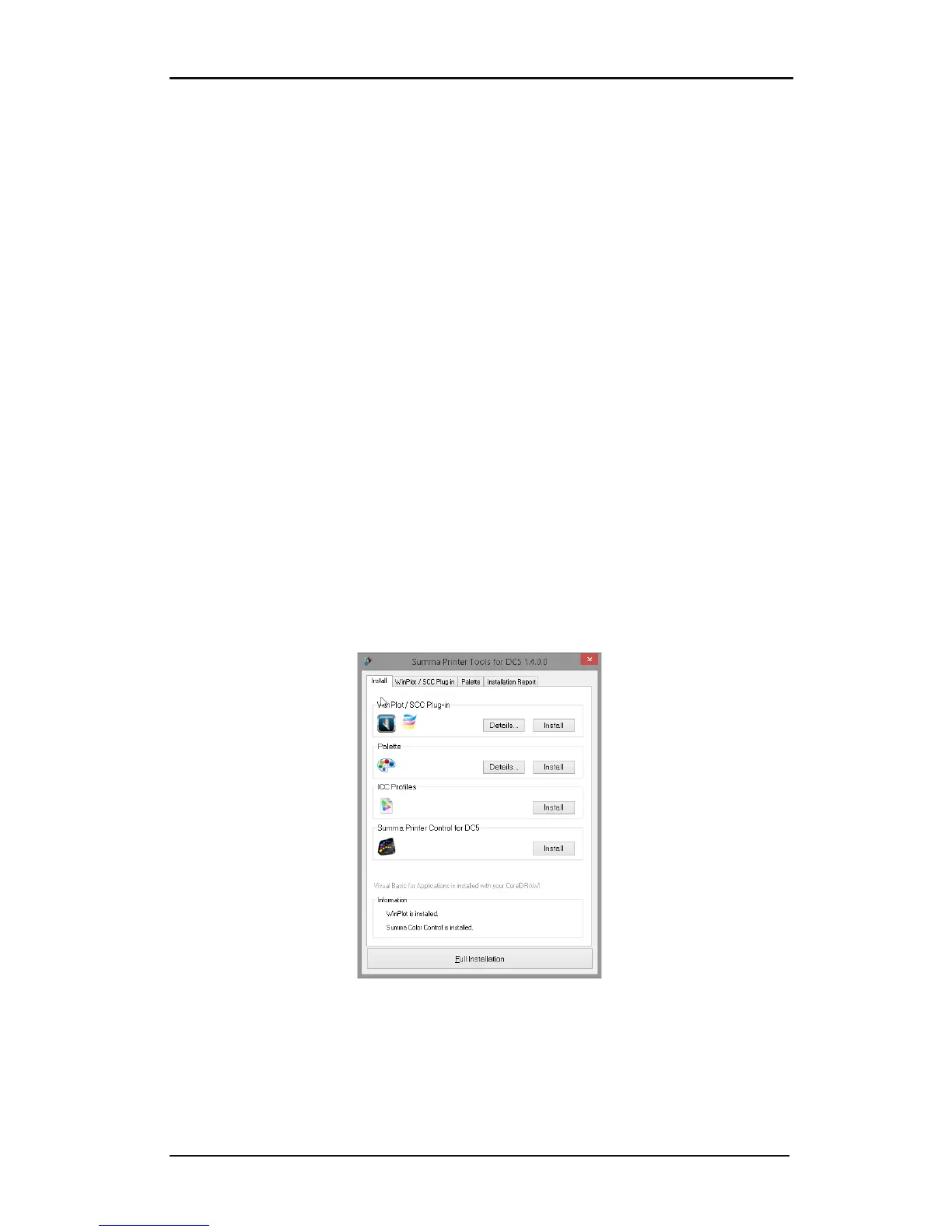
Following useful tools can be installed with this program:
A plug-in for CorelDraw (from version 12 onwards) and Adobe Illustrator (from version CS
onwards) for WinPlot and ColorControl. The plug-in for Corel installs an extra toolbar.
Clicking on an icon in this toolbar automatically exports the current drawing into the
program indicated in the toolbar. The plug-in for Illustrator creates an extra menu under the
‘file menu’ called summa. From this point onwards the current design can be exported into
ColorControl or WinPlot.
The palette for spot color definitions in CorelDraw (from revision 12 onwards) and Adobe
Illustrator (from version 10 onwards). The palette also includes two special colors
‘CONTOUR’ and ‘FLEXCUT’. With these spot colors the print and cut data can be separated.
All objects in the design, which have CONTOUR’ or ‘FLEXCUT’ as color will not be printed by
ColorControl, but will be cut out after printing the other data first.
ICC profiles. The use of ICC profiles is explained in a separate document that can be found
on the installation USB stick .
Summa Printer Control. The Summa Printer Control Program for MS Windows is a software
utility to optimize the overall printing and cutting capabilities of the DC5(sx).
Click on the button to install.
The setup also automatically installs a client version of the program TeamViewer after the
program Summa Printer Tools DC5 opens automatically. It is recommended to immediately
install the individual printer tools.
In order to install at a later point, just click on start -> All Programs -> Summa -> Summa
Printer Tools.
FIG 6-3
6-3 INSTALLATION OF SEPARATE PRINTER TOOLS
Clicking the ‘Full installation’ button installs all printer tools. The tools can also be installed
individually. By clicking on the tab all the utilities can be installed separately per version of
installed design program.



 To Next Page