DC5 User’s Manual
Setup 1-22
1.7.2 Refilling ribbon cassettes
The DC5(sx) prints by transferring pigmented vinyl resin directly onto vinyl media. Each
color is printed separately in strips (approximately 10cm wide), printing yellow first, then
magenta, cyan and sometimes black. The media is then advanced (feed) an exact distance
in order to print the next strip (band), carefully aligning each pixel.
The ribbons are wound onto plastic cores, which are unique to the DC5(sx) cassette and
printer carriage. First remove the protective ribbon wrapping and place the RI (ribbon
identification) chip aside. This ribbon chip contains information about the ribbon’s color
formulation and transfer energy, necessary for printing. The RI chips are color-coded for
easy identification.
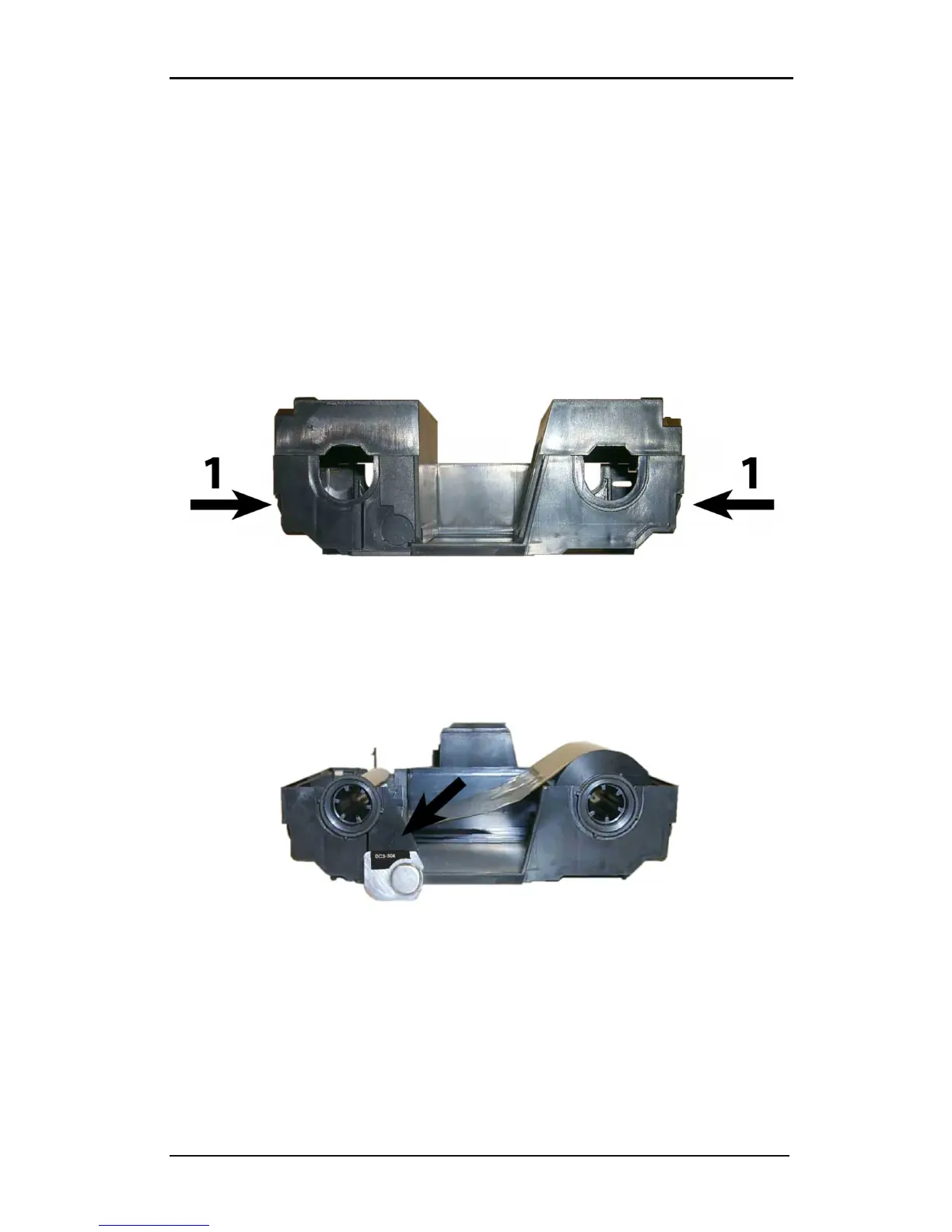
1. Open the cassette by pressing the release tabs on each side (1), and then lifting upward
the top hinges, in the back, to the bottom part.
FIG 1-21
1-21 CASSETTE TOP RELEASE TABS
2. Insert the RI chip into the bottom of the cassette (orientation is shown in figure 1-20 –
the arrow indicates the direction for inserting).
3. Place the ribbon into the cassette, as shown below. There is also a small diagram inside
the cassette bottom to help remind the loading direction.
FIG 1-22
1-22 LOADING RIBBON AND RIBBON INFORMATION CHIP INTO THE CASSETTE



 To Next Page