DC5 User’s Manual
Setup 1-18
1.6.2 Using media take-up rollers
The DC5(sx) is equipped with an automatic (motorized) roll take-up system. The take-up
rollers are only active if the DC5(sx) is printing.
If a printed image is to be contour cut, the take-up rollers MUST be disabled.
To use the take-up rollers, follow the below procedure:
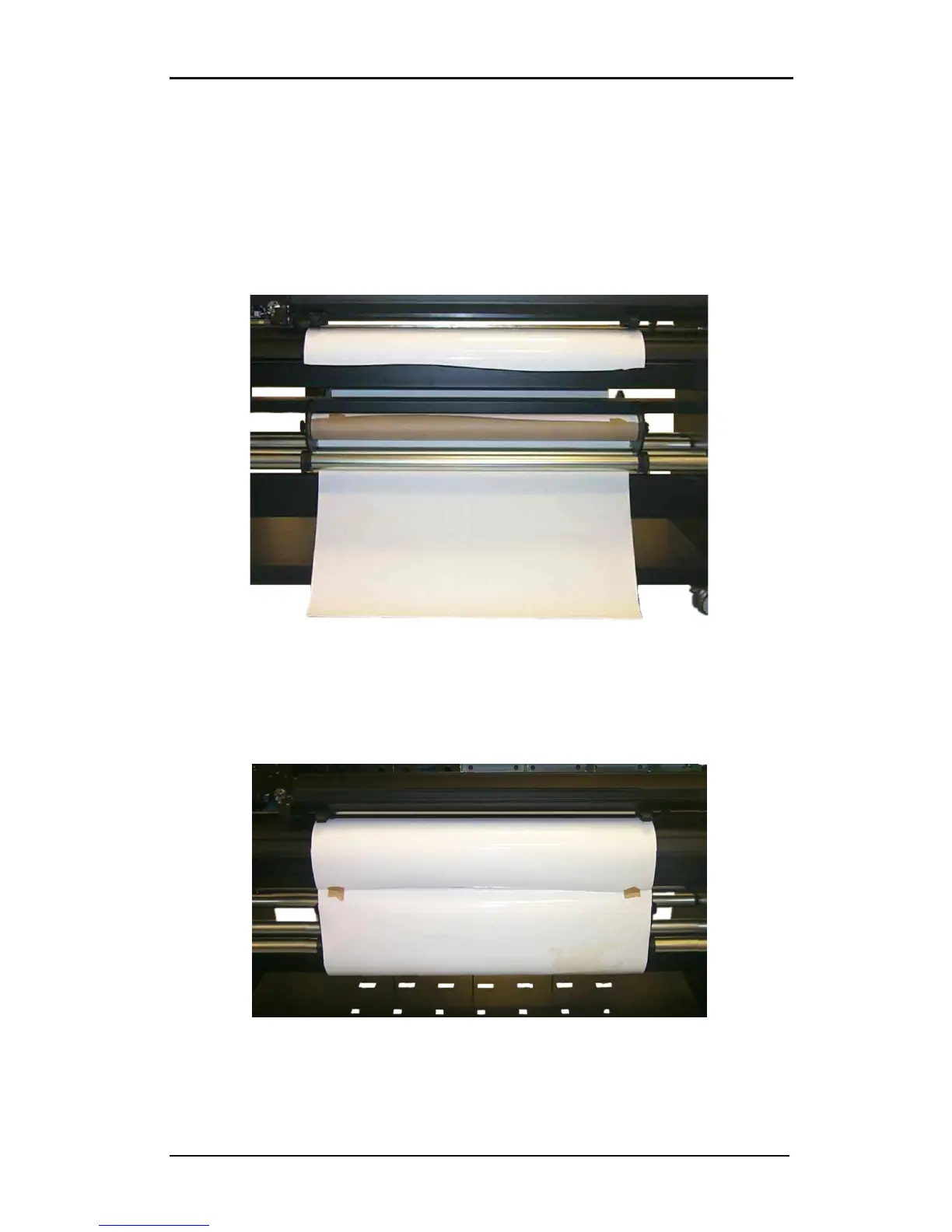
Use an empty media core, insert a media core holder into each end and attach a piece of
scrap vinyl to the core with adhesive tape (minimum 1 meter long). Place this core and vinyl
on the DC5(sx) as shown in the picture.
FIG 1-15
1-15PREPARING THE TAKE-UP ROLL
Attach the scrap media to the edge of the vinyl. Allow for some slack, so the DC5(sx) can
align and park the media, if necessary. If the take-up rollers are enabled and if the DC5(sx) is
printing, then the media will be rolled up.
FIG 1-16
1-16USING THE TAKE-UP ROLL



 To Next Page