DC5 User’s Manual
Setup 1-16
1.6 Media Handling
1.6.1 Loading media
The DC5(sx) is designed to work with rolls of media, not sheets. It is advised to use cotton
gloves while loading the media, otherwise the surface of the media becomes contaminated
by oil from fingers, and the beginning of the printout will be unusable.
Two media core end holders are delivered with the machine. The printer aligns the media
automatically during operation. Because of this the left side of the vinyl roll must be straight
(seen from the front of the DC5(sx)).
Proceed as follows to load the media:
NOTE: While loading the media, do not touch the gray printing surface! This
might permanently damage the delicate printing surface.
1. Switch the printer on.
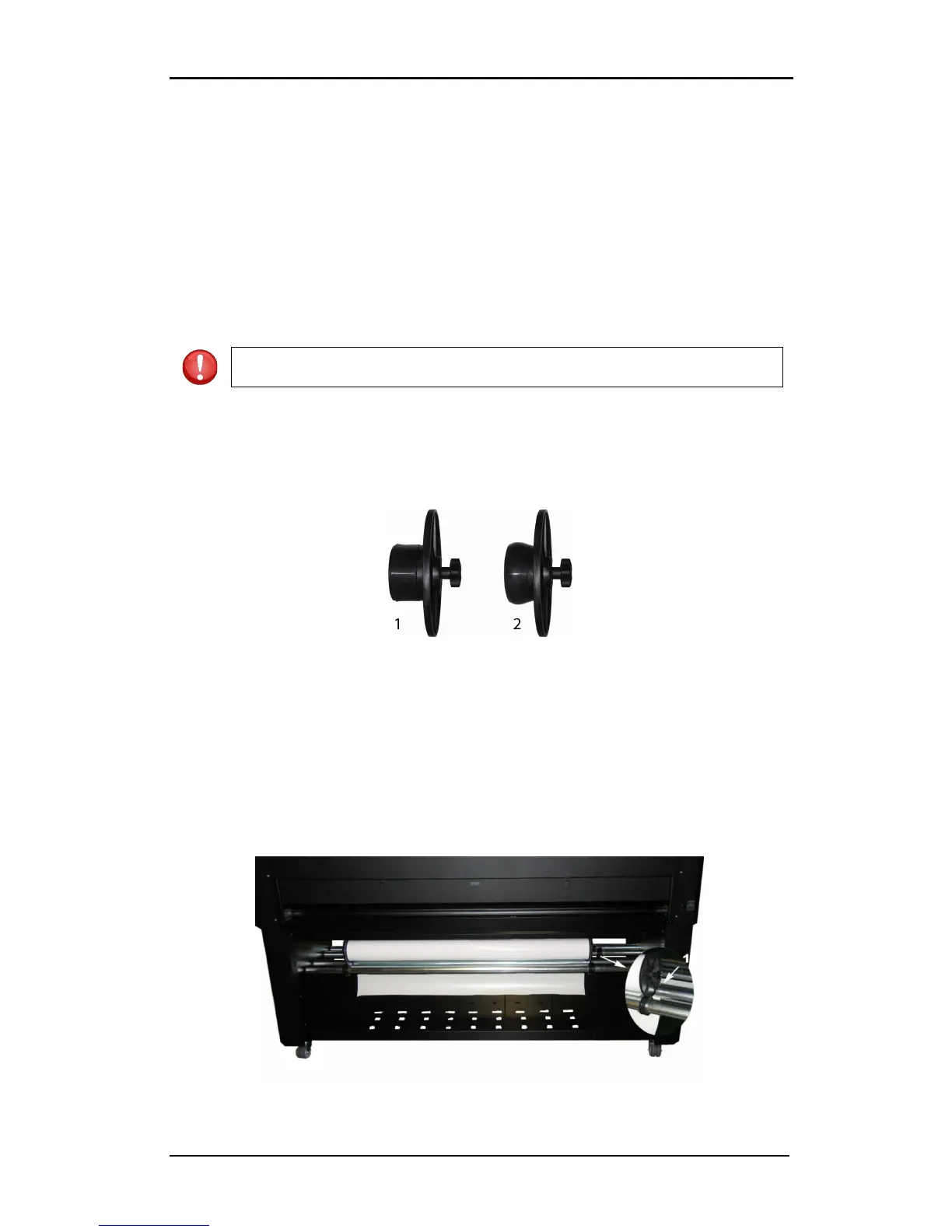
2. Insert a media core holder in each end of the media roll. Check if they are loosened. If
not, loosen them with the black knob at the side. Figure 1-10 shows a loosened (1) core
holder and an expanded (2) core holder.
FIG 1-11
1-11 MEDIA CORE HOLDER
3. Insert the loosened core holders into each end of the roll. Then tighten them with the
black knob. Make sure both core holders are secured.
4. Place the media roll on the DC5(sx) rollers. The right core holder guide is situated at a
fixed position on the supply rollers bar. The left guide is adjustable. Make sure the
media roll is positioned as in figure 1-8. Guide the beginning of the vinyl around the
second supply roll (1). Then make a big loop underneath and behind the two roller bars.
Pull it upwards and into the machine.
FIG 1-12
1-12 POSITION OF THE SUPPLY ROLL ON THE DC5(sx)



 To Next Page