DC5 User’s Manual
Basic Operation 2-9
Head alignment:
The two above parameters control the alignment in the media direction. There is also a
calibration in the direction of the movement of the head. This is calibrated mechanically
when a head is changed and should not be redone until the head is replaced again.
However due to different media parameters (difference in media roll up tension, thickness
of media) there might also be a need for an extra calibration in the direction of the
movement of the head.
NOTE: If the hard disk is not installed, then this test has to be started from the
program Summa Printer Control.
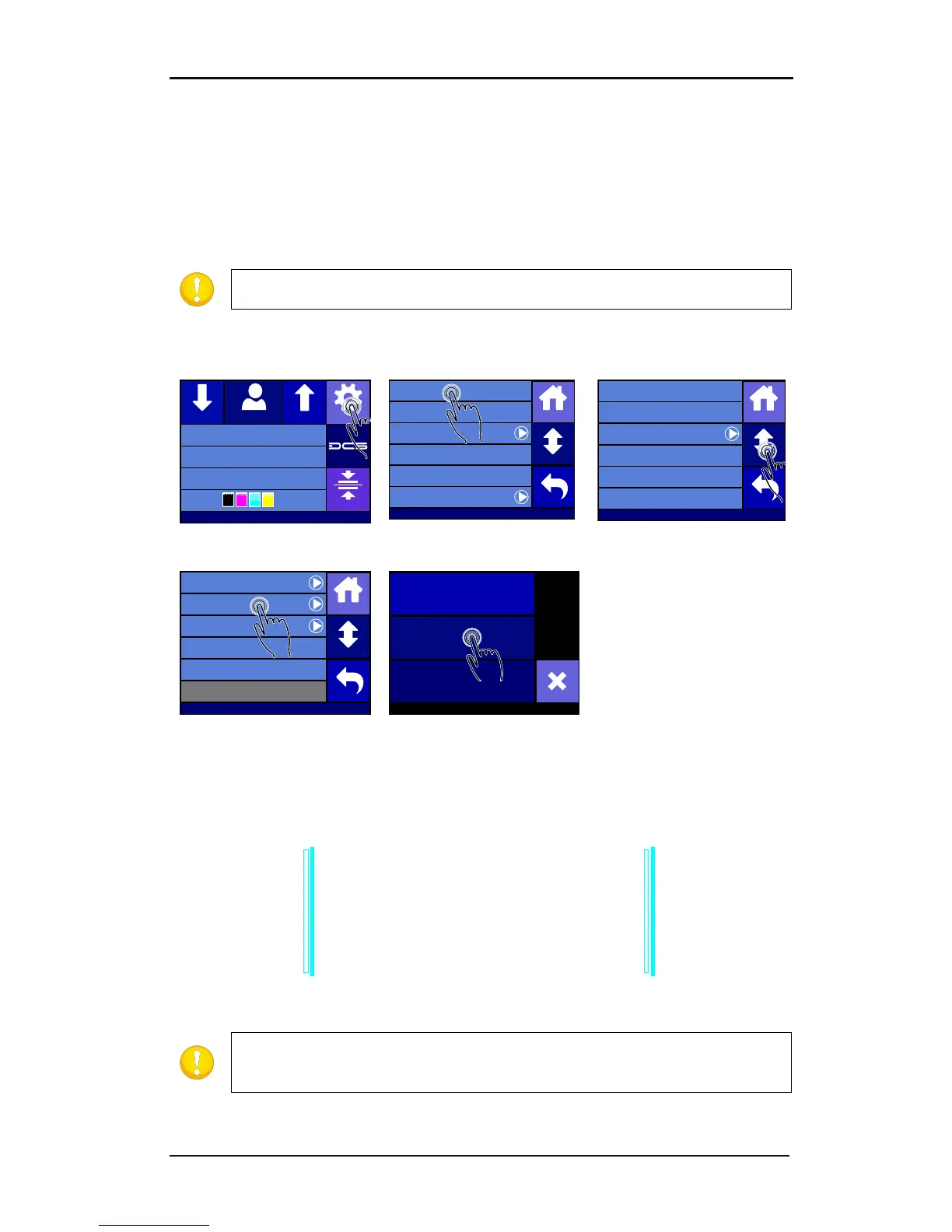
Automatic head alignment setup:
1. Power on the printer and load the media (see section 1.6.1).
A test pattern is printed. Some printed lines are measured and then internal parameters are
adjusted automatically. If the DC5(sx) has to compensate too much, it will prompt the operator
with following text: “VALUE OUT OF RANGE ALIGN HEAD MECHANICALLY”. In this case a
mechanical calibration, as described in the head change procedure, will need to be redone.
FIG 2-9
2-9 AUTOMATIC HEAD ALIGNMENT TEST
NOTE: Never execute a manual head alignment test after an automatic head
alignment test, because it defaults the automatic head alignment calibration
parameters.
Summa USB port
Density 12000
Knife pressure 75gr
Media width 672mm
Clamp
SettingsFeedConfiguration 1Feed
Settings
Shut down
Communication ...
System menu ...
Reprint job
Cutter menu ...
Printer menu ...
Back
Home
More
Settings | Printer menu
Op tiTr ac Automatic
OptiTrac color Cyan
Scratchguard Off
Calibrate Linefeed
Double Density Off
Density 12000
Back
Home
More
Settings | Printer menu
Color Offset Standard
Dot Overlap On
Clean Printhead
Back
Home
More
Calibrate Print&Cut
Head Alignment
Cancel
MANUAL TEST
AUTOMATIC TEST



 To Next Page