DC5 User’s Manual
Software 6-20
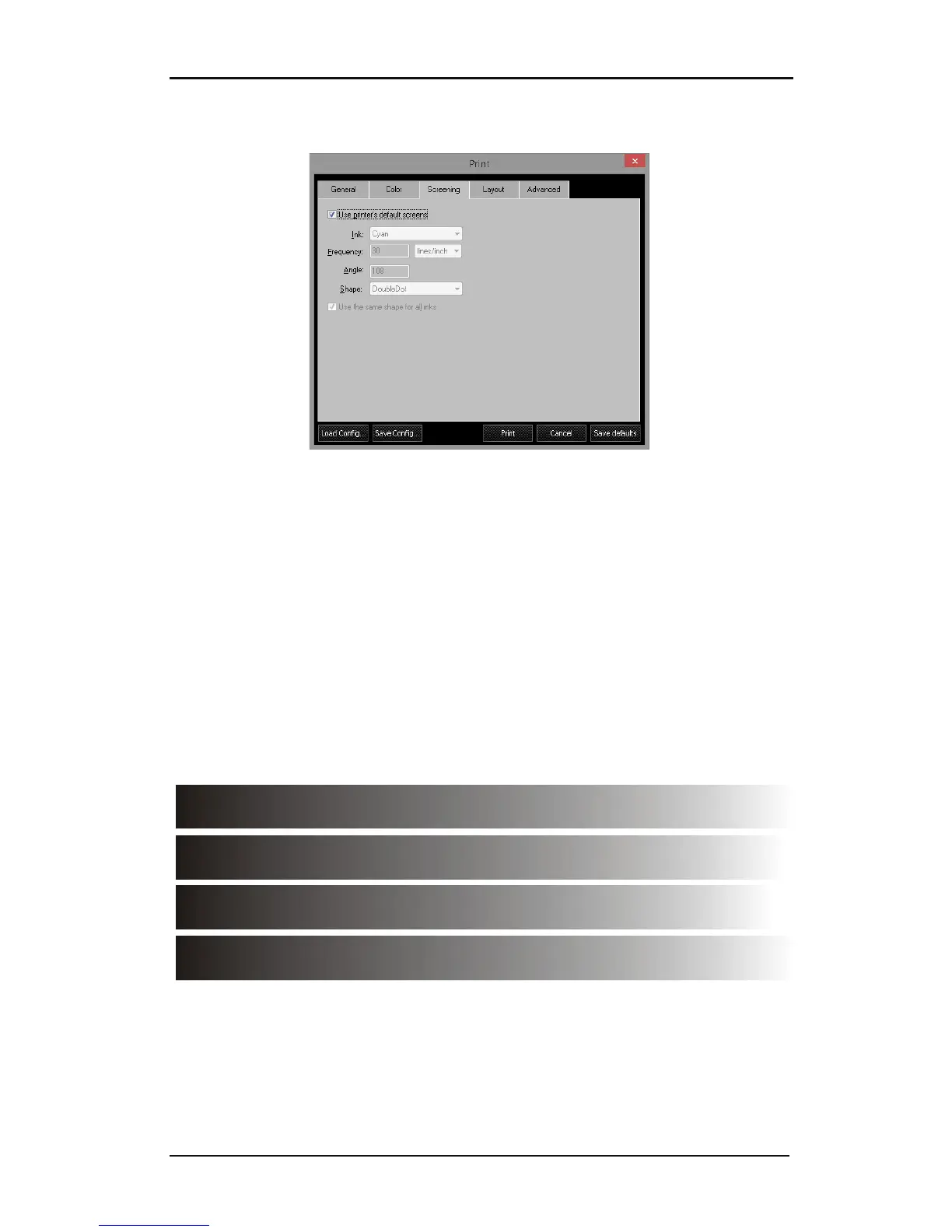
6.3.3.3 Screening tab
FIG 6-21
6-21 SCREENING TAB
1. Use printer’s default screens: default settings are ellipse 50 lpi. If this box is unchecked,
these parameters can be changed for different effects.
2. Ink: Use the same shape and frequency for all colors; otherwise unexpected patterns
will appear in the design.
3. Frequency: The frequency is the ‘line frequency’ (lpmm or lpi). This parameter
determines the size of the cell in which dots are put together to create the colors. Do
not confuse this term ‘dots per mm’ (dpmm or dpi). Dpmm is the resolution of the
printer. The head of a DC5(sx) has a fixed resolution of 12 dpmm (304 dpi). The number
of shades depends on the relation between dpmm and lpmm (lpi and dpi). The formula
is (dpmm/lpmm)² or (dpi/lpi)². It is recommended to only use frequencies between 0.8
and 2 lines /mm (20 to 50 lines/inch). Below is an example of printing out a gradient
from 100 to 0% black with respectively 1,1.55, 2.35 lpmm (25, 40 and 60 lpi) and a
smooth gradient
FIG 6-22
6-22 DIFFERENCE BETWEEN LINE FREQUENCIES



 To Next Page