EasyManua.ls Logo

Summa DC5 - Correct Knife Offset Pattern

Summa DC5
104 pages
Print Icon
To Next Page IconTo Next Page
To Previous Page IconTo Previous Page
Loading...
DC5 User’s Manual
Basic Operation 2-11
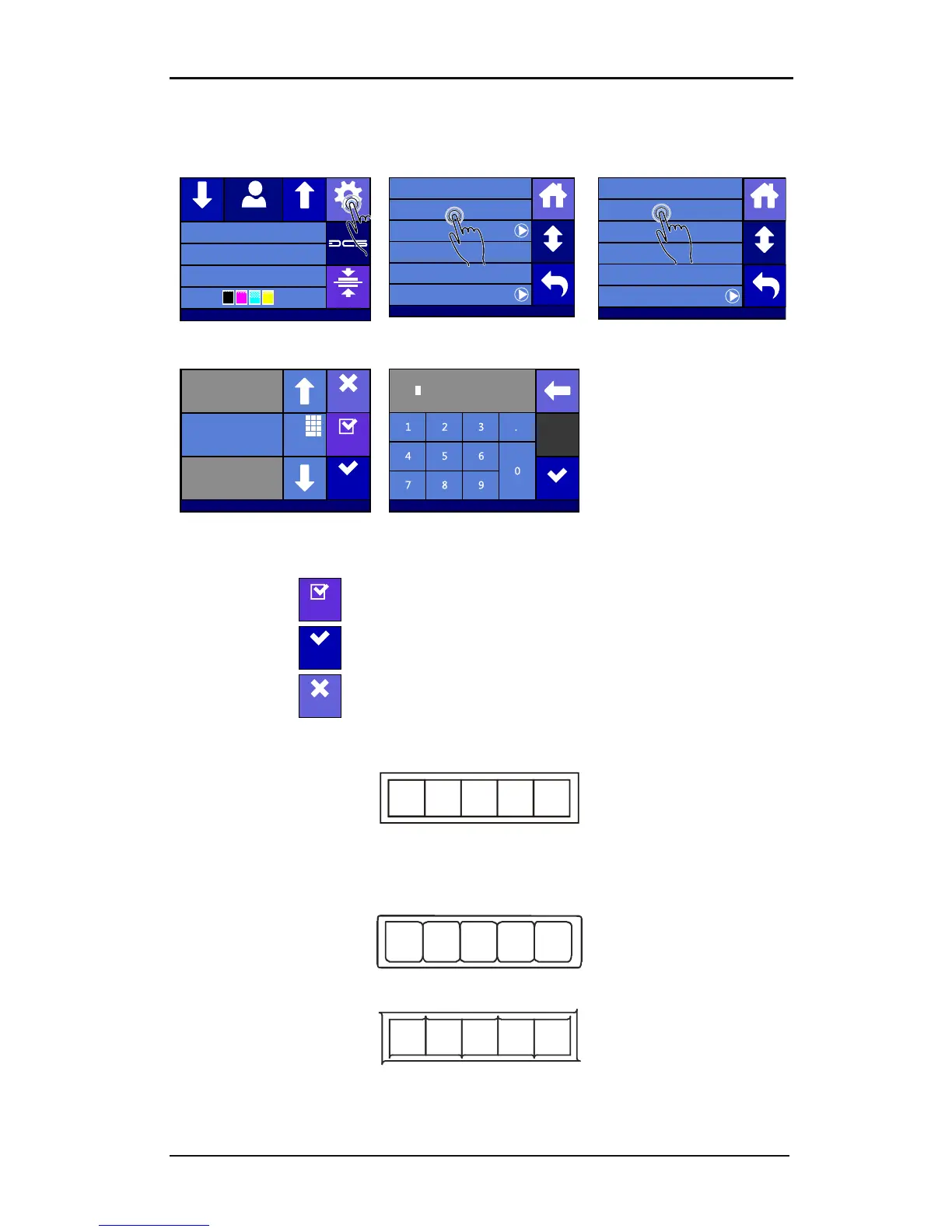
Setting the knife offset:
1. Power on the printer and load the media (see section 1.6.1).
2. Press Settings.
3. Press cutter menu.
4. Press Knife offset.
5. Use the arrows to change
the
knife offset.
6. Or fill in the new value after
pressing Numpad
.
1. Press to perform the internal knife offset test.
2. Press to confirm the chosen knife offset and exit the menu.
3. Press to leave the knife offset unchanged.
When the knife offset is set correctly, the test pattern looks like this:
FIG 2-11
2-11 CORRECT KNIFE OFFSET PATTERN
When the knife offset is too low, the test pattern looks like this:
When the knife offset is too high, the test pattern looks like this:
Change the knife offset value if the cut out pattern is not correct.

Summa USB port
Density 12000
Knife pressure 75gr
Media width 672mm
Clamp
Settings
Feed
Configuration 1
Feed
Settings
Shut down
Communication ...
System menu ...
Reprint job
Cutter menu ...
Printer menu ...
Back
Home
More
Settings | Cutter menu
Velocity 500 mm/s
FlexCut ...
Overcut 0.2 mm
Knife offset 0.43 mm
Knife pressure 75 gr
Back
Home
More
Calbrate Print&Cut
Settings | Cutter menu
Numpa d
Range: 0.00 ... 1.00 mm
New value: 0.43 mm
Old value: 0.45 mm
Apply
Test
Cancel
Apply
Eth 192.168.1.7
0.43
Settings | Cutter menu
Test
Apply
Cancel

Table of Contents

Related product manuals