DC5 User’s Manual
Detailed Operation 4-8
4.3.6 Calibrate Print&Cut
The Print&Cut calibration is explained in section 2.5.
4.3.7 DIN A4 test
This test cannot be started from the touch screen if no hard disk is installed. The DC5(sx)
will prompt the user to start the test from the program Summa Printer Control.
The DIN A4 Test also performs an electrical and mechanical test of the cutter part of the
DC5(sx), in order to check the cut quality, but also provides the user with feedback on the
knife setting, the knife pressure, the knife offset, and the cutting depth.
4.3.8 Reprint job
This menu is only accessible if the hard disk option is installed.
The DC5(sx) then stores every sent job on the hard disk. If the hard disk is almost full, the
oldest jobs will be deleted automatically without any warning.
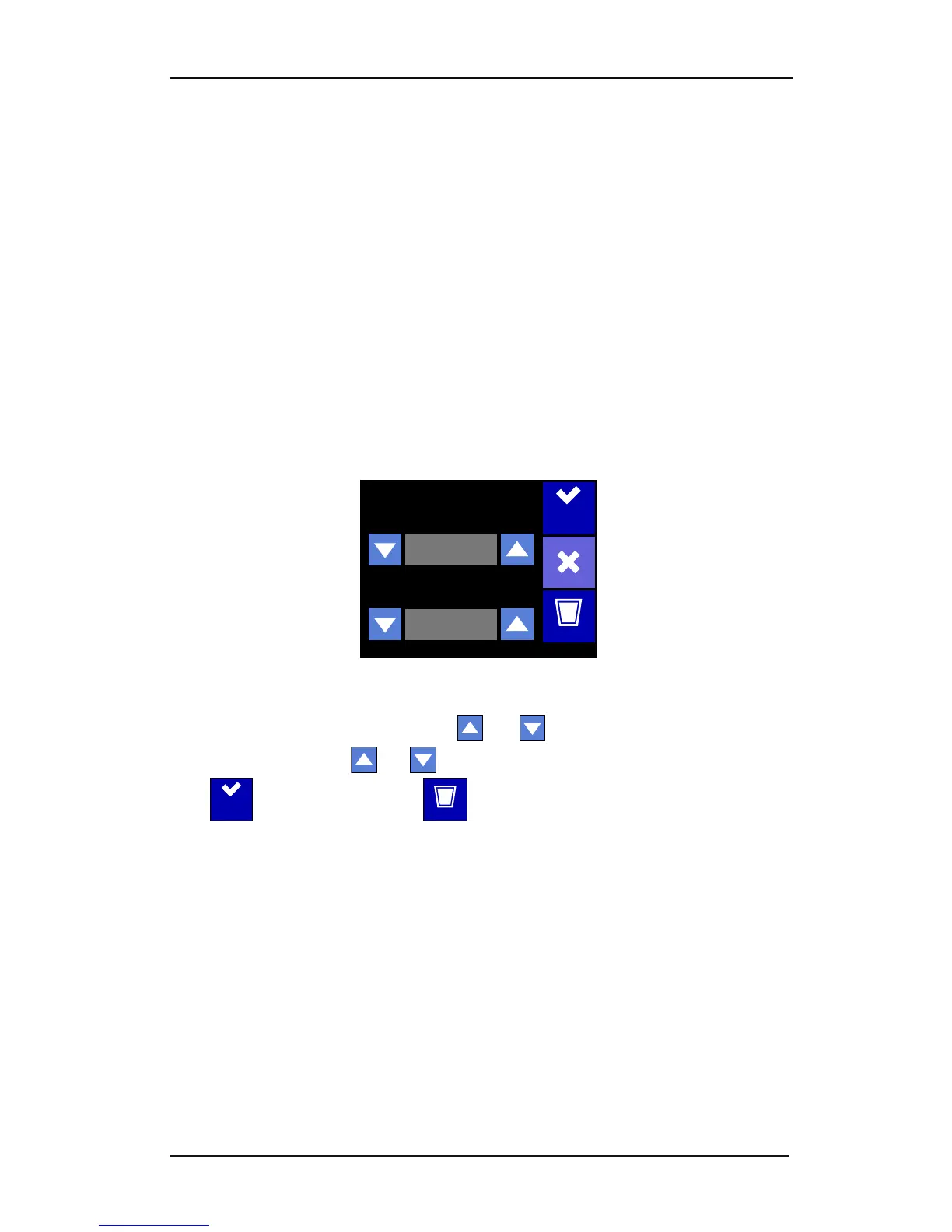
FIG 4-4
4-4 REPRINT MENU
Press the reprint job button. Use the top and arrows to scroll through the saved
print jobs. Use the bottom and arrows to change the number of copies.
Press to start printing. Use the button to delete all files on the hard disk.



 To Next Page