DC5 User’s Manual
Software 6-8
OPOS level is used for the procedure described in section 3. This parameter determines the
minimum reflection level at which the sensor decides that the area underneath the sensor is
considered as being black.
If save file is set to off, the jobs are not stored on the hard disk and a reprint ( from touch
screen or from Color Control) will not be possible. The standard setting is on.
There are also three buttons.
Use for refreshing the parameter settings.
The button is used for keeping a backup of all the DC parameters on the computer.
There are no ‘standard’ or ‘default’ settings for the DC. It is therefore advised to keep a
backup of all the parameters on the computer just after installation of the printer. If a lot of
parameters are changed or if new users are calibrated on the printer, then it is also advised
to make a backup.
With the button, the parameters can be send again to the printer.
6.2.2 Abort
The abort button can be used if the communication between Summa Printer Control and
the printer is taking too long.
6.2.3 Users
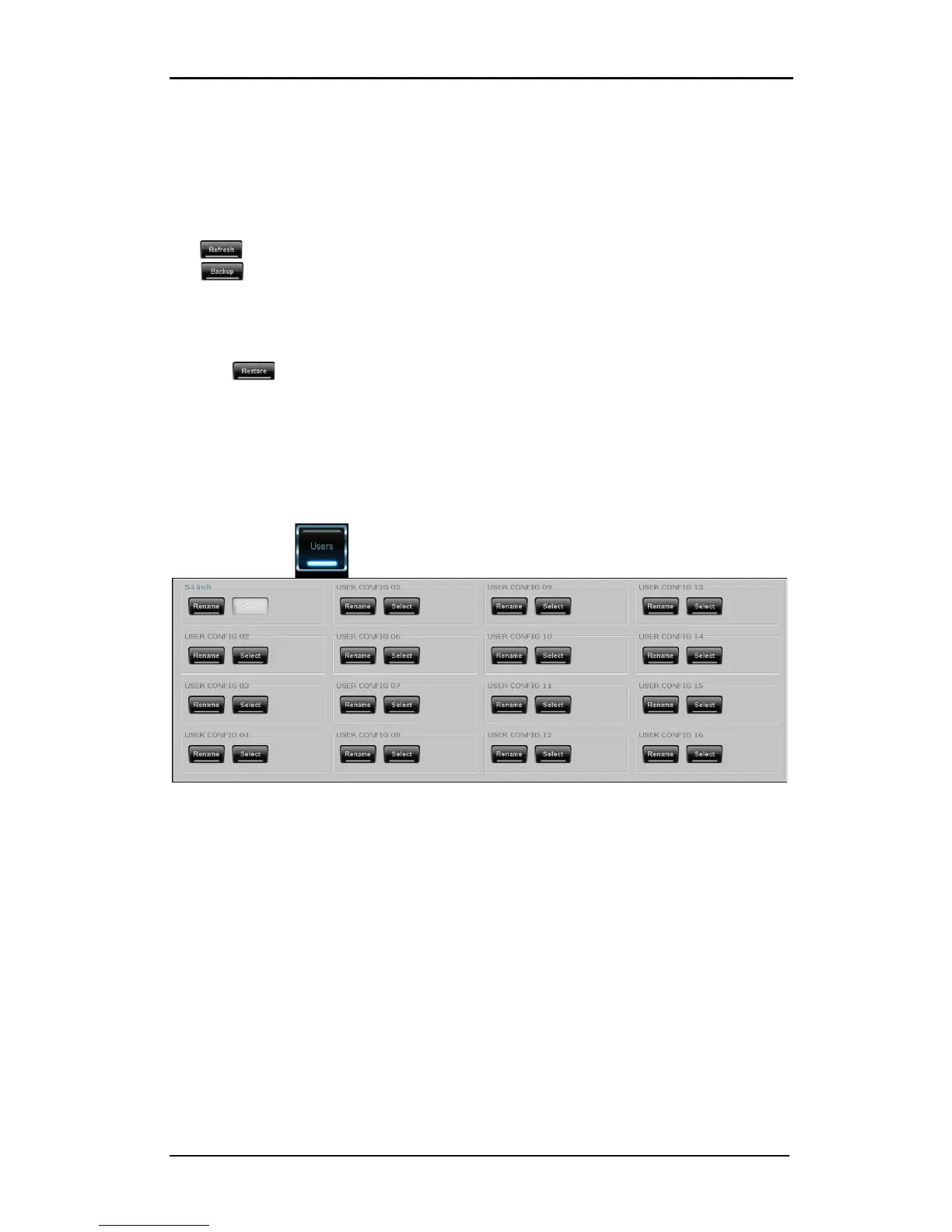
FIG 6-9
6-9 USERS MENU
This menu gives an overview of all the (pre)configured users on the DC5(sx). Use this menu
for quick change from one user to another or to change the name of a user.



 To Next Page