DC5 User’s Manual
Software 6-23
6.3.3.4 Layout tab
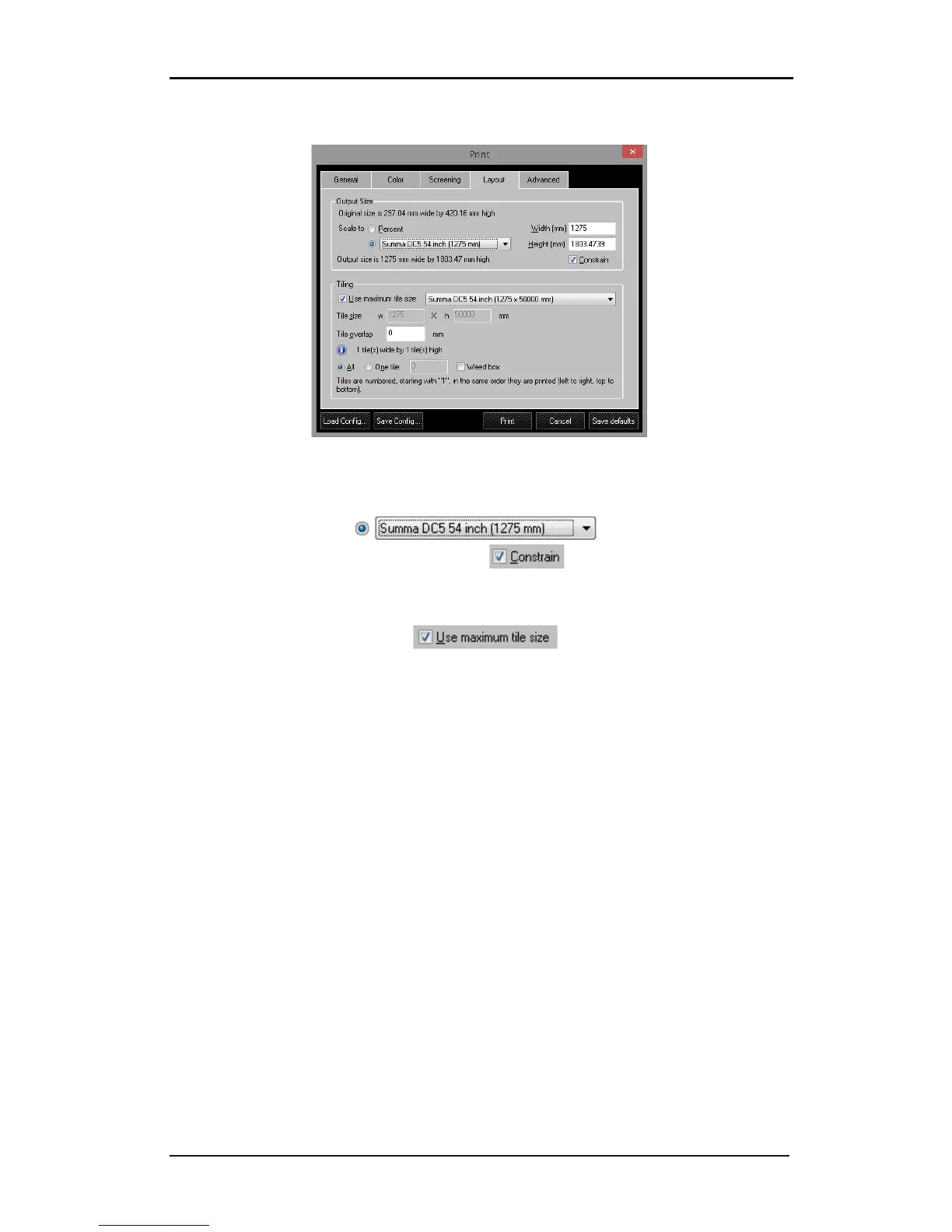
FIG 6-24
6-24 LAYOUT TAB
1. Output size: scale the EPS file to any size or specify a page size. To determine the exact
output size, first click and change to the desired
size in the width or height box. Enable the box to constrain the proportions
during resizing.
2. Tiling: If the image needs to be tiled, specify the tile size and the amount of overlap
between each tile. Check the box to use the maximum print
width. There is also the option to print out each tile separately. If the weed box option is
chosen, then the DC5(sx) cuts a border around the print out.. If there is print and cut
information in the file, then SCC will automatically cut a border around the design.



 To Next Page