DC5 User’s Manual
Print&Cut 3-3
3.1.1.2 OPOS cutting
NOTE: The DC5(sx) cannot be used as a contour cutter. It is even advised not to
use it as a cutter (see section 6.1.4).
When the printed job has to be laminated before cutting , extra registration marks have to
be printed. This section explains how to set the marks so the design can be cut after
lamination with a Summa Cutter.
There exists a plug-in for CorelDraw and Adobe Illustrator to set the marks automatically
around a design (see section 6.1.2).Otherwise use following procedure to set the marks.
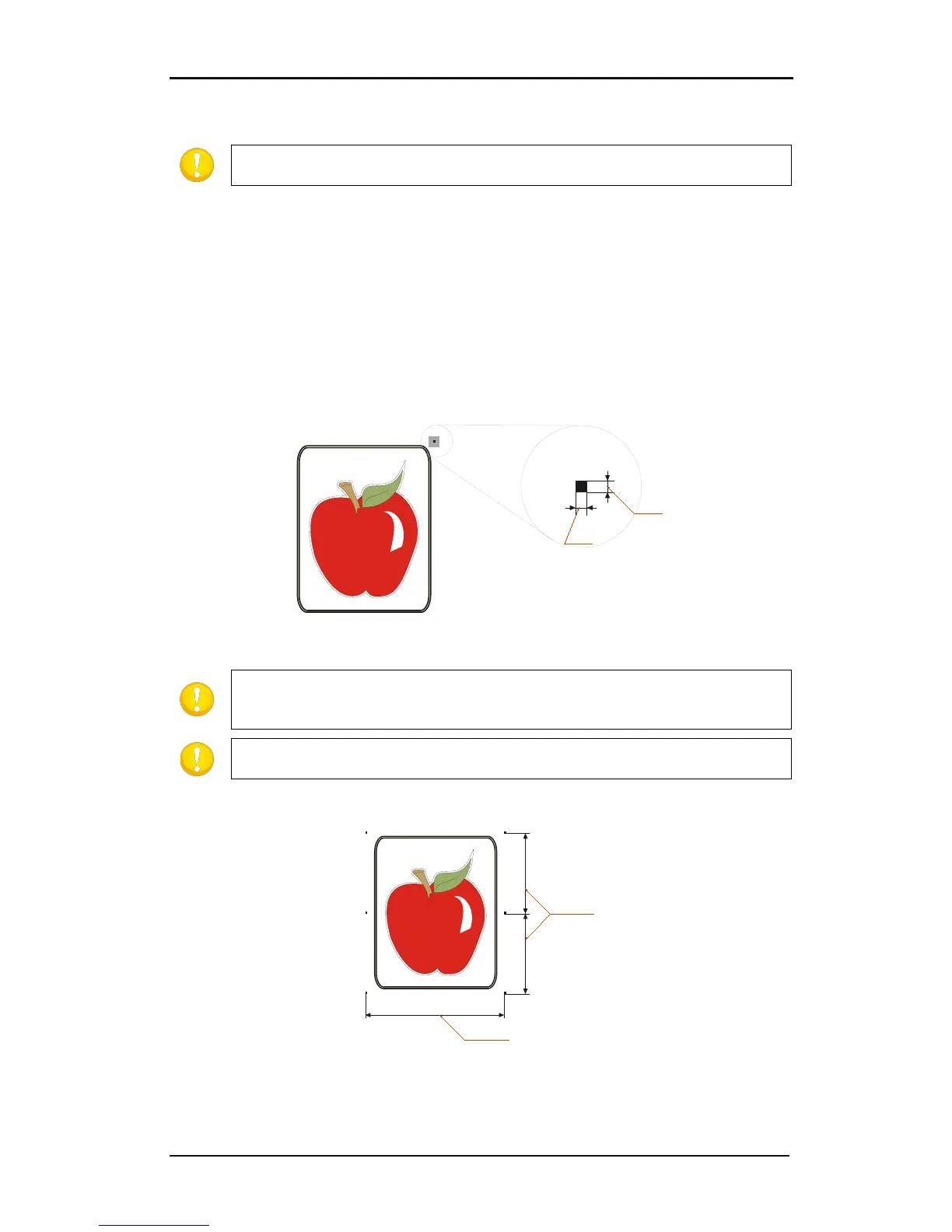
Put the OPOS marks around the drawing. In your design the top right corner is the
origin of the design that will be printed out.
Place the origin mark at the right side and above all contours that need to be cut.
FIG 3-3
3-3 PLACEMENT OF THE FIRST (ORIGIN) MARK
NOTE: The mark must be a square. The advised size is 3mm and the line style of
is best set to none (line styles with a certain thickness affect the
precision).
NOTE: Make sure that around every mark a ‘white space’ which is 3-4 times the
size of the mark.
Place the rest of the marks.
FIG 3-4
3-4 PLACEMENT OF THE REST OF THE MARKS



 To Next Page