DC5 User’s Manual
Setup 1-9
1.3.3 Connecting the printer to the mains
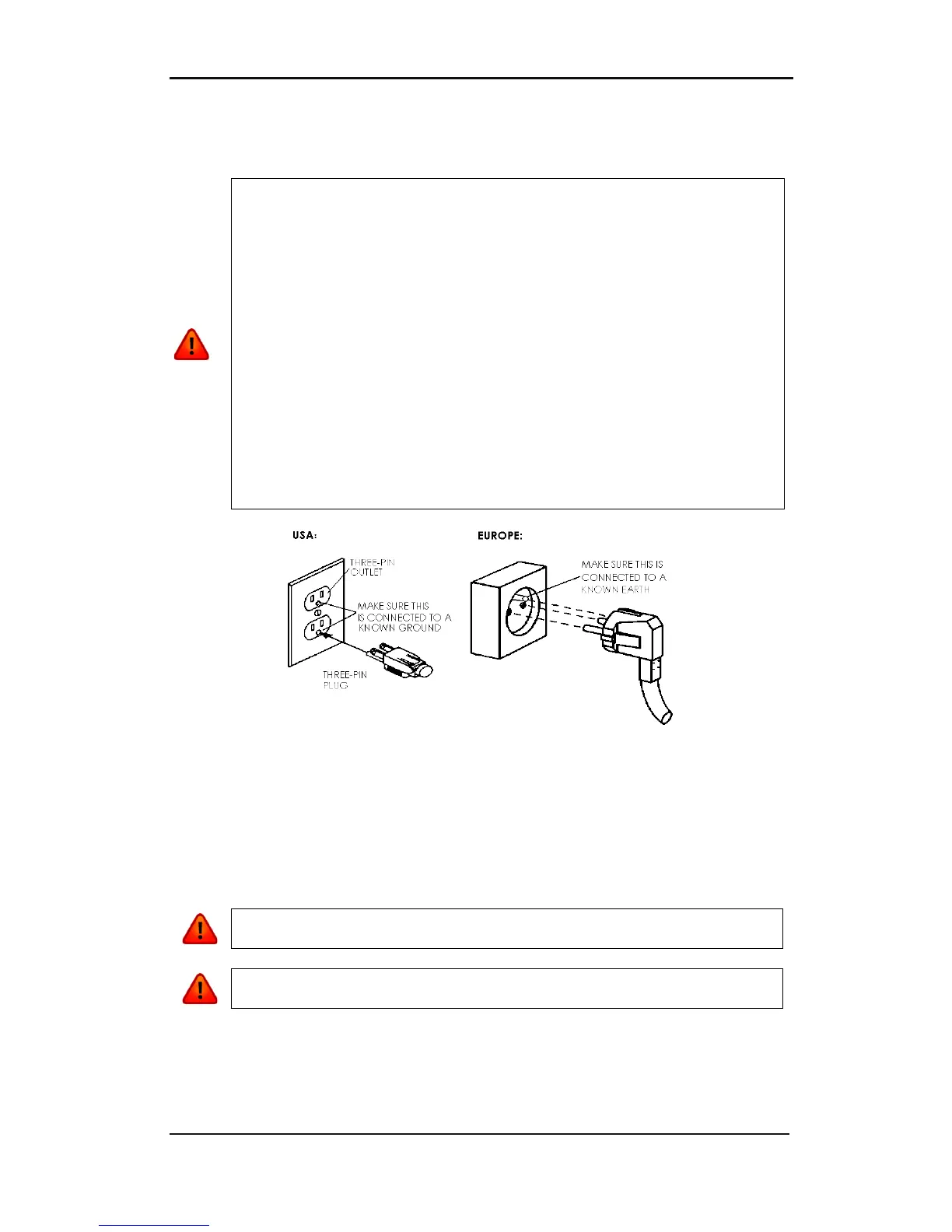
1.3.3.1 Grounding (“Earthing”)
FIG 1-8
1-8 PROPERLY GROUNDED CONNECTION
1.3.3.2 Operating voltage
The power supply detects the line voltage and switches automatically between 110V and
230V.
Fuse Rate: T4.0A, 250V SCHURTER SPT OR EQUIVALENT.
WARNING: Before changing the fuse, make sure that the printer is completely
disconnected from its power source.
WARNING: For continued protection against risk of fire, replace only with the
same type and rating of fuse.
WARNING: An insulated ground conductor must be installed as part of the
branch circuit that supplies power to the wall outlet to which the printer is
connected. The ground conductor must have the same si
ze, insulation material
and thickness as the grounded and ungrounded branch circuit supply
conductors, but the insulating seat should be green or green with yellow
The ground conductor described above must be grounded at the electrical
distribution board or, if power is supplied by a separate system, at the power
supply transformer/motor generator set.
The wall sockets into which the printer is plugged must be of the grounded type.
The grounded conductors serving the wall socket must be
the ground.
For emergency access, the printer should be installed near the socket-outlet for



 To Next Page