DC5 User’s Manual
Setup 1-20
1.6.5 Preparing the printer for long print-outs
1.6.5.1 Introduction
The DC5(sx) has a fixed position at the rear for the roller guiding of the flange.
It is possible that some types of vinyls are not wound up evenly (e.g. the core sticking out).
This way the path of the vinyl will be forced in a wrong direction. Following procedure can
help to solve that problem.
1.6.5.2 Procedure
1. Load the media in the machine as described in section 1.6.1.
2. Print out a small test of 2 or 3 band-passes high.
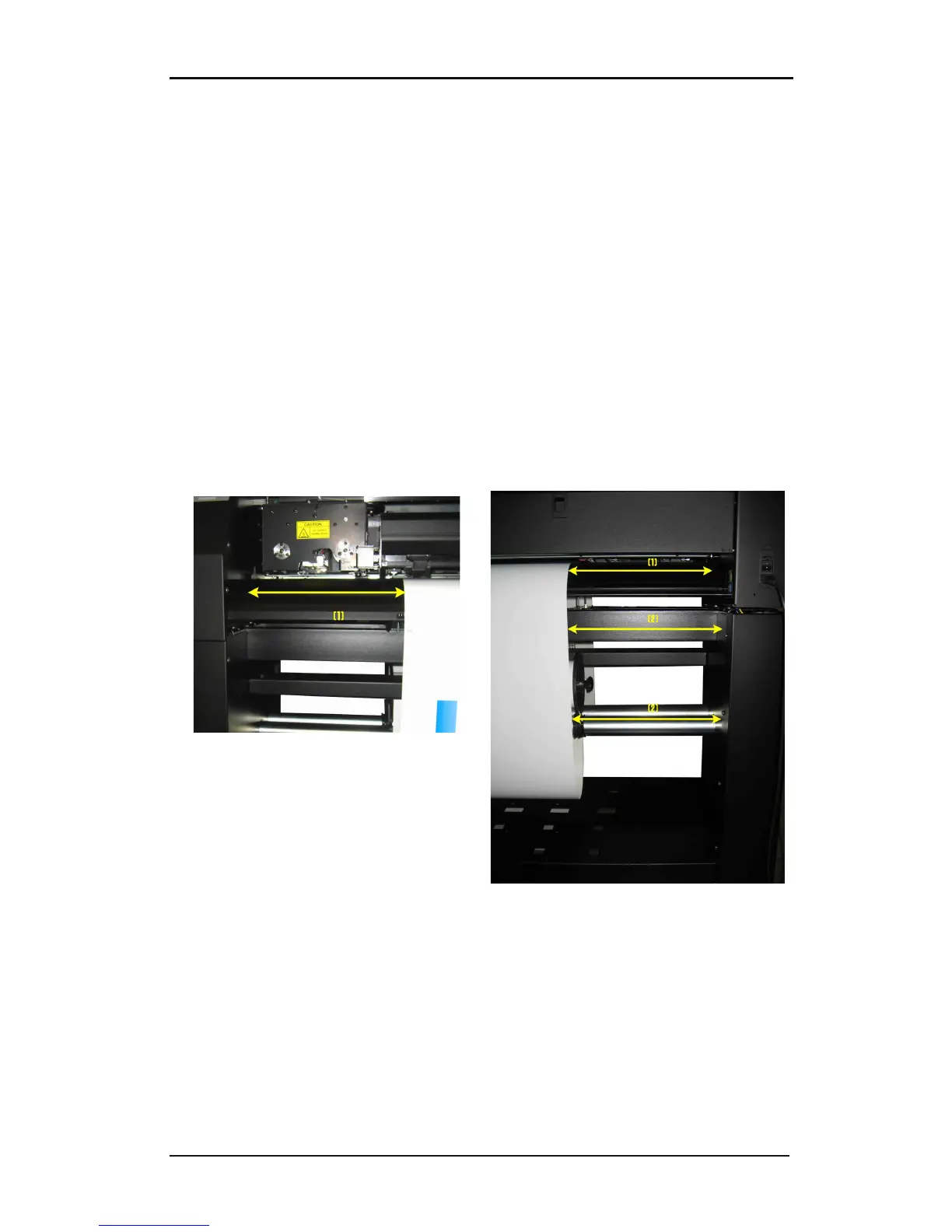
3. Check the path of the media. The distances, marked with the white arrows and the same
number, should all be the same. The middle arrow of the second photo points to the roll
itself.
from its place of origin. If so, reload with a
maximum loop at the back.
If it did not move, then reposition the roller
guide, so the path of the vinyl looks as
shown above. Make sure



 To Next Page