DC5 User’s Manual
Software 6-21
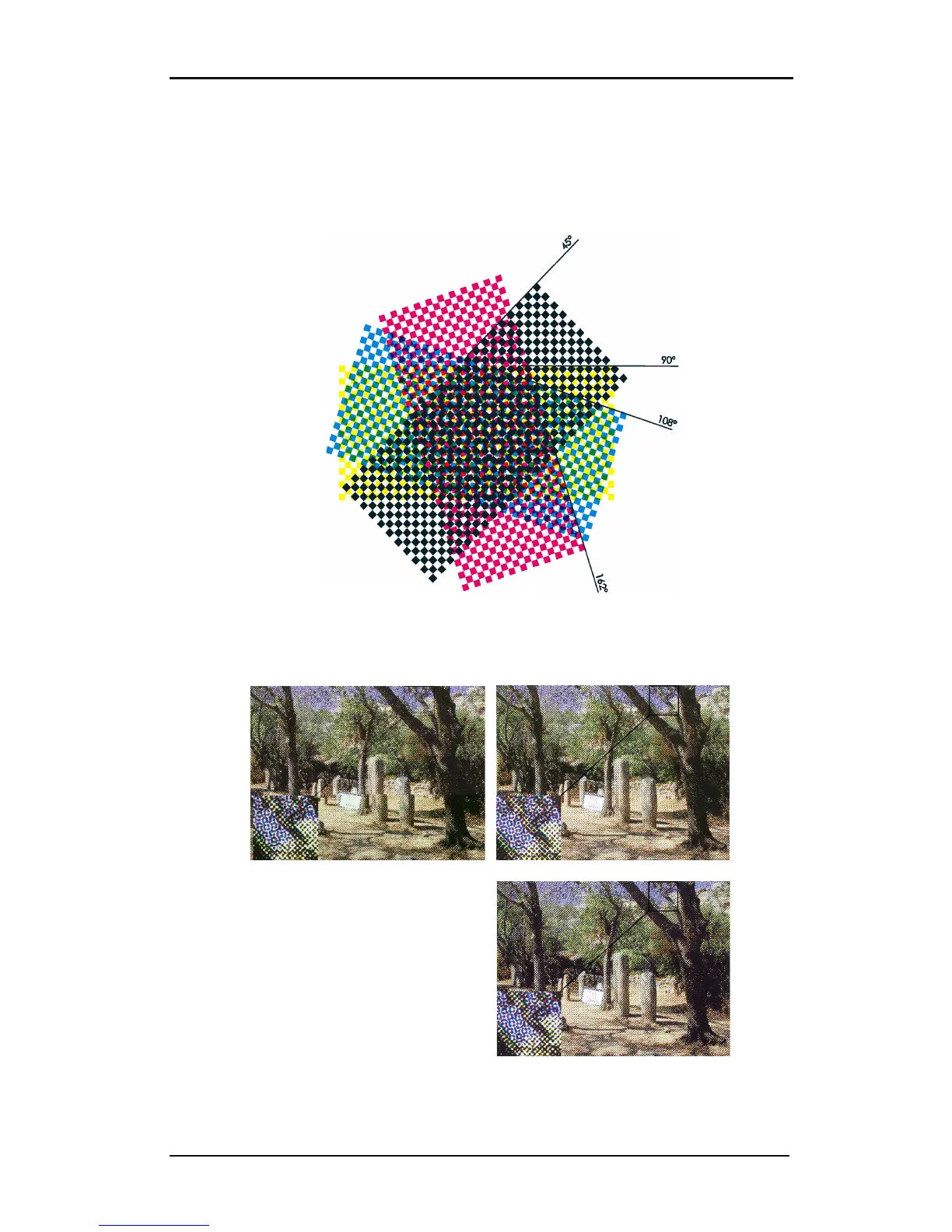
4. Angle: To get various shades to reproduce an image, the RIP uses a certain process
called screening. Screening breaks an image down into series of dots. Each screen is set
to a certain angle. Thus creating intersecting rows that form a pattern that looks like dot
shapes, known as rosettes. The default angles are carefully chosen in order to minimize
the ‘moiré’ effect. Changing those angles will normally not reduce moiré. Moiré usually
emerges in scanned pictures. Add noise in the picture to solve the moiré problem.
FIG 6-23
6-23 SCREEN ANGLES
5. Shape: Here the shape of those dots can be chosen. Below is an illustration of the
various available dot shapes.
ROUND SQUARE
CROSS DIAMOND



 To Next Page