DC5 User’s Manual
Maintenance 5-2
5.1.3 Changing the cleaning pad
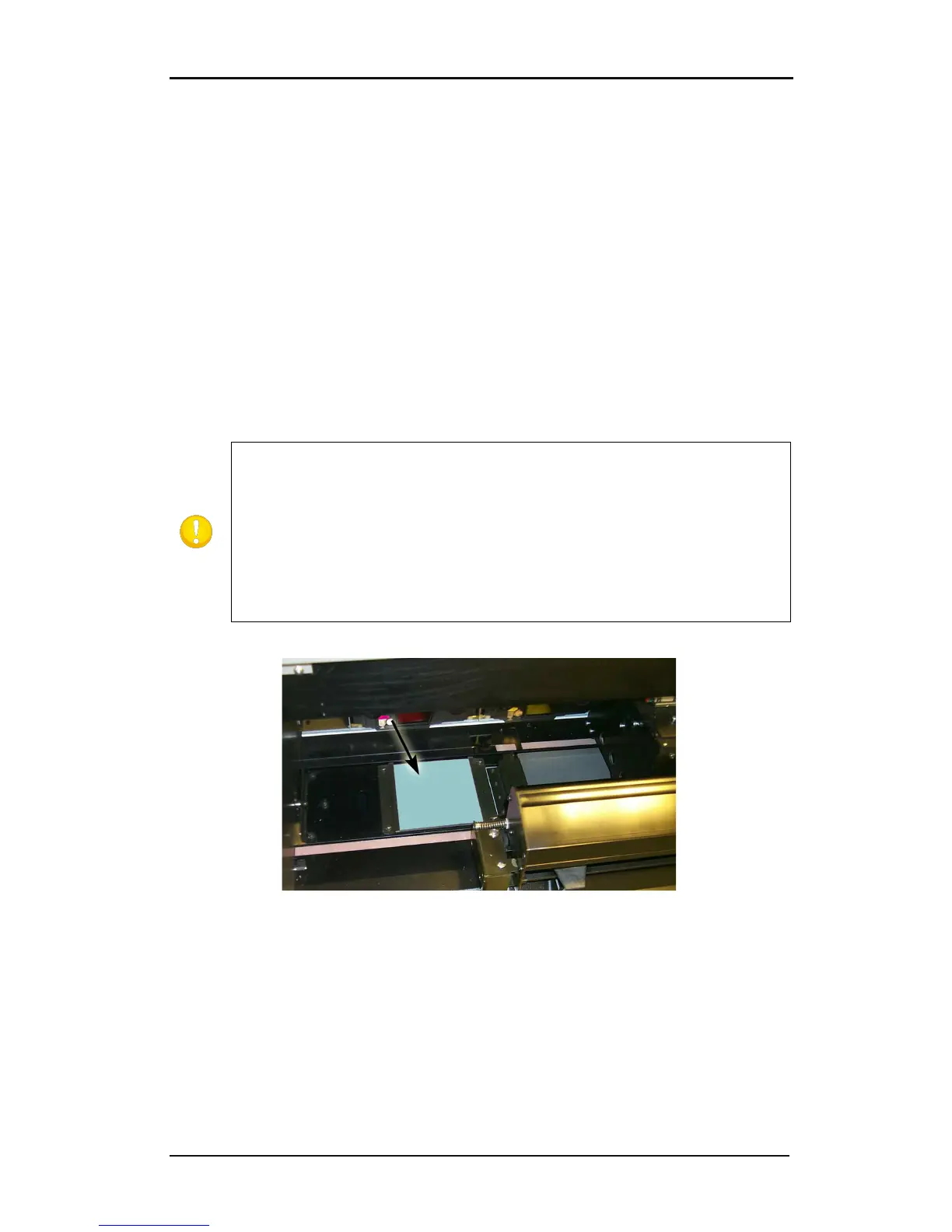
Located on the left side of the DC5(sx) is a printhead cleaning pad. The printer cleans the
head periodically on this pad. It is possible that after a while some dust will accumulate on
this pad. Therefore it is advised to clean this pad from time to time.
To clean the cleaning pad, proceed as follows:
1. Take a piece of scrap vinyl that is a bit larger than the cleaning pad. Remove the backing
and stick it on the cleaning pad.
2. Gently apply equal pressure on the vinyl, pressing the adhesive on the pad.
3. Remove the vinyl and check the back of the vinyl. If it is dirty, repeat the procedure until
the vinyl does not show dirt from the cleaning pad.
4. If the cleaning pad starts turning white, it is worn out and should be replaced.
FIG 5-3
5-3 CLEANING PAD
vinyl, whichever comes first.
Every five rolls of vinyl, the cleaning pad should be replaced (or turned once –
mark the used side so it is not used twice).
Using material, which is not approved,



 To Next Page