DC5 User’s Manual
Software 6-10
1. Make sure the files for upgrading are saved on a known place on the computer. For a
complete upgrade there are 2 files. The file of the type summa2 serve for upgrading the
main boards; the type summa5 file serves for upgrading the communication board.
2. Make sure the printer is switched on and check the connection status in Summa Printer
Control (click on the refresh button in the machine info status). Click on .
3. Click on and choose DC5main file (type summa2). Wait until a message
comes on the touch screen of the printer, reporting that engine is upgraded.
4. Click on and choose the DC5comm file (type summa5 file). Wait until the
touch screen on the printer reports the upgrade is finished.
5. Reboot when finished.
Sometimes only a partial upgrade is enough. In this case some steps can be skipped.
However, only execute a partial upgrade if instructed by a Summa trained technician.
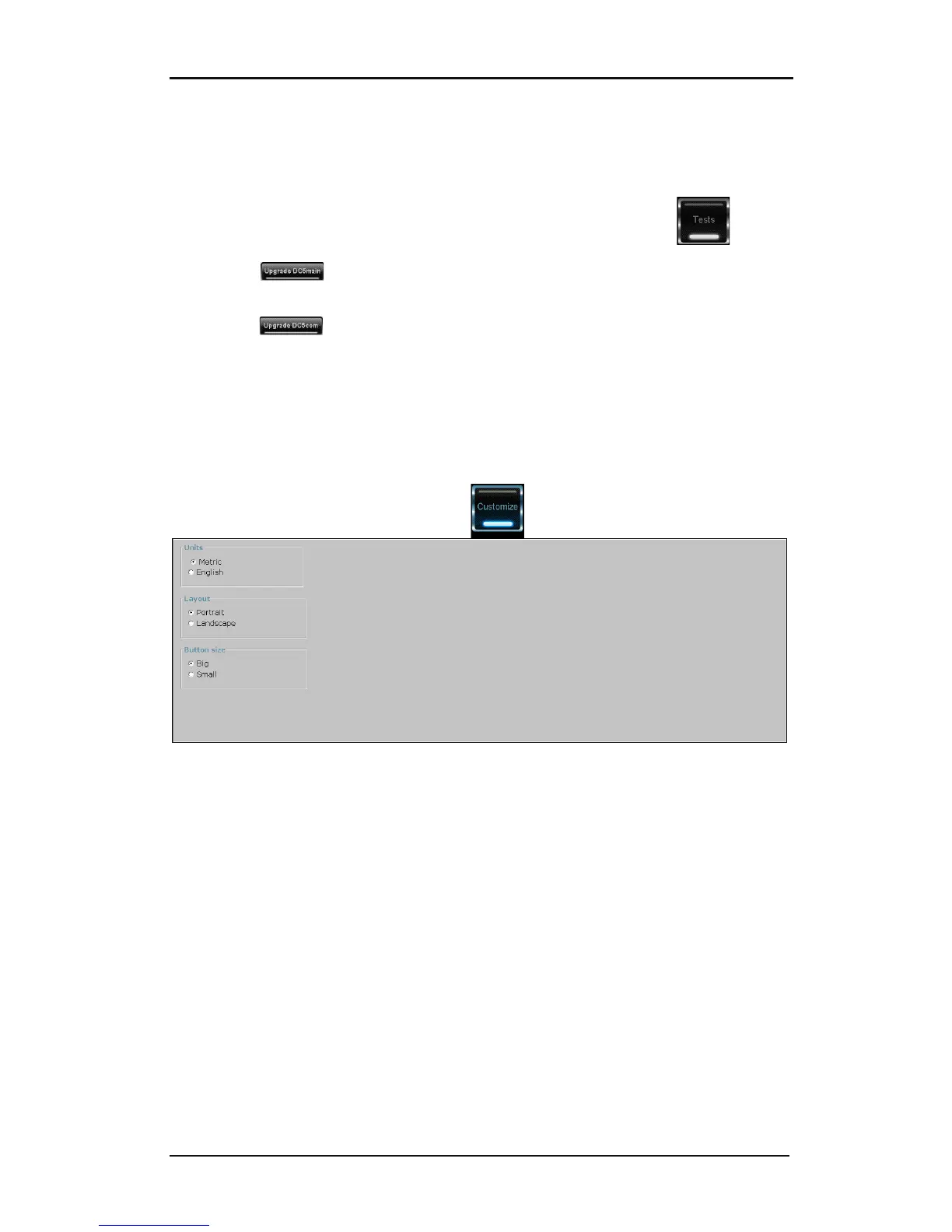
6.2.6 Customize
FIG 6-12
6-12 CUSTOMIZE MENU
This menu is used to customize the Summa printer Control parameters. There are currently
three parameters: the units (choice between American or metric units), the layout ( status
windows on top or at the left side) and the size of the buttons.



 To Next Page