DC5 User’s Manual
Software 6-6
6.2 Summa Printer Control Menus
The Summa Printer Control program basically has the same functions as the control panel. It
is up to the user to decide which way he will work most efficiently. The users who will work
with the Summa Printer Control program will notice that it is a very powerful and practical
tool.
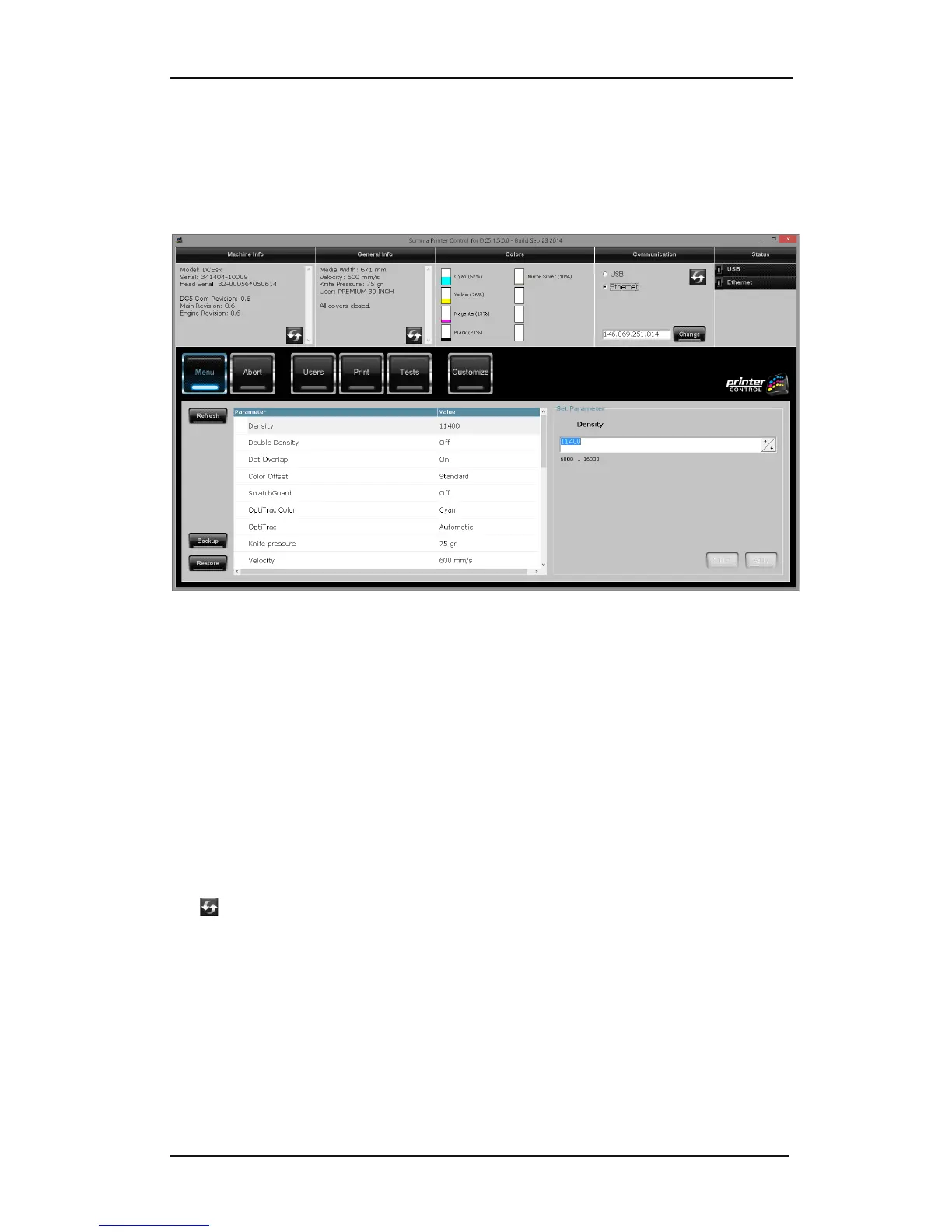
FIG 6-6
6-6 SUMMA PRINTER CONTROL START SCREEN MACHINE CONNECTED
After starting up the printer and the program, the window as above is displayed.
The top of the window contains info about the printer.
Machine info: Displays the model, serial number machine, serial number printhead and the
different firmware revisions of each board.
General info: Shows media width, cutting speed, knife pressure, selected user and status of
the covers.
Colors: Shows loaded cassettes with a rough estimate of how much ribbon is left.
Communication: Shows the selected connection type.
Status: This part displays the status of the connection. Status light can be green (connected)
gray (not connected) or green flashing (busy communication)
Use for refreshing the info.



 To Next Page