DC5 User’s Manual
Basic Operation 2-10
2.4 How to set the main knife parameters:
There are two important knife parameters, the offset and the knife pressure. The knife offset
is a knife depended parameter. The knife pressure is a media depended parameter.
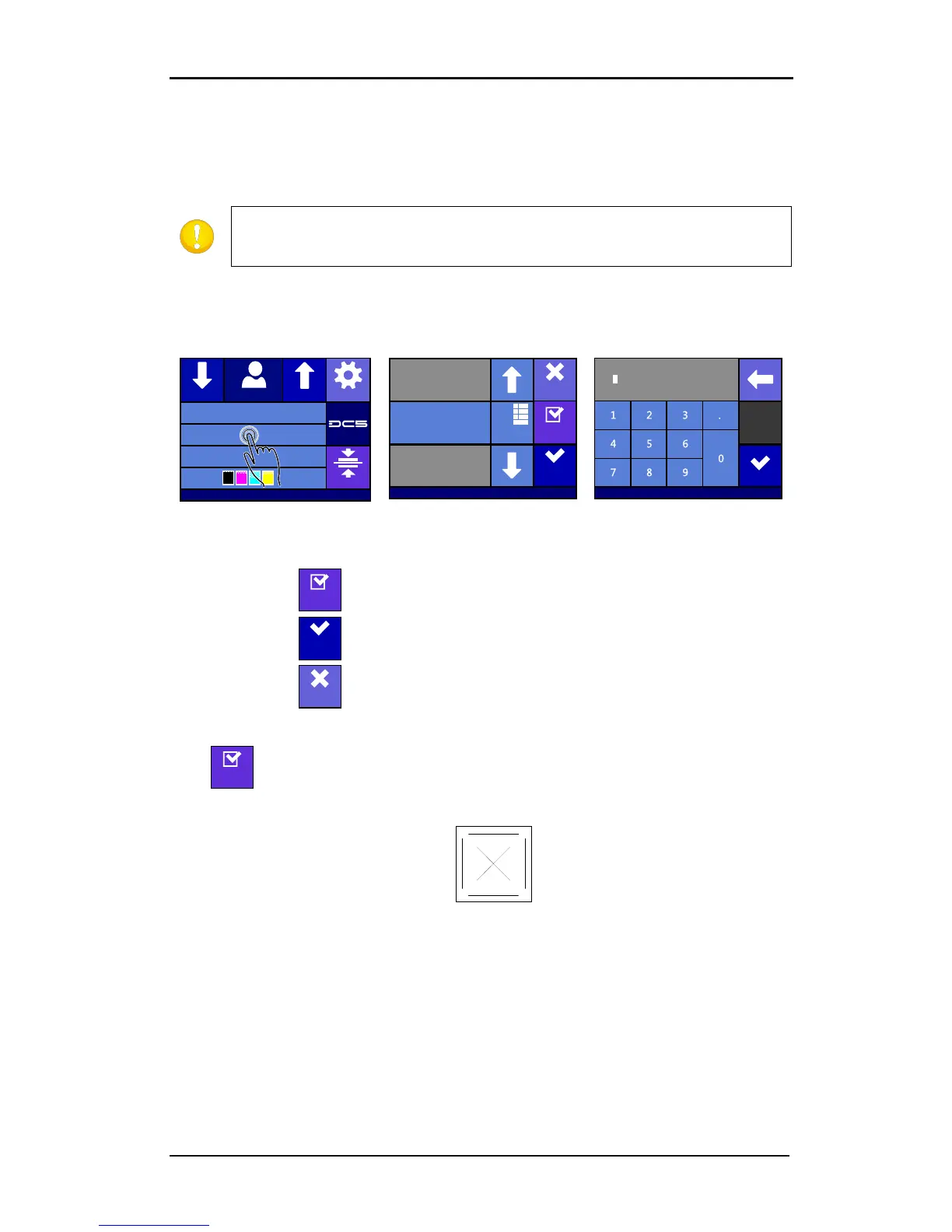
Setting the knife pressure (cutting depth):
1. Power on the printer and load media (see section 1.6.1).
after pressing Numpad.
1. Press to perform the internal knife pressure test.
2. Press to confirm the chosen knife pressure and exit the menu.
3. Press to leave the pressure unchanged.
Once is pressed, the current knife pressure value will be set automatically to the new
value and the cutter will cut the knife pressure test pattern.
FIG 2-10
2-10 KNIFE PRESSURE TEST PATTERN
Peel out the rectangle and inspect the backing.
The knife depth is set correctly when the test pattern cuts completely through the vinyl.
The vinyl is removed and the blade tip visibly scratched the front side of the media backing.
The blade should never cut through the backing but merely scratch the silicon coating and
first few fibers of the backing material.



 To Next Page