it is recommended to work with a static IP address because printing
software uses a static IP address to send the data to.
DHCP server isn’t infinite or if no static IP address is used, then it is possible that
the IP address of the cutter suddenly changes and that the prin
When it was impossible to obtain an address with the above procedures, then there is a
‘trick’ to try and find a vacant address. To do so check the IP address and subnetmask from
the computer and choose an IP address that is ‘far’ from that IP address of the computer (
add or subtract 98, but make sure it stays in de range of 2 – 250 )
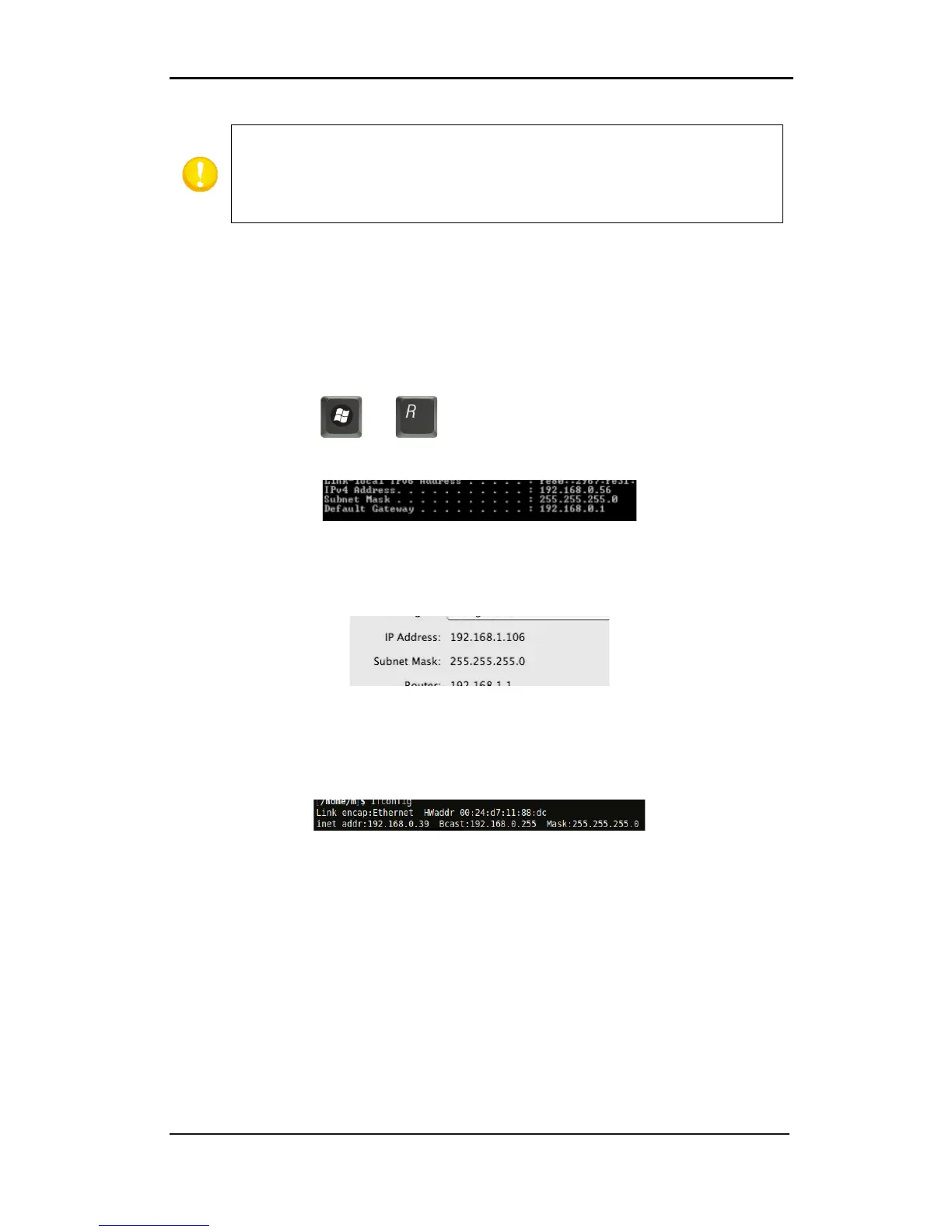
Check the IP config of the computer:
For Windows:
Press simultaneously and . Type “Cmd” (without the “ “) and click on OK. Then
a program box opens. In this box type IP config.
For Mac:
Click on the apple menu, then on system preferences and then on network. Here the IP
address and subnet mask can be seen.
For Linux:
Go to applications Accessories terminal (or search for terminal). Once the terminal window
is opened, type ifconfig.



 To Next Page