S Class 3 User’s Manual
Setup 1-22
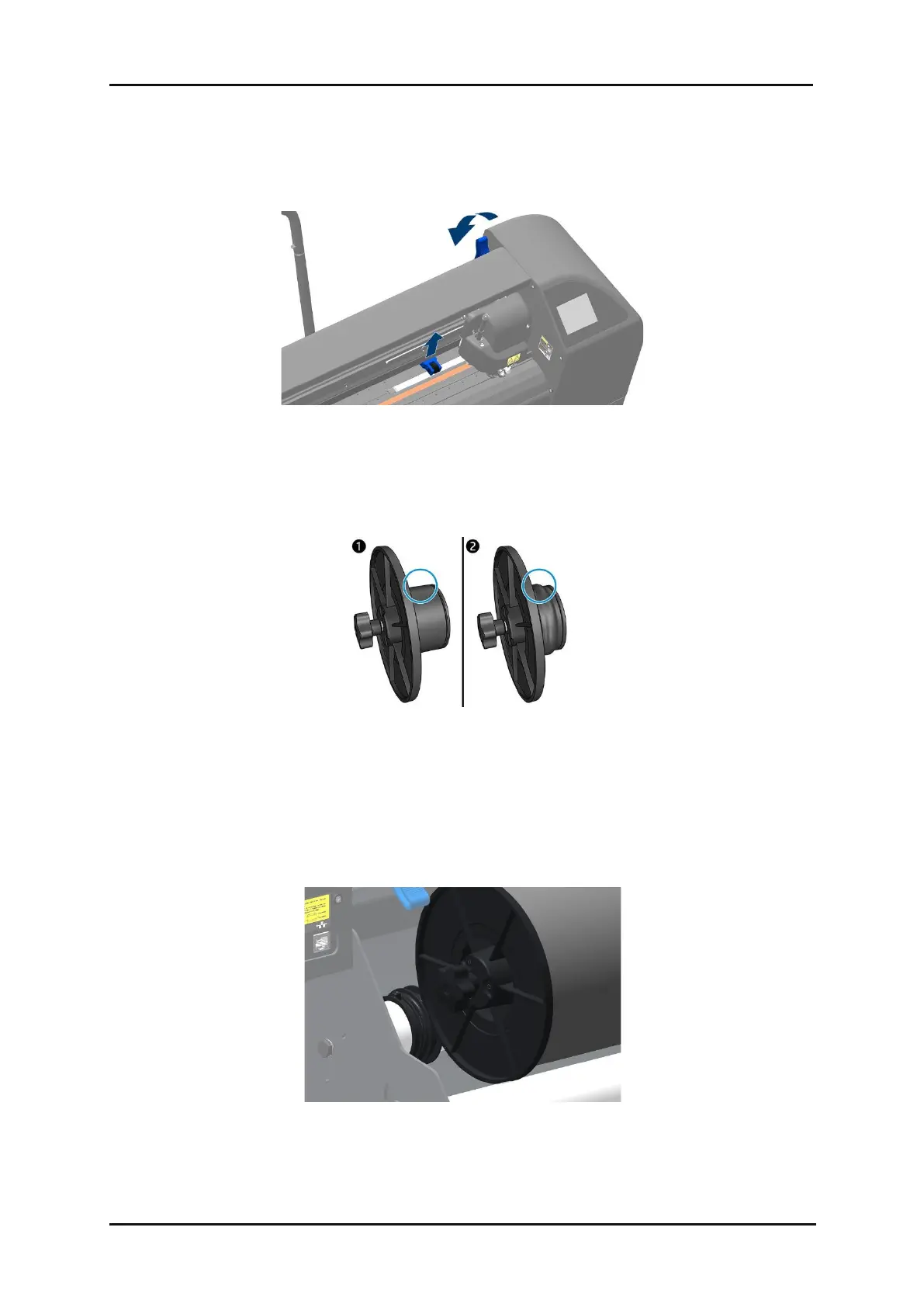
1. Raise the pinch rollers by lowering the pinch roller lever arm, located at the right-hand side of the
cutter, next to the touch panel.
FIG 1-12
1-12 PINCH ROLLER LEVER
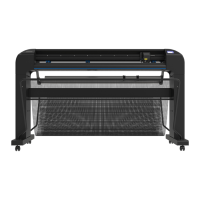
2. Loosen the knobs on the two media flanges. The following illustration shows a loosened flange
and a tightened flange .
FIG 1-13
1-13 CORE HOLDERS
3. Insert a loosened flange into one end of the media roll and tighten the knob. Verify that the flange
is secure. Then do the same at the other side of the roll.
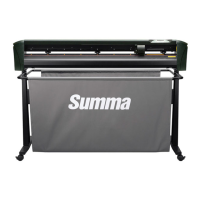
4. Place the material roll with tightened flanges on the material support rollers in the grooves of the
flange guides. You can move the flange guides if necessary.
FIG 1-14
1-14 POSITION FLANGES



 To Next Page