1.5.2 How to Set the Pressure of the Outer Pinch Rollers
The pressure of the S Class 3 cutters pinch rollers can be standard or low. The pressure should only
be changed when the pinch rollers are lowered. When reduced pressure is needed, it is advised to set
Autoload to Ask. In this case, the cutter does not automatically start loading vinyl after it was
switched on or after the pinch rollers were lowered; a message appears on the touchscreen to adjust
the pressure of the pinch rollers.
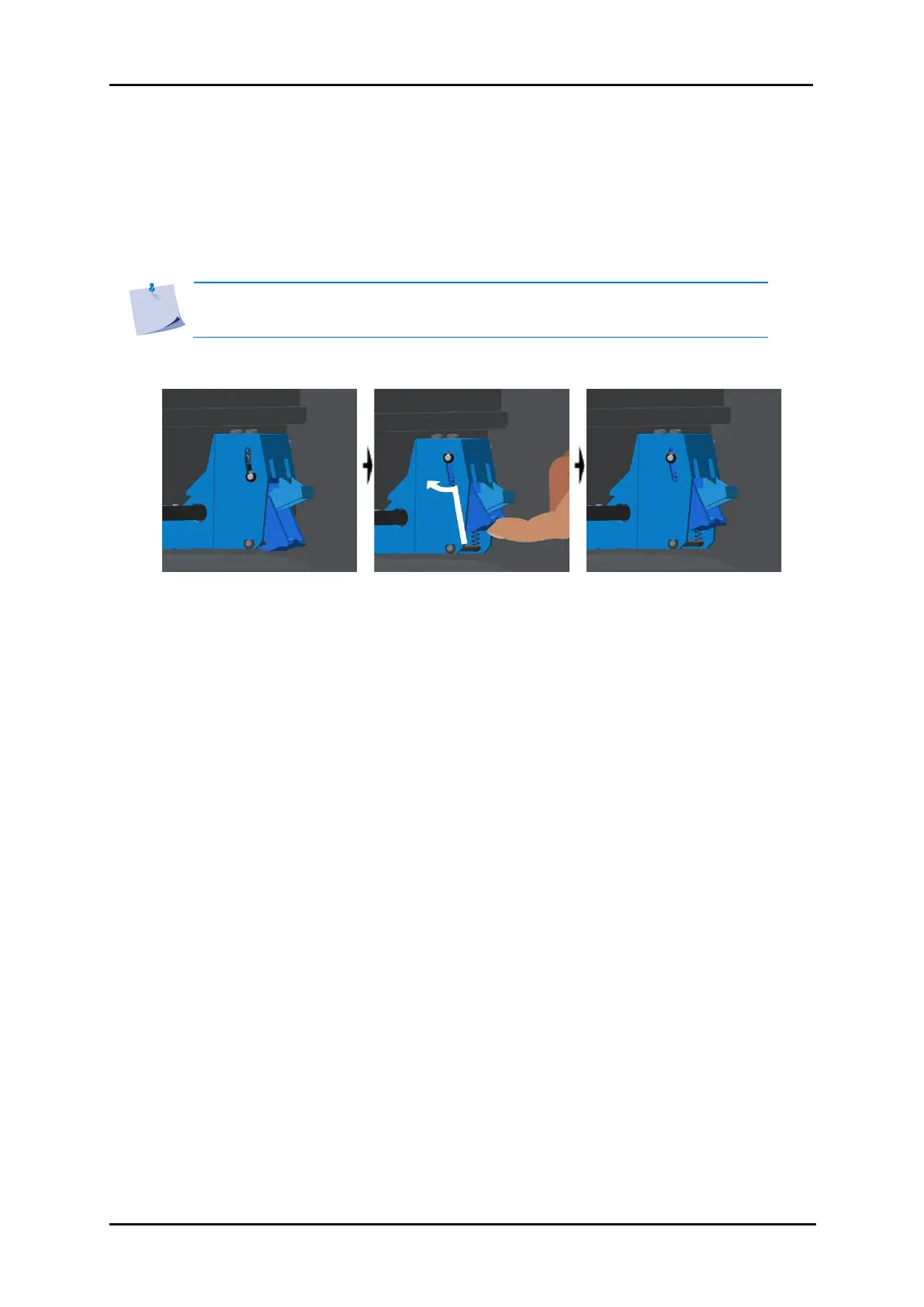
FIG 1-10
1-10 REDUCING PRESSURE
To cut with reduced pressure, do the following:
1. Set Autoload to Ask (see section 4.6.7).
2. Load the media in the cutter (see section 1.5.4).
3. Push the cap of the two outer pinch rollers upwards and inwards (toward the machine) – see figure
above.



 To Next Page