S Class 3 User’s Manual
Setup 1-37
The installation of the tangential knife, drag knife, and pen as tools in the rear tool shaft is the same
as described in section 1.6.2.
The second tool (creasing tool or extra pen) can be installed in the front tool shaft. The procedure for
installation and setup is described in the following sections.
1.6.3.1 Creasing tool installation
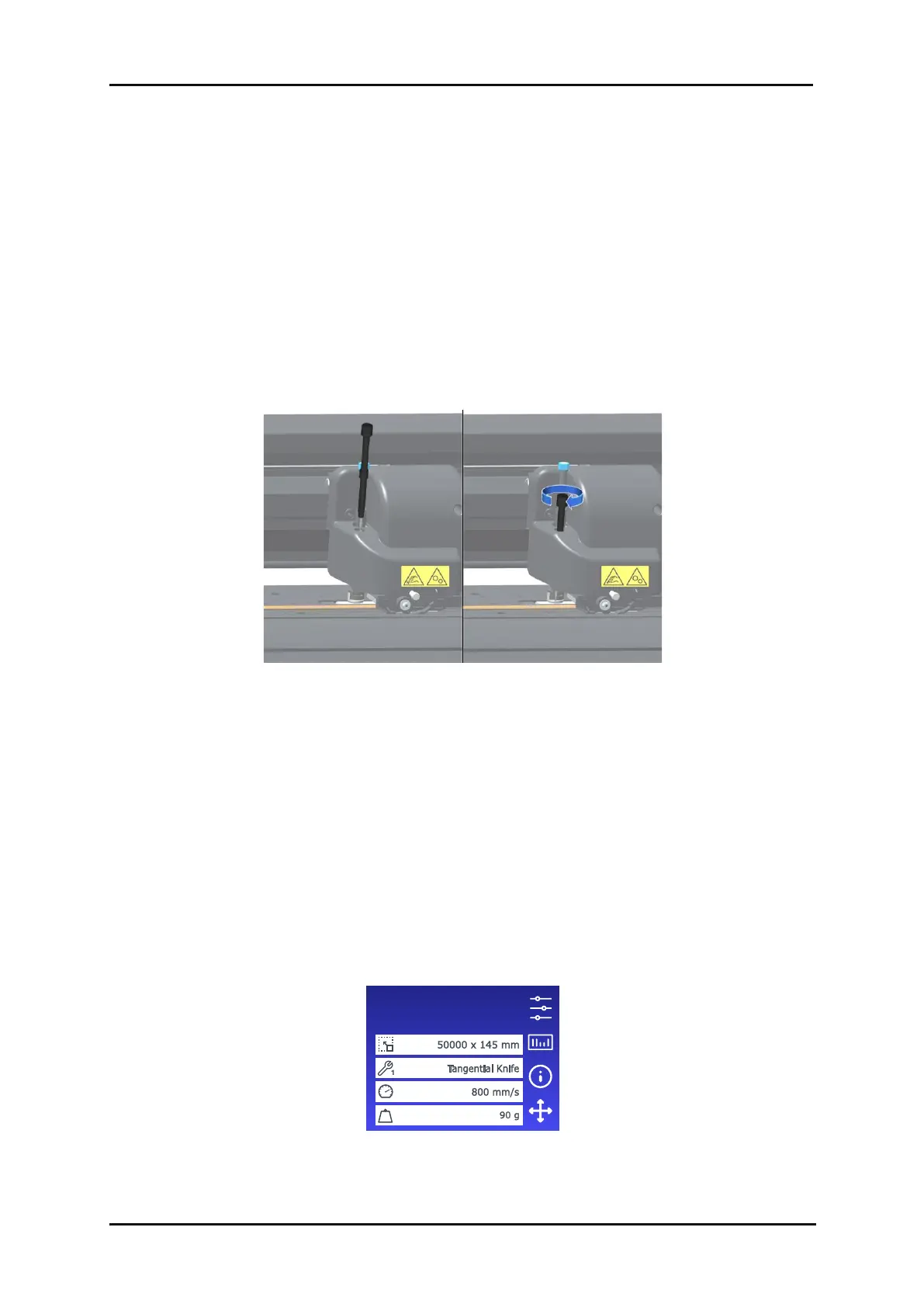
Remove the black plug from the front tool shaft if necessary.
Gently insert the creasing tool into the front tool shaft. Turn the creasing tool clockwise, all the way
down. The process of installing the extra pen is the same.
FIG 1-34
1-34 INSERTING THE CREASING TOOL
1.6.3.2 Setting up the second tool
When an S Class 3 TC model cutter is powered on and media is loaded, a small number is displayed
next to the tool icon. This number corresponds to the tool shaft.
When the number '1' is displayed, the display shows the currently installed tool in the rear tool shaft,
along with its pressure. When the number ‘2’ is displayed, the display shows the currently installed
tool in the front tool shaft, along with its pressure.
The figure below displays a screenshot of the touch screen of an S Class 3 TC model. In the rear shaft,
a tangential knife is loaded, set to cut at a speed of 800 mm/s with a pressure of 90 grams.
FIG 1-35
1-35 TOUCH SCREEN ON A TC MODEL









 To Next Page