EasyManua.ls Logo

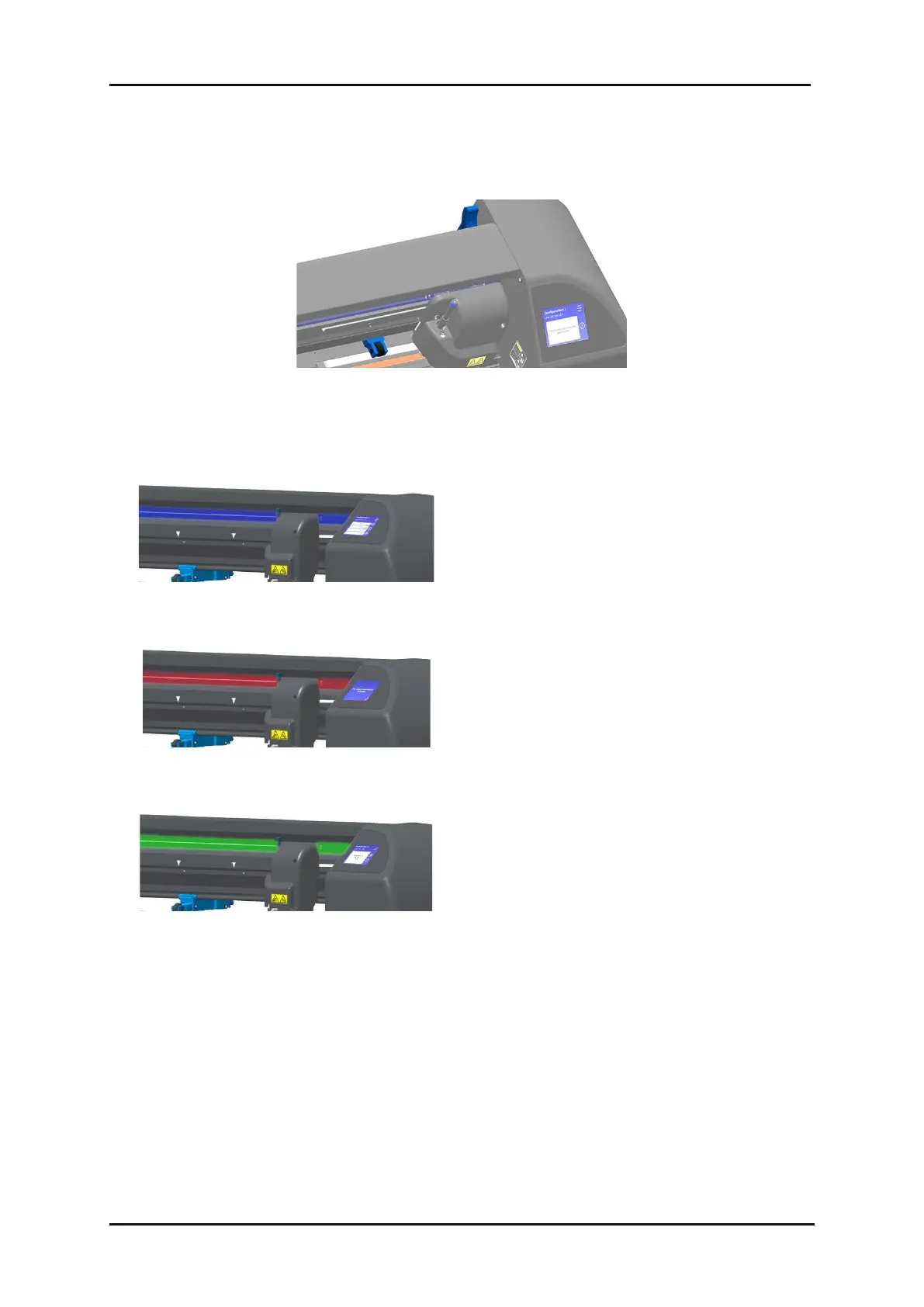
Summa S3 Series - Blue Parts; Blue Status Light; Red Status Light; Green Status Light

Summa S3 Series
111 pages
Print Icon
To Next Page IconTo Next Page
To Previous Page IconTo Previous Page
Loading...
S Class 3 User’s Manual
Basic operation 2-3
All the blue parts (pinch roller blocks, pinch roller lever, knife adjustment screw) can be moved or
adjusted.
FIG 2-3
2-3 BLUE PARTS
The S Class 3 3 has status light bar integrated in the top cover:
FIG 2-4
2-4 BLUE STATUS LIGHT
The cutter is in idle mode, waiting for user
input or ready to start a job (in case the start
screen is displayed).
FIG 2-5
2-5 Red status light
An error has occurred, and intervention is
required.
FIG 2-6
2-6 GREEN STATUS LIGHT
The cutter is currently actively performing a
task or operation (loading, cutting,…).
2.2 Ease of use

Table of Contents

Related product manuals