S Class 3 User’s Manual
Setup 1-34
➢ Setting the pressure and checking the knife depth
(the media must be loaded in the cutter before the knife pressure can be tested)
WARNING: Each keystroke can initiate an internal test or movement of the head
or media. Keep fingers and other body parts away from the cutting area. There are
hazardous moving parts present.
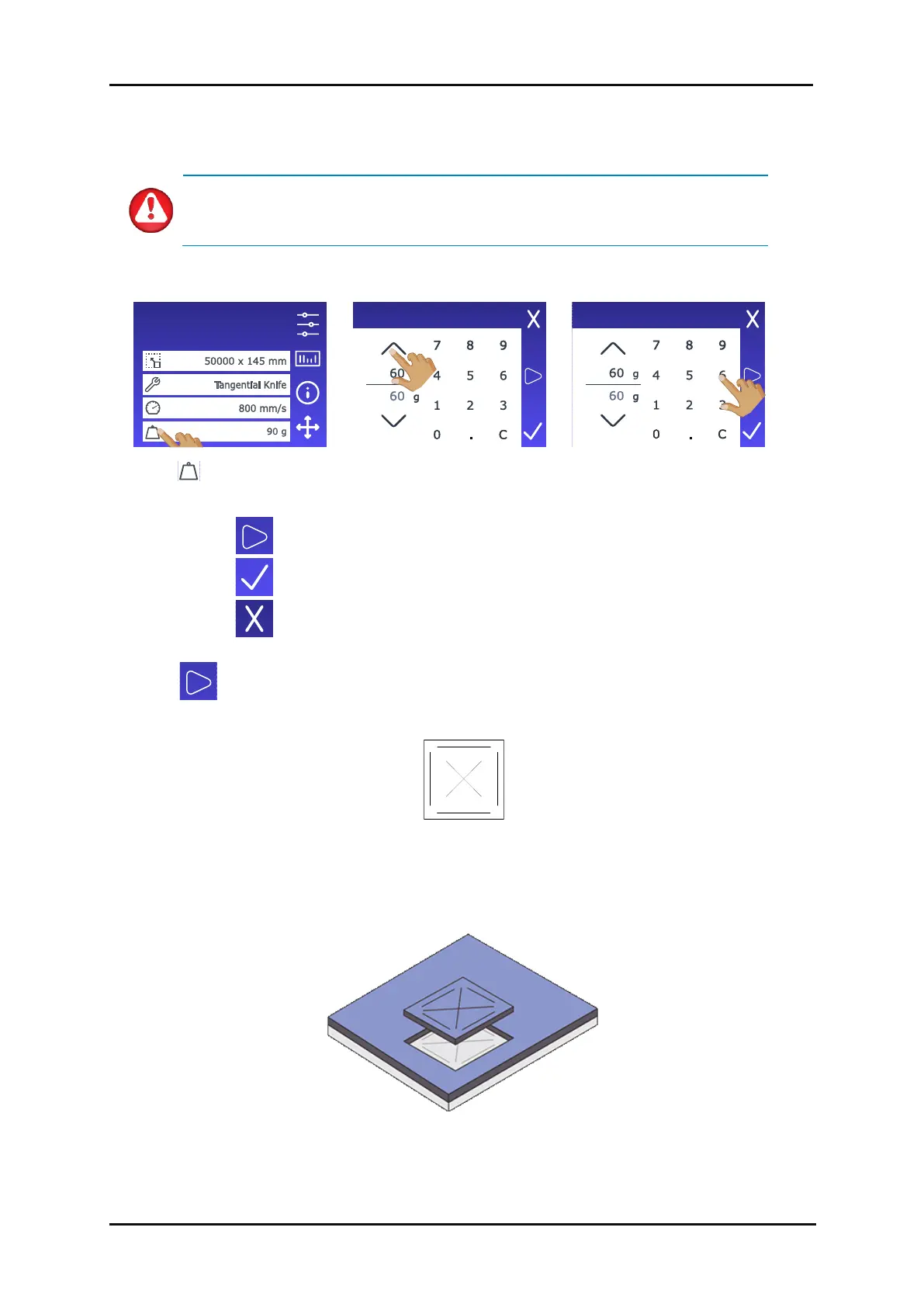
1. Tap to perform the internal knife pressure test.
2. Tap to confirm the chosen knife pressure.
3. Tap to leave the pressure unchanged.
Once is pressed, the current knife pressure is automatically set to the new value and the
cutter will cut the knife pressure test pattern.
FIG 1-32
1-32 KNIFE PRESSURE TEST PATTERN
Peel out the rectangle and inspect the media backing.
FIG 1-33
1-33 PEELED KNIFE PRESSURE TEST PATTERN









 To Next Page