S Class 3 User’s Manual
Basic operation 2-5
1. Power on the cutter and load the media (see section 1.5).
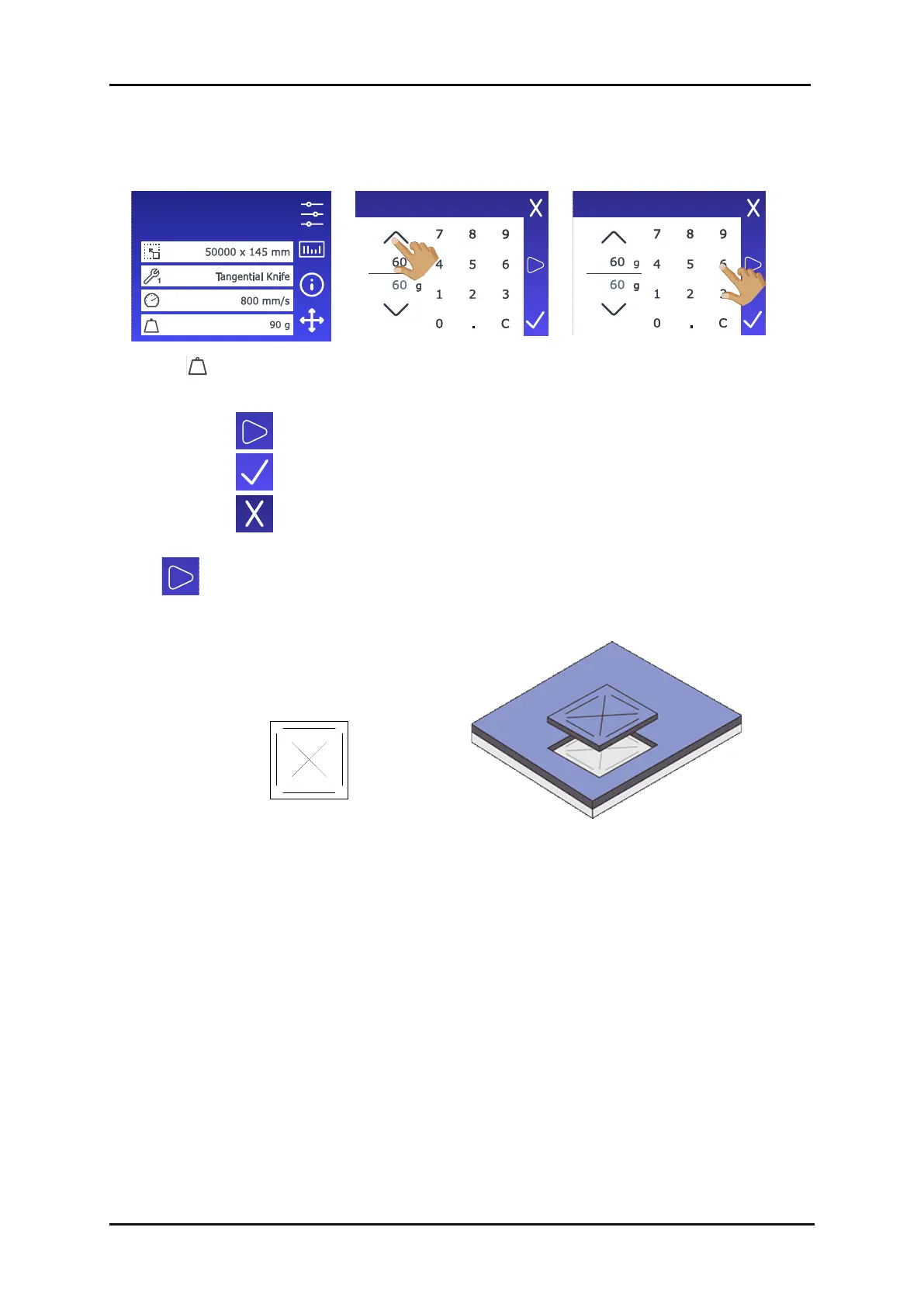
3. Use the arrow keys to
change the value…
4. …or use the numbers to
enter the new value.
1. Tap to perform the internal knife pressure test.
2. Tap to confirm the chosen knife pressure.
3. Tap to leave the pressure unchanged.
Once is tapped, the current knife pressure value is automatically set to the new value and
the cutter will cut the knife pressure test pattern.
FIG 2-7
2-7 KNIFE PRESSURE
TEST PATTERN
FIG 2-8
2-8 PEELED TEST PATTERN
The knife depth is set correctly when the test pattern is cut completely through the vinyl, the vinyl is
removed, and the blade tip visibly scratched the front side of the media backing. The blade should
never cut through the backing; only slightly scratch its silicon coating and first few fibres.
Configuration 1
LAN 192.168.10.2
2.3.2 Changing tool pressure









 To Next Page