S Class 3 User’s Manual
OPOS 3-12
To ensure that OPOS works accurately, two calibrations must be performed: the OPOS
calibration and the media calibration. The OPOS calibration is the calibration of the distance
between the knife tip and the sensor. The media calibration “teaches” the cutter the reflection
levels of the mark colour and the media colour.
NOTE: Although the OPOS sensor is factory calibrated, Summa recommends
performing a test to determine how well the factory-set parameters work with the
materials you are using. If the accuracy is not satisfactory, then perform the OPOS
calibration.
1. Switch on the cutter and load black vinyl that has white backing (see section 1.5).
NOTE: OPOS calibration MUST be performed using black vinyl that has white
backing.
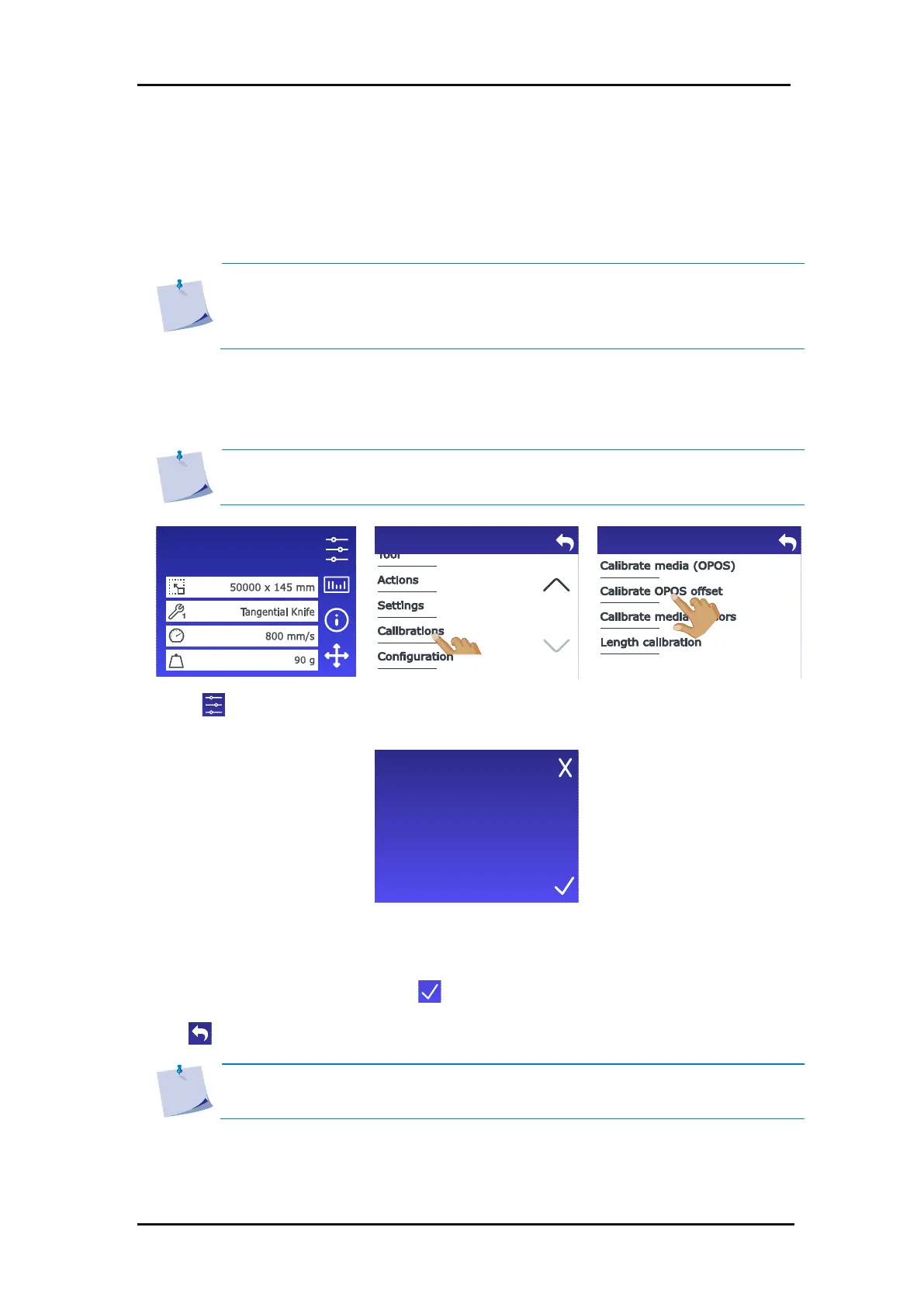
3. Scroll down with the arrow
and tap Calibrations.
4. Tap Calibrate OPOS offset.
The cutter cuts out a square,
measuring approximately
9.5x9.5 mm and moves the
square forward. “Weed out
Rectangle” will appear on
the display.
OPOS reads the edges of the
square and calibrates itself as
required.
5. Carefully weed out the
outer rectangle, making
sure the edges stay intact.
Tap .
6. Tap to get online again.
NOTE: To keep the OPOS sensor as accurate as possible, you should perform this
calibration each time the knife is changed.
Configuration 1
LAN 192.168.10.2
Please remove the outer
rectangle.
3.4.1 OPOS offset calibration









 To Next Page