S Class 3 User’s Manual
Setup 1-16
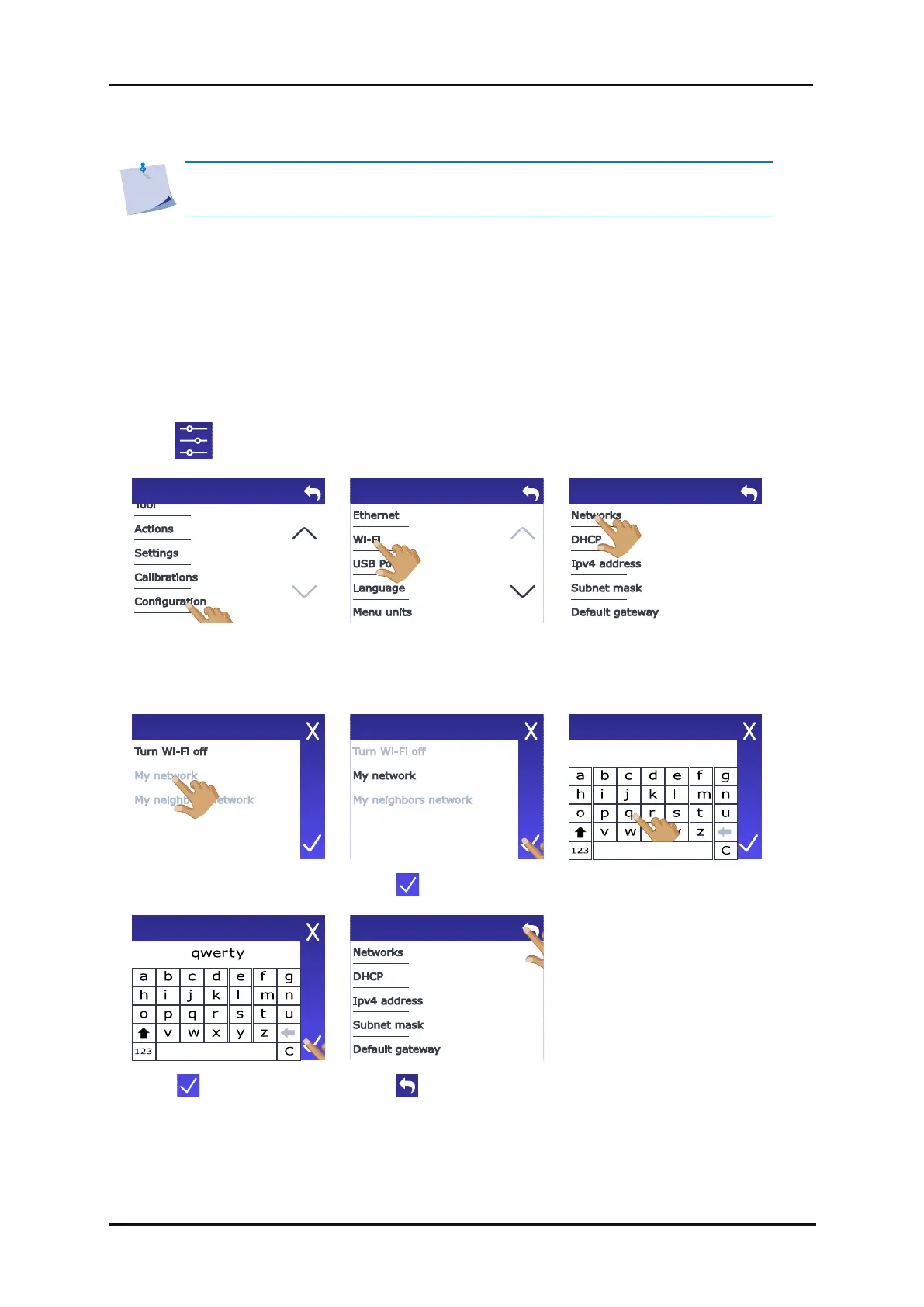
Connecting the S Class 3 cutters to Wi-Fi is not possible in every region. If you live in a region where
Wi-Fi is not an option, the message “Wi-Fi not available in your region” will appear.
Wi-Fi is default set to use DHCP so you only need to connect to the correct Wi-Fi network that is
broadcasting its SSID (network name).
1. Power on the cutter (see section 1.3).
2. Tap .
NOTE: The Wi-Fi option is not activated by default. It needs to be activated with a
code that also activates the barcode option. Check section 1.7.




 To Next Page