S Class 3 User’s Manual
Basic operation 2-15
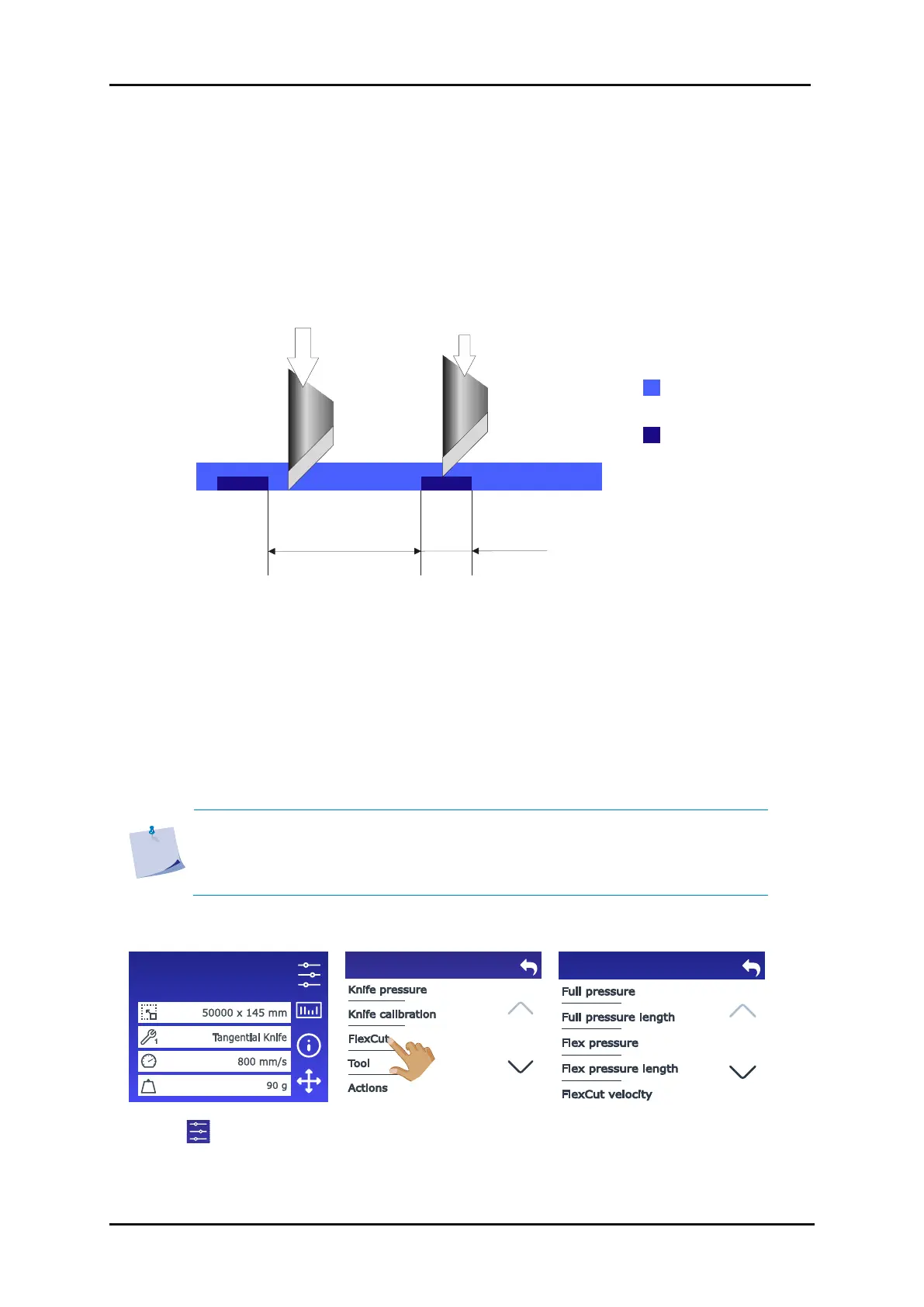
The FlexCut (cutting through) functionality focusses on cutting simple shapes (e.g. rectangles). It is
mostly used in combination with contour cutting. An interrupted cutting line makes sure that the
material remains together thanks to the small media bridges. When the job is finished the cut pieces
can be torn loose.
FIG 2-13
2-13 FLEXCUT PRINCIPLE
Some cutting software programs can recognize the difference between a contour line and a cut-
through line. The software first sends the contour line data to the cutter, then activates FlexCut,
panelling mode and vector sorting, and ultimately sends the cut-through data to the cutter. If your
cutting software cannot do this, you will need to send the contour line data separately, set the cutter
in FlexCut mode manually and then send the cut-through data.
Setting the parameters for cutting through the media:
NOTE: The following procedure describes how to set the parameters for FlexCut.
The parameters used in the example below are 180 g and 10 mm for full
pressure, 80 g and 1 mm for FlexCut pressure, and auto speed. Section 2.7.2.3
describes how to get the exact parameters for the media that you will be using.









 To Next Page