CHAPTER 7 Quality control
7-20 Sysmex XE-5000 Instructions for Use
Revised April 2007
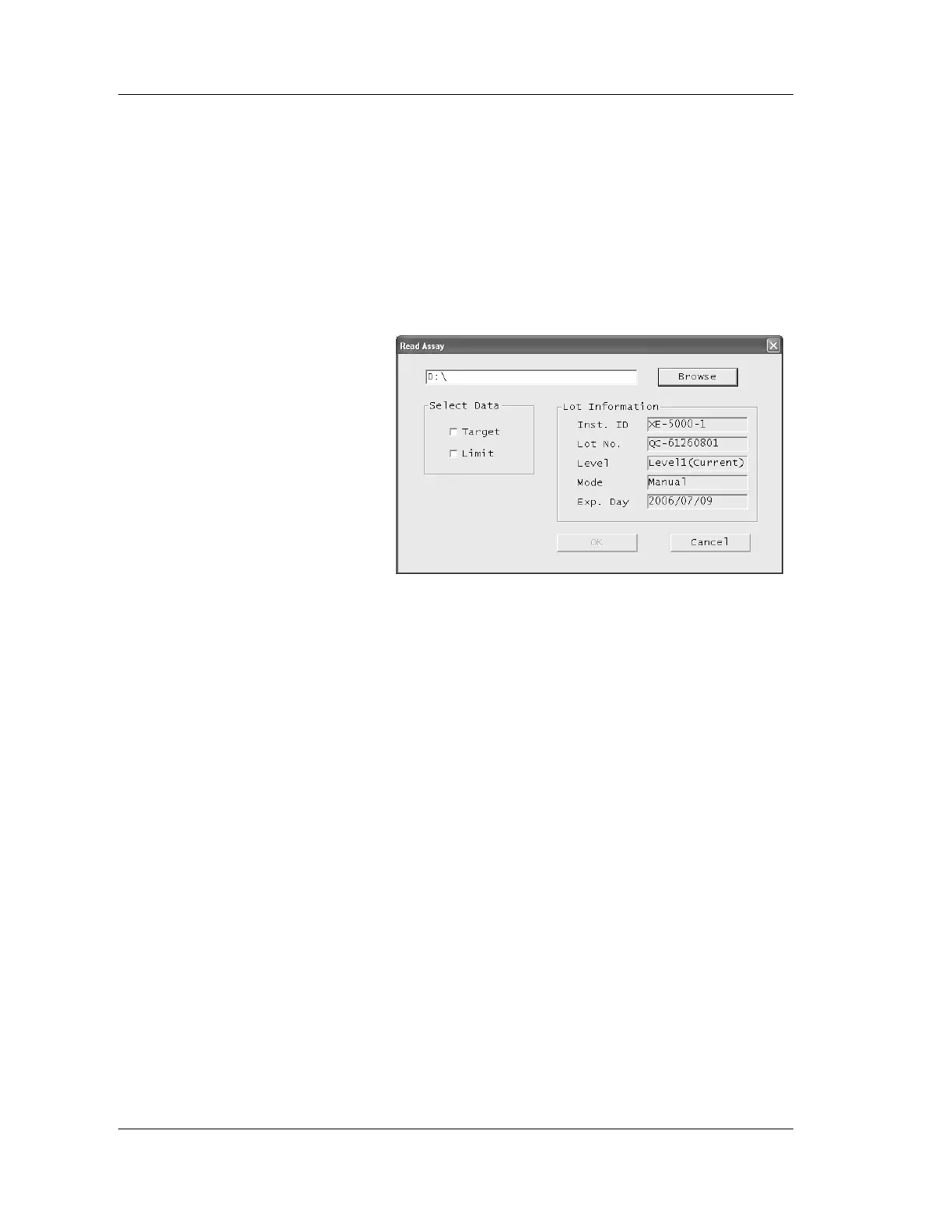
Read assay
1. Insert the CD-ROM provided with the control blood into
the CD-ROM drive in the Information Processing Unit
(IPU).
2. Select parameters for which you wish to read the assay
value from the list. Normally select all parameters.
3. Click the “Read assay” button.
The Read Assay dialog box will appear.
The new lot information to be imported will be displayed
on the right side of the dialog box.
4. Click the “Target” and/or “Limit” check box to select.
If the file location is not on a CD-ROM, click on the
“Browse” button for the folder containing the file, then
select the file from the drive selection that is displayed.
5. Click “OK” to read the assay values for the selected data
from the CD-ROM.
Click “Cancel” to cancel the load.
6. Click “File Info” to check the entered Lot No. if desired
(See “Chapter 7: 7.11 File Information”).



 To Next Page