Basic Features
The Phone System Tab 91
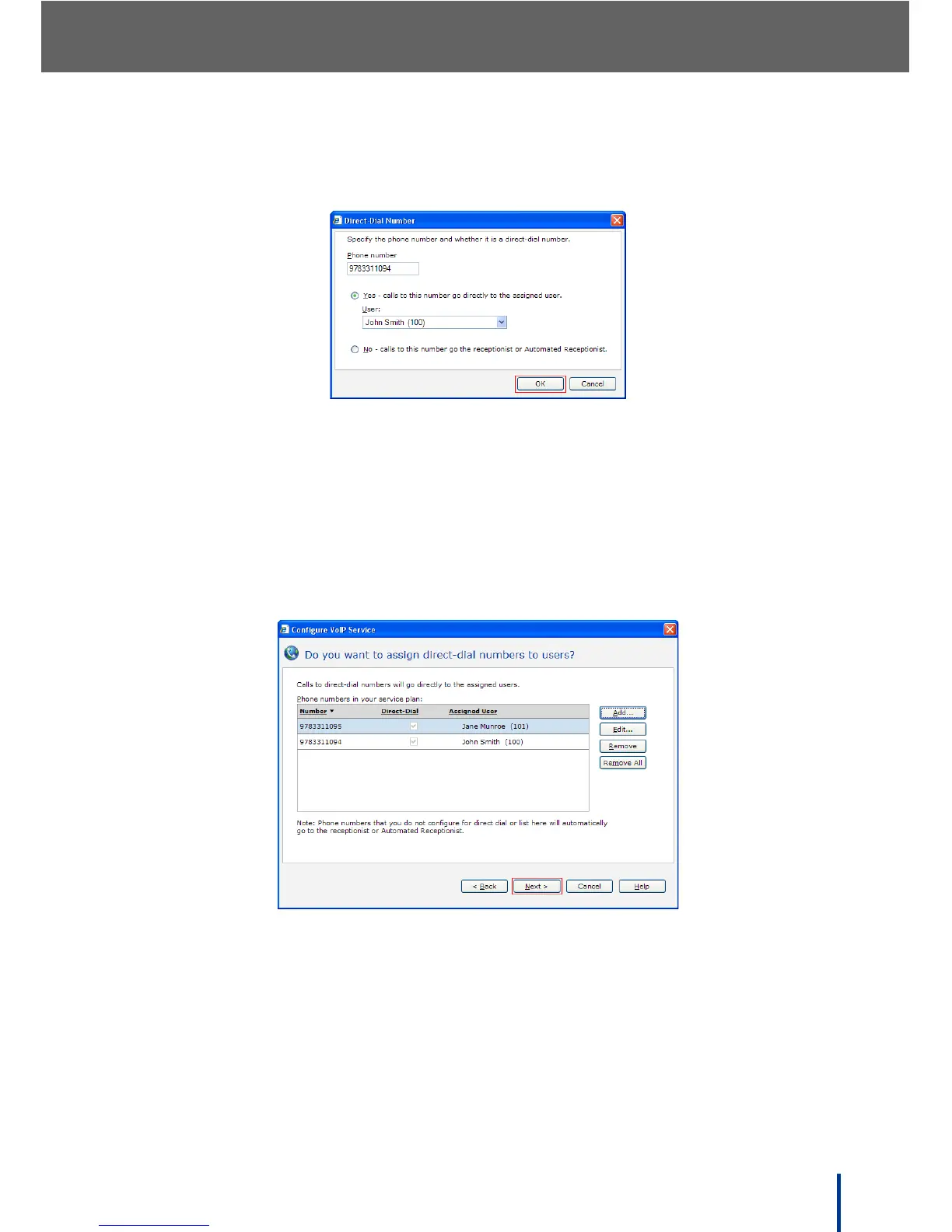
7. Click Add to setup DID to a specific number and enter the desired number
on the following screen.
8. Check Yes and select the user to receive the DID number from the drop
down list.
N
OTE: Phone numbers not configured for direct dial or listed here are automati-
cally routed to the receptionist or Automated Receptionist.
9. Click OK and repeat steps 7 and 8 for all desired DID numbers.
The screen refreshes displaying the entered DID numbers.
10. Click Next.



 To Next Page