3.6 Printing on Envelopes, Transparencies, and Custom-size (Long) Paper
81
3
Basic Printer Operation
Procedure
1
Adjust the paper guide to the mark
corresponding to the size that you are
about to use.
2
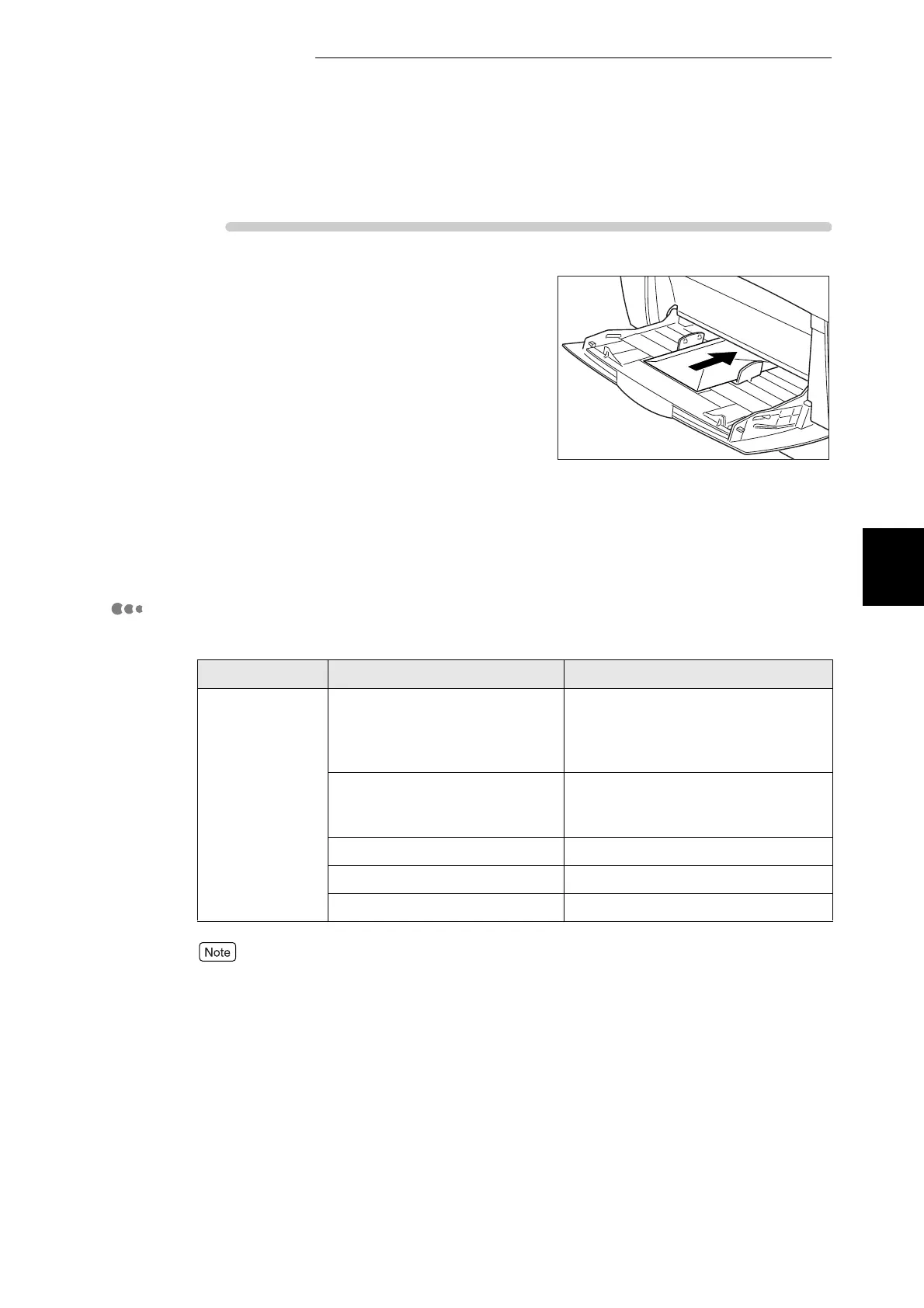
Make sure the flap is closed, then load
the envelope with the side to be printed
facing down and the flap to the right.
3
Launch printing from your program
after setting the envelope in the printer.
Now set the items in "Printer Driver
Settings (for envelopes)" as shown
below:
Printer Driver Settings (for envelopes)
■Windows settings:
For details about individual printer driver items, refer to Help. For details about how to use
Help, refer to "3.3 Using Online Help".
Tab Item Value
Paper/Output Paper Size Set Com-10, Monarch, C5, DL or
"Same as Document Size" (If the
original size is Com-10, Monarch,
C5, and DL)
Turn Image by 180 deg Clear checkmark
(When the flap is set on the left side,
select this option.)
Paper tray manual
Duplex No Duplex
Media Type Envelope



 To Next Page