3.6 Printing on Envelopes, Transparencies, and Custom-size (Long) Paper
84
3
Basic Printer Operation
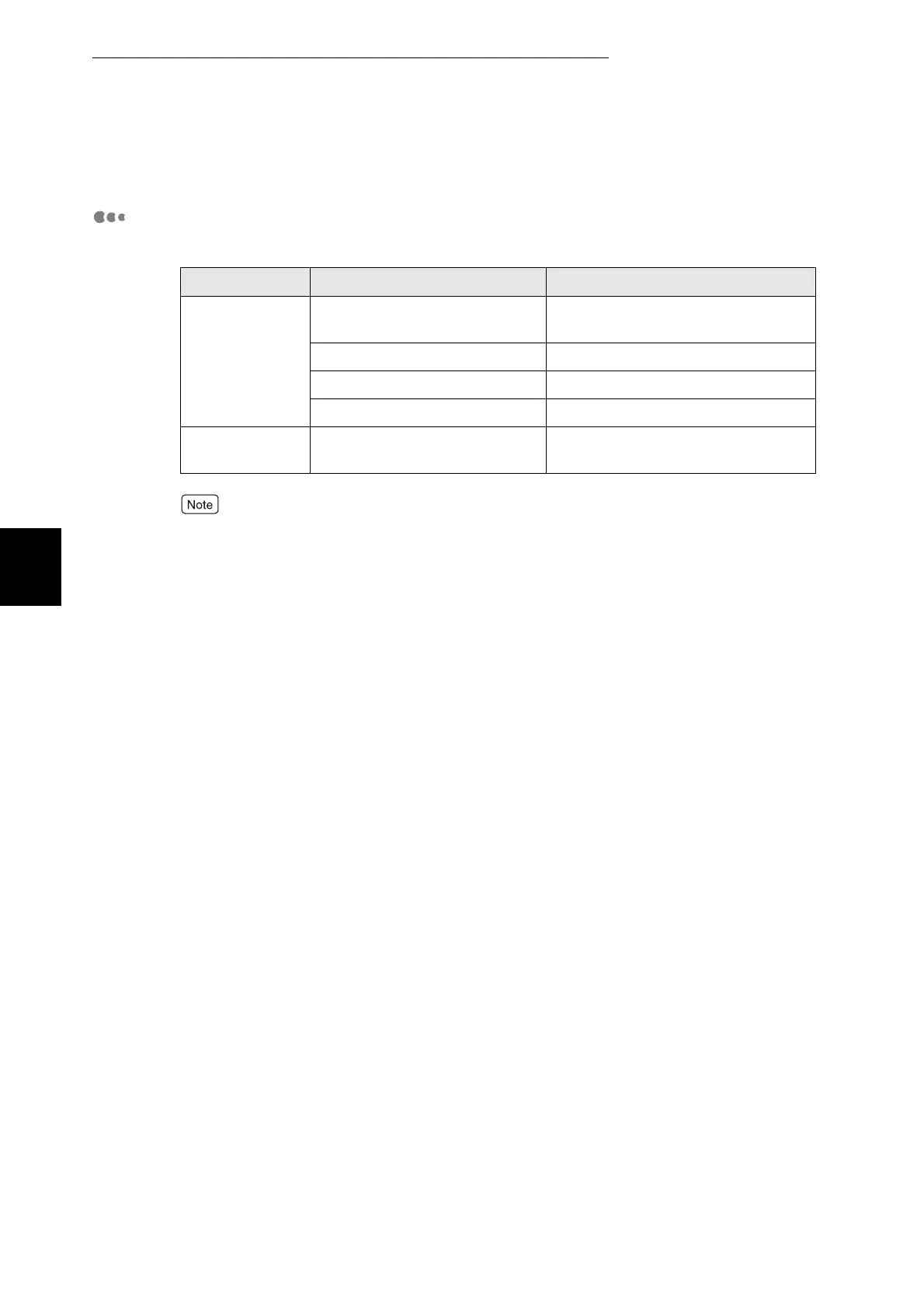
Printer Driver Settings (for transparencies)
■Windows settings:
You can also print transparencies with paper inserted between the sheets. See the
transparency dividers tab under paper\output for details about the way to set paper between
the transparencies and the functions of individual printer driver items, refer to Help.
For details about how to use Help, refer to "3.3 Using Online Help".
Tab Item Value
Paper/Output Paper Size Set A4 or "Same as Document Size"
(if the original size is A4)
Paper tray Manual
Duplex No Duplex
Media Type Transparency
Graphics Document types (with display all
Document types box selected)
Transparencies



 To Next Page