6.3 The Printer Does not Print
137
6
Troubleshooting
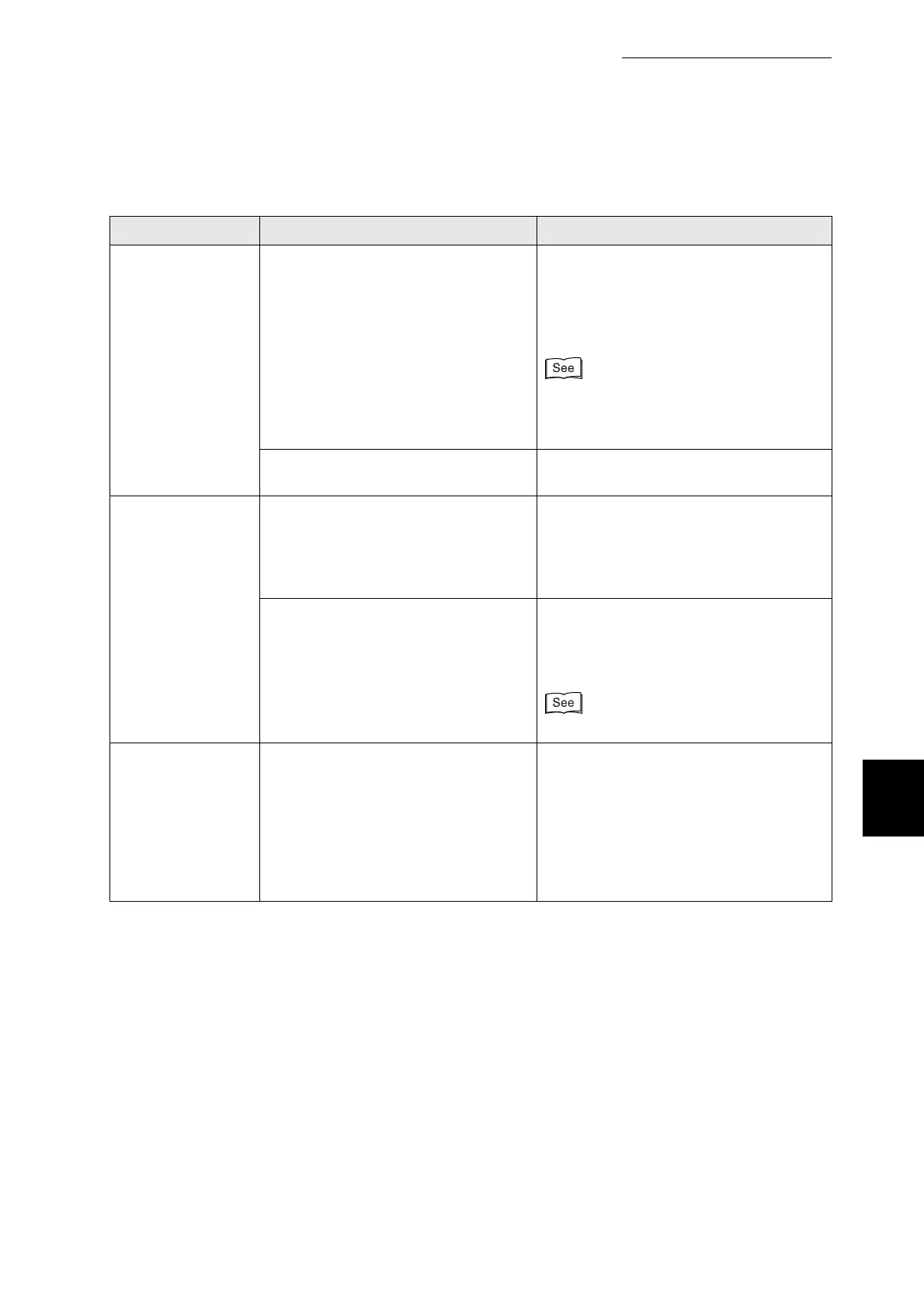
Condition Verification Solution
Cannot print with
TCP/IP
Is the printer IP address set correctly?
(When using TCP/IP.)
The IP address might be different. Ask
your system administrator for the correct
settings.
Use the Printer Settings list to confirm
the current IP address.
●
"8.4.1 Confirming Printer
Configuration and Network Settings".
●
"1.2.3 Setting the IP Address".
Is the IP Filter set? Consult your system administrator to
whether the IP Filter is set or not.
Cannot print with
the TCP/IP Direct
Print Utility
Is the spool option deselected on the
Details tab of the printer icon's
Properties dialog box, so that print
data is sent directly to the printer?
(Windows 95)
Enable print job spooling in the Details
tab.
Does Printer Error appear in the
status column of the printer window?
If printing is not possible using the TCP/
IP Direct Print Utility, refer to the
Network User Guide and follow the
prescribed procedure.
Network User Guide
Cannot print in an
SMB environment
(When a network
expansion card is
installed)
Does the computer display a
message indicating that there is
insufficient space on the server?
This message appears when there are
several simultaneous print requests or
when the printer is printing a job sent
with another protocol when you make
the request.
Before sending a print job, open the
printer window and check that the queue
is empty.



 To Next Page