8.1 Replacing the Toner Cartridges
184
Daily Care
8
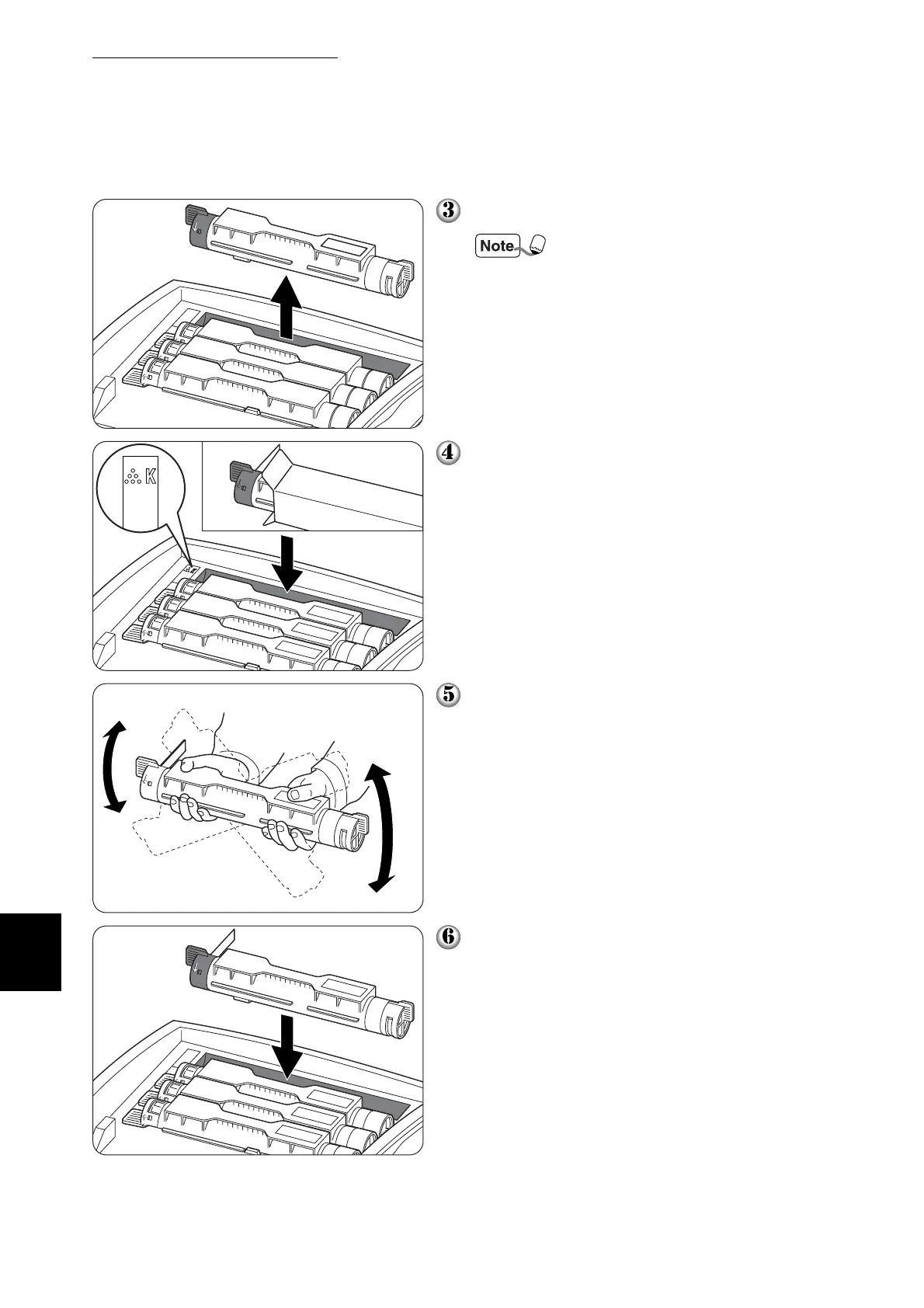
Pull out the toner cartridge.
Put the toner cartridge on a
piece of paper to prevent toner
from staining the floor or furni-
ture.
Select the new toner cartridge whose
color matches the cartridge holder and
remove it from its packaging.
Shake the toner cartridge 7 or 8 times as
illustrated to distribute the toner evenly.
Align the toner cartridge with the corre-
sponding insertion point in the printer
and insert it as illustrated.



 To Next Page