8.1 Replacing the Toner Cartridges
185
Daily Care
8
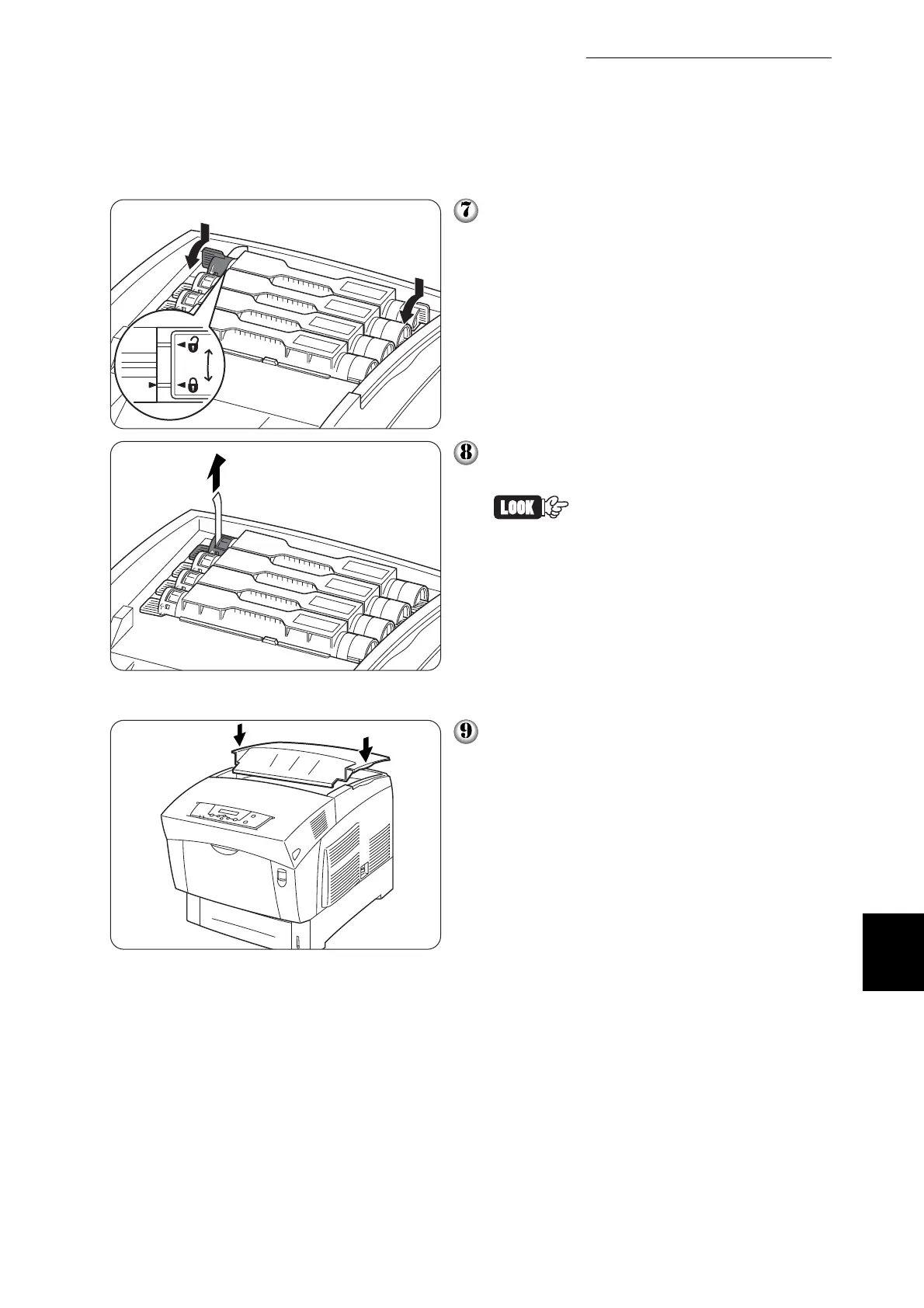
Grip the levers at each end of the toner
cartridge with your fingers, then push
down firmly to rotate the levers forward.
Pull the toner seal straight up to remove
it.
• Pull the toner seal straight up.
Pulling the toner seal diago-
nally may tear the seal.
• If it takes more than five sec-
onds until you remove the
toner seal after inserting the
toner cartridge in the printer,
an error message may
appear. In this case, perform
step 7 again, or turn the
printer off once and then on
again.
Replace the top cover.



 To Next Page