8.2 Replacing the Drum Cartridge
188
Daily Care
8
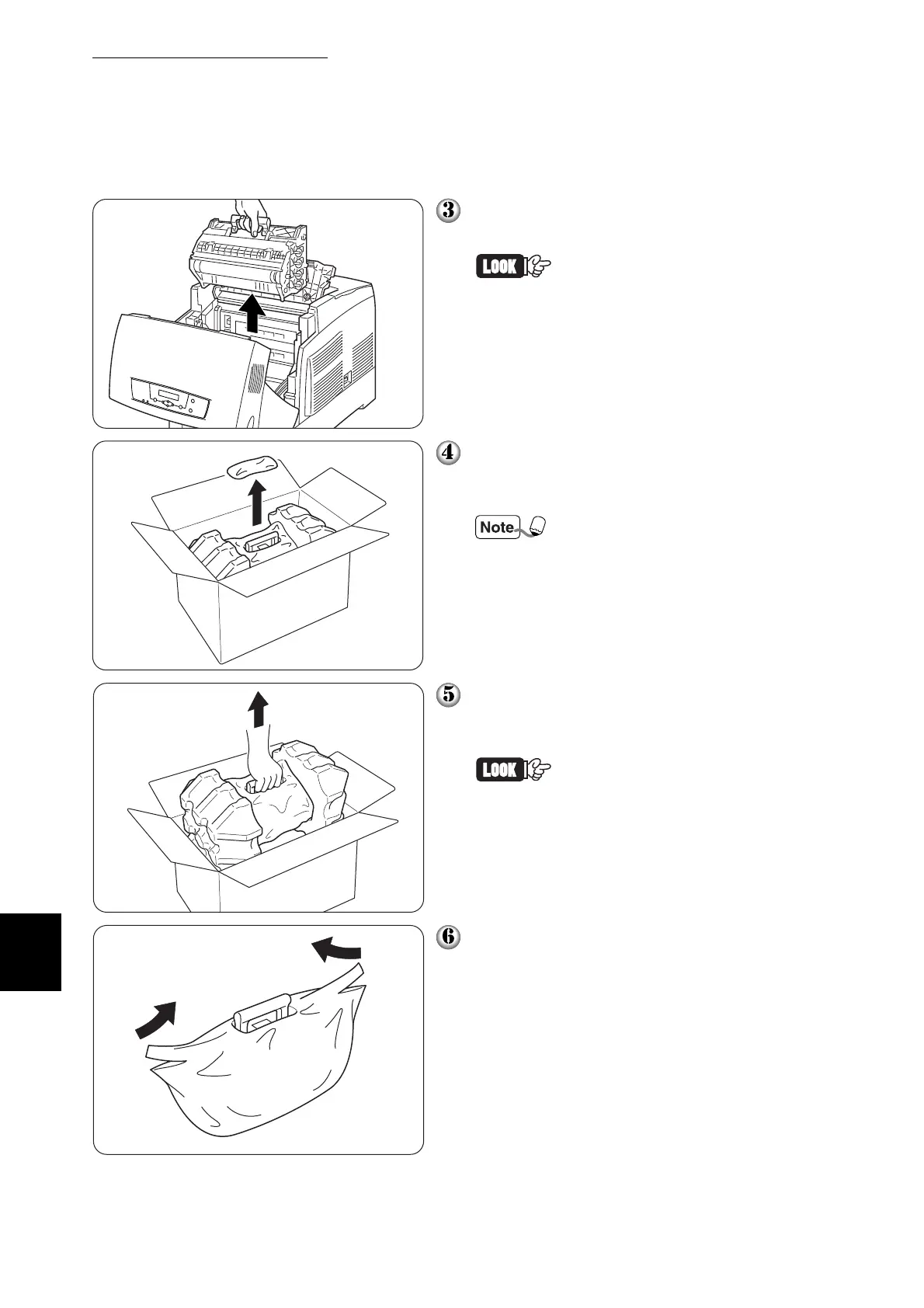
Grip the handle on top of the drum car-
tridge and gently lift it out of the printer.
Hold the drum cartridge by the
handle on top of the cartridge
to prevent the cartridge from
falling.
Open the top of the new drum cartridge
box and pull off the top part of the alumi-
num package.
Remove the sheet by working
inward from the two notches.
Grip the handle on top of the drum car-
tridge and gently lift it. Place the car-
tridge on a flat surface.
• Lift the drum cartridge by the
handle. Do not allow the car-
tridge to touch anything when
removing it from the box.
• When setting the drum car-
tridge, do not shake or tilt
them.
Remove the polystyrene packing and
open the top of the aluminum package
from the left and right.



 To Next Page