xxi
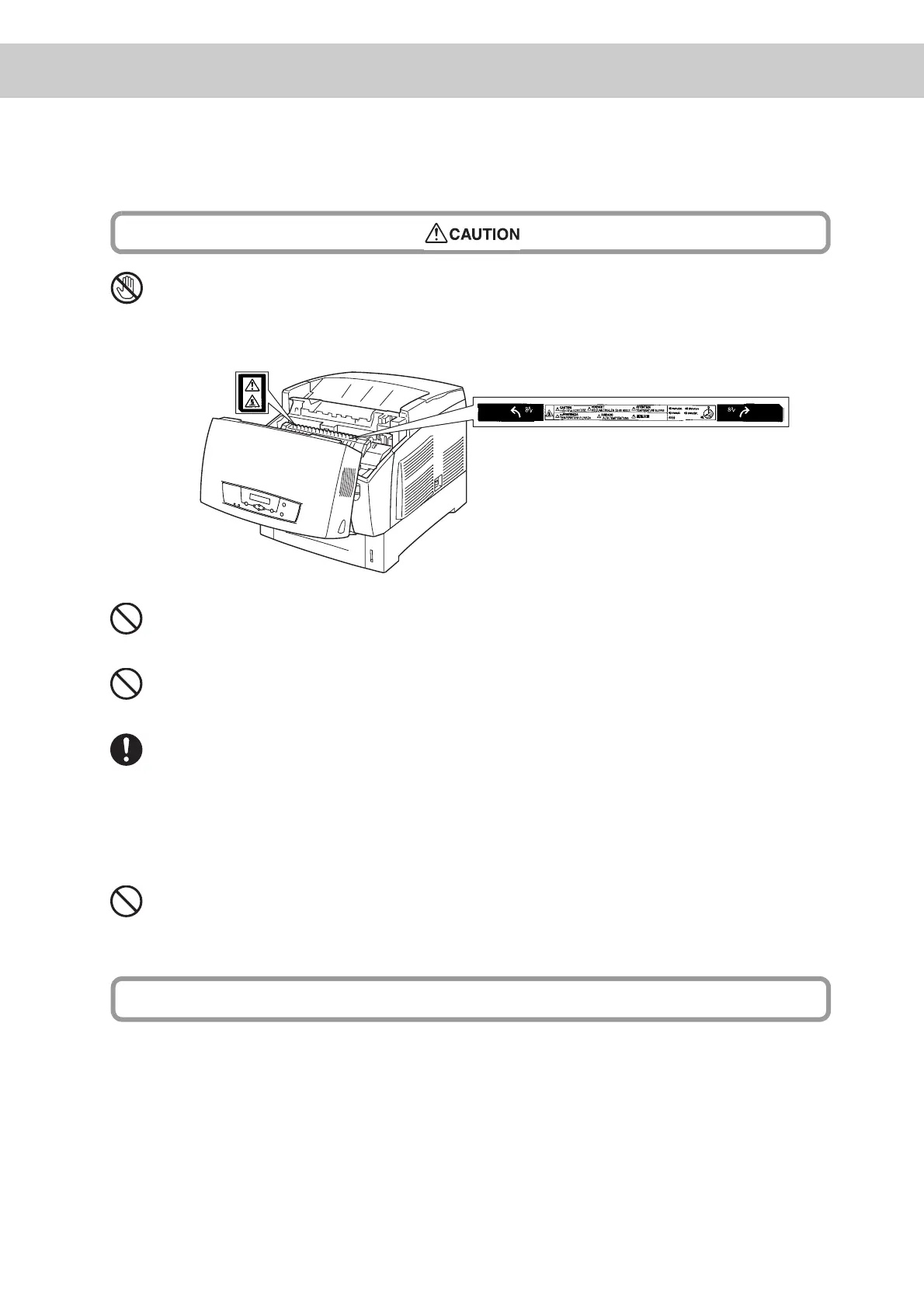
Never touch a labeled area found on or near the fuser unit. You can burn yourself.
If a sheet of paper is wrapped around the fuser roller, do not try to remove it by
yourself to avoid injuries or burns. Turn off the printer immediately and contact
your dealer.
Do not place any heavy objects on the printer. An off-balance printer can fall over
or the heavy object can fall, causing injuries.
Do not use highly flammable sprays or solvents in or around the printer, as this can
result in fire.
When removing paper jams, make sure no pieces of paper are left inside the
printer, as this can cause fire.
If the paper is wrapped around the fuser or roller, or you cannot see the jam you
are trying to clear, do not attempt to remove the paper by yourself, as this may
cause injury or burns.
Turn off the printer immediately, and contact the place of purchase.
Do not place magnets near the safety switch of the printer. Magnets can activate
the printer accidentally, resulting in injuries.
■ Refer to this manual for procedures on clearing paper jams and how to resolve any
other troubles that may occur.
Other Precautions



 To Next Page