A Introduction to Options and Consumables
213
Appendix
A.1.1 Installing Optional Accessories
Switch off the machine before connecting the interface cable and any option. Connecting the
cable or optional product with a live machine can cause electric shocks.
1
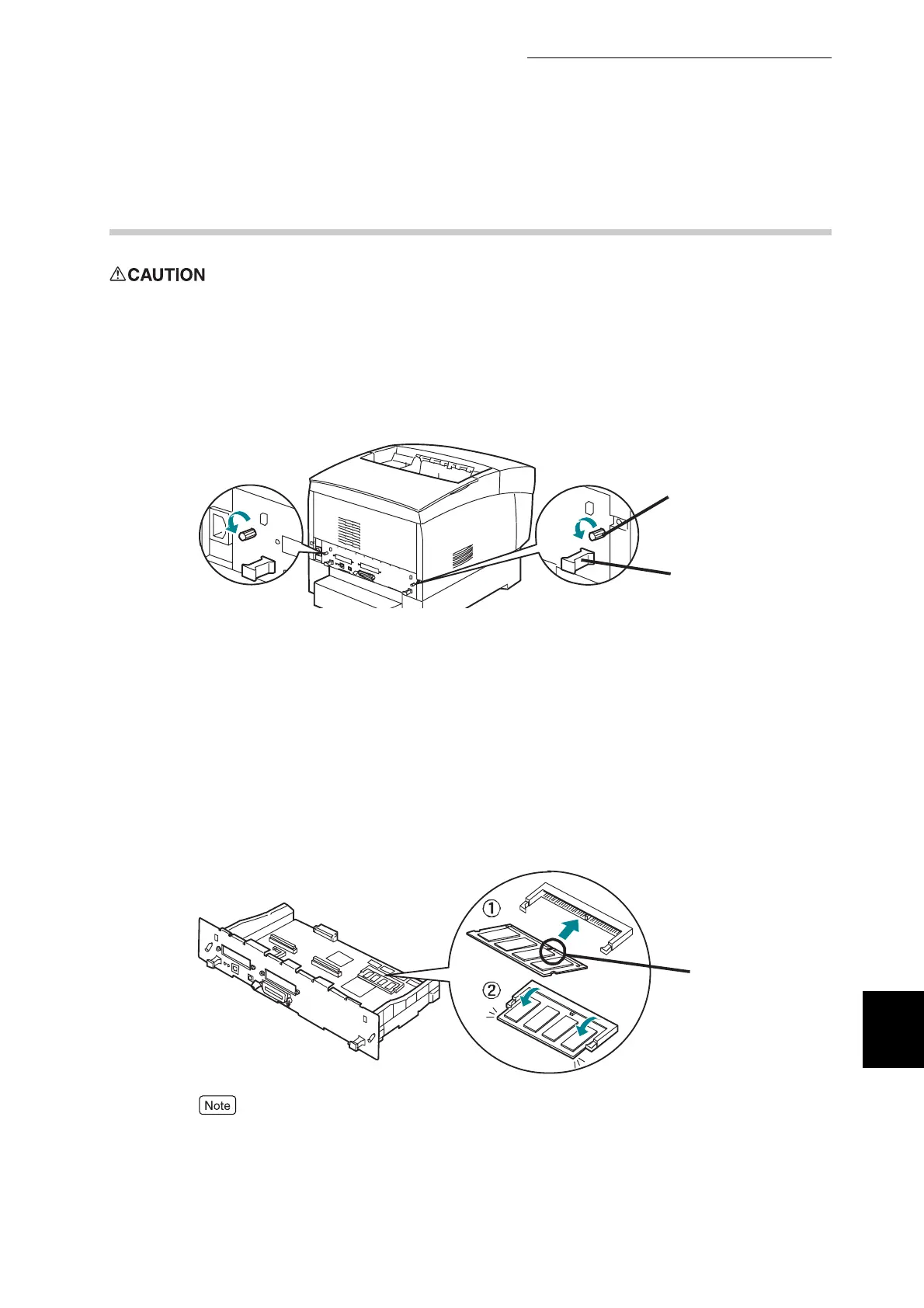
Power the printer off and remove the power and interface cables.
2
Loosen the two screws on the interface board located on the rear of the
printer.
3
Grasp the handles on the interface board andslowly pull it towards you,
then lay it on a desk or table.
Additional Memory
4
Grasp both edges of the additional memory and align the notches in the
memory with the protrusions in the slot.
5
Insert the memory diagonally (c), then tilt it toward the interface board
until it clicks into place (d).
To remove the memory, open the retaining clips on both sides of the memory by
turning them outward, then grasp both edges of the memory and pull it out
straight.
Screw
Knob
Notch



 To Next Page