A Introduction to Options and Consumables
214
Appendix
If you will not be installing the network expansion card or hard disk, go
to step 11.
Network Expansion Card
6
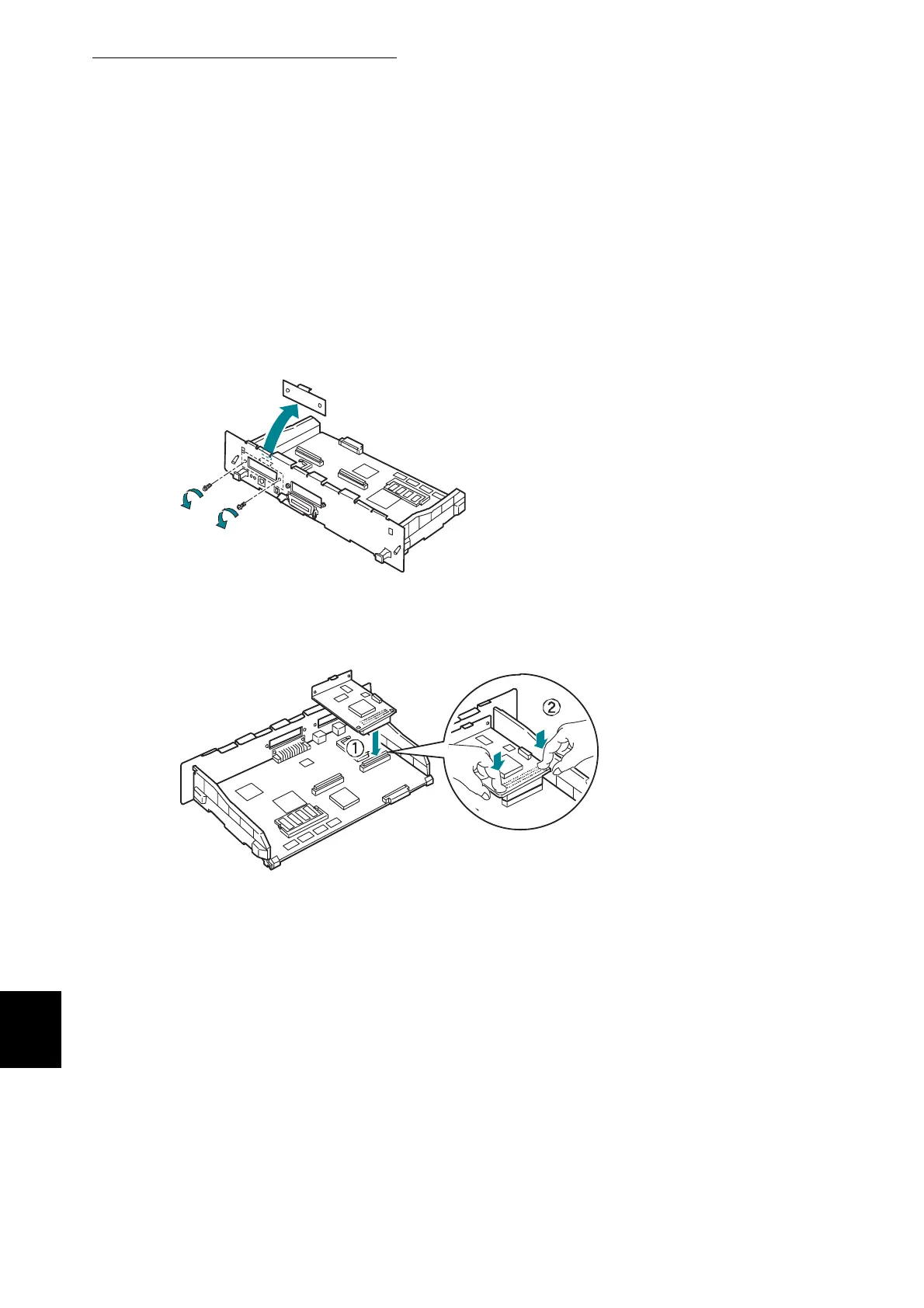
Remove the two screws from the expansion card cover, then remove
the cover. After removing the cover, store it in a safe place.
7
Insert the network expansion card connector into the connector on the
interface board.
8
Fasten the network expansion card using the screws removed in
step 6.
If you will not be installing the hard disk, go to step 11.



 To Next Page