A Introduction to Options and Consumables
215
Appendix
Hard Disk Kit
9
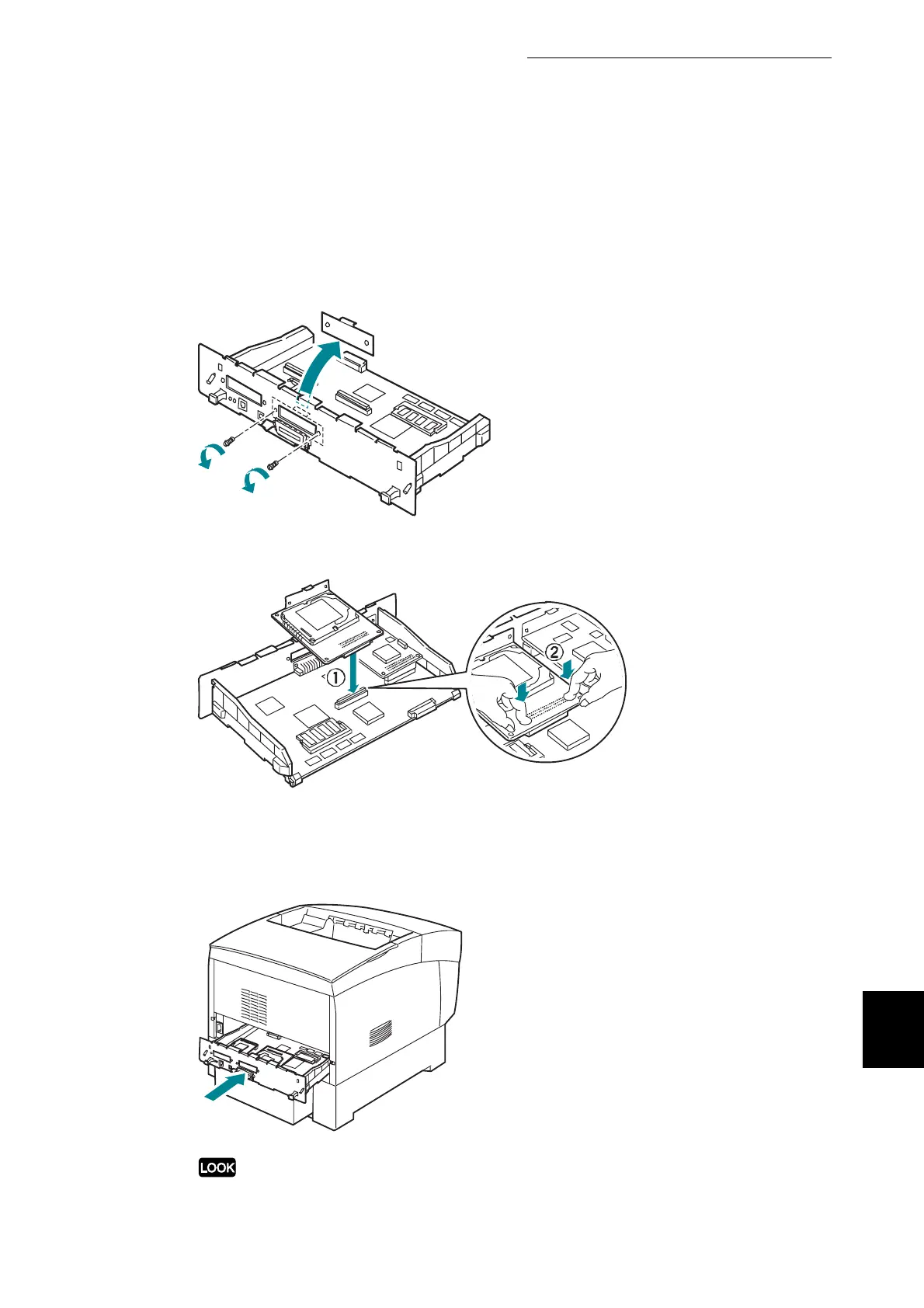
Remove the two screws from the expansion card cover, then remove
the cover. After removing the cover, store it in a safe place.
10
Insert the hard disk connector into the connector on the interface board.
11
Fasten the hard disk using the screws removed in step 9.
12
Gently push the interface board into the printer.
Do not exert excessive force.



 To Next Page