130
FUNCTION SETTING USING SETTINGS SCREEN
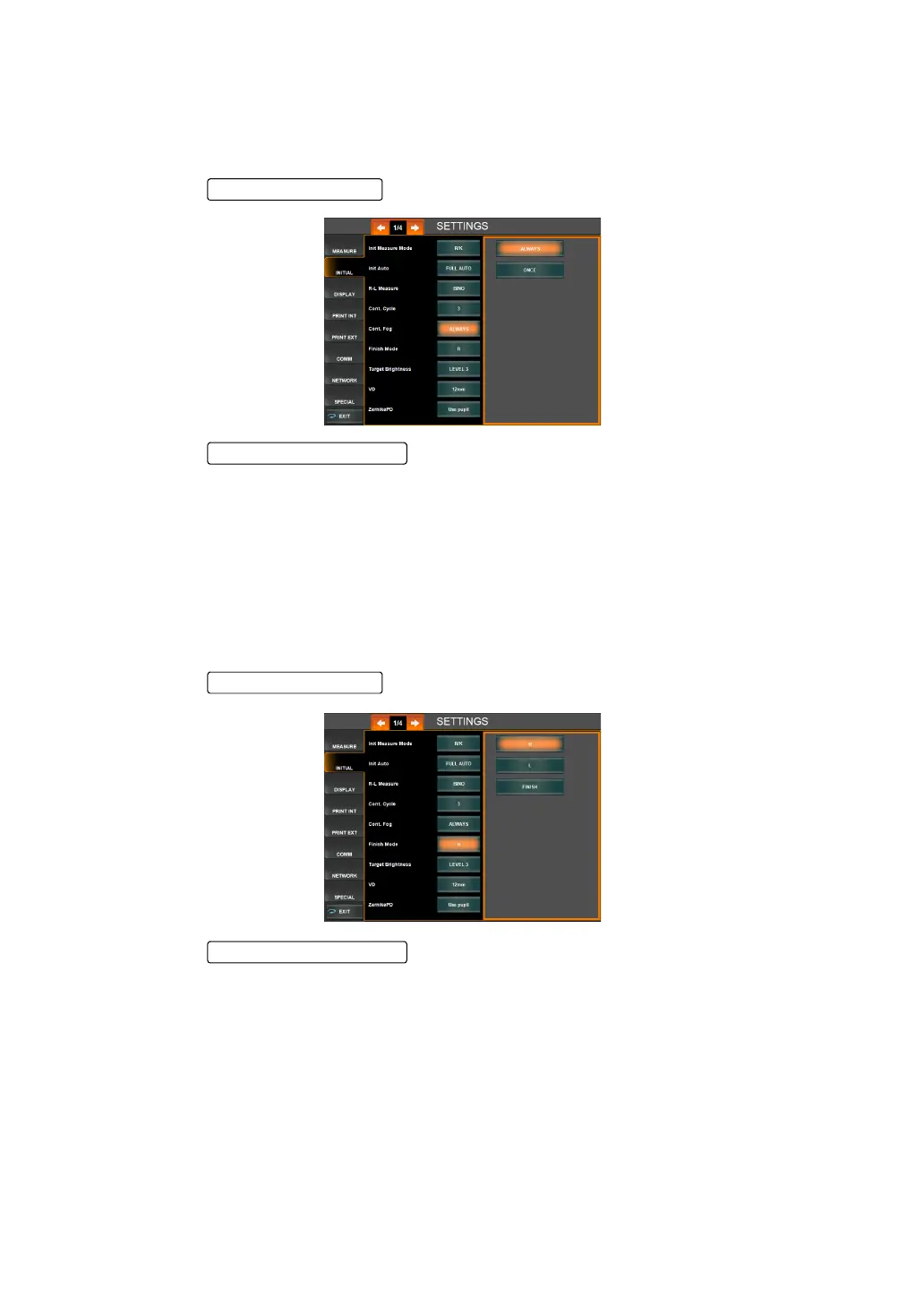
FOGGING DURING CONTINUOUS MEASUREMENT (CONT. FOG)
When multiple measurements are selected for setting the number of continuous measure-
ments, the option to perform fogging in ONLY the first measurement or to perform fogging for
each measurement may be selected. Before shipment, the default setting is "ALWAYS."
1 Tap the of the set item display "Cont. Fog" of "INITIAL."
2 Tap the and select "ALWAYS" or "ONCE."
"Always" : Fogging is performed with each measurement.
"Once" : Fogging is performed only in the 1st measurement.
3 Setting is done.
SETTING THE WAITING POSITION AFTER MEASUREMENT (FINISH MODE)
It is possible to set the waiting position (Right or Left eye) of the measuring head after finishing
each measurement. Before shipment, the default setting is "R" (initial position for measuring
right eye).
1 Tap the of the set item display "Finish Mode" of "INITIAL."
2 Tap the and select the desired measurement mode:
"R" : Waiting at the initial position for right eye measurement
"L" : Waiting at the initial position for left eye measurement
"FINISH" : Waiting at the away position of the last eye measured; i.e. the device will
move away from the last eye measured.
3 Setting is complete.
Setting Change button
Setting Change button



 To Next Page