139
FUNCTION SETTING USING SETTINGS
PACKING MODE
Set the instrument (KR-1W) to the packing position (as-delivered condition).
1 Tap the of the set item display "Packing Mode" of "INITIAL."
2 A message "Start Packing Mode, OK?" is displayed.
3 When "Yes" is selected, the operation starts automatically. A message "Wait until the
packing operation is completed." will be displayed.
4 When the operation is complete, a message "Packing mode has been completed. Shut off
the power directly." will be displayed.
5 Setting is completed by shutting off the power.
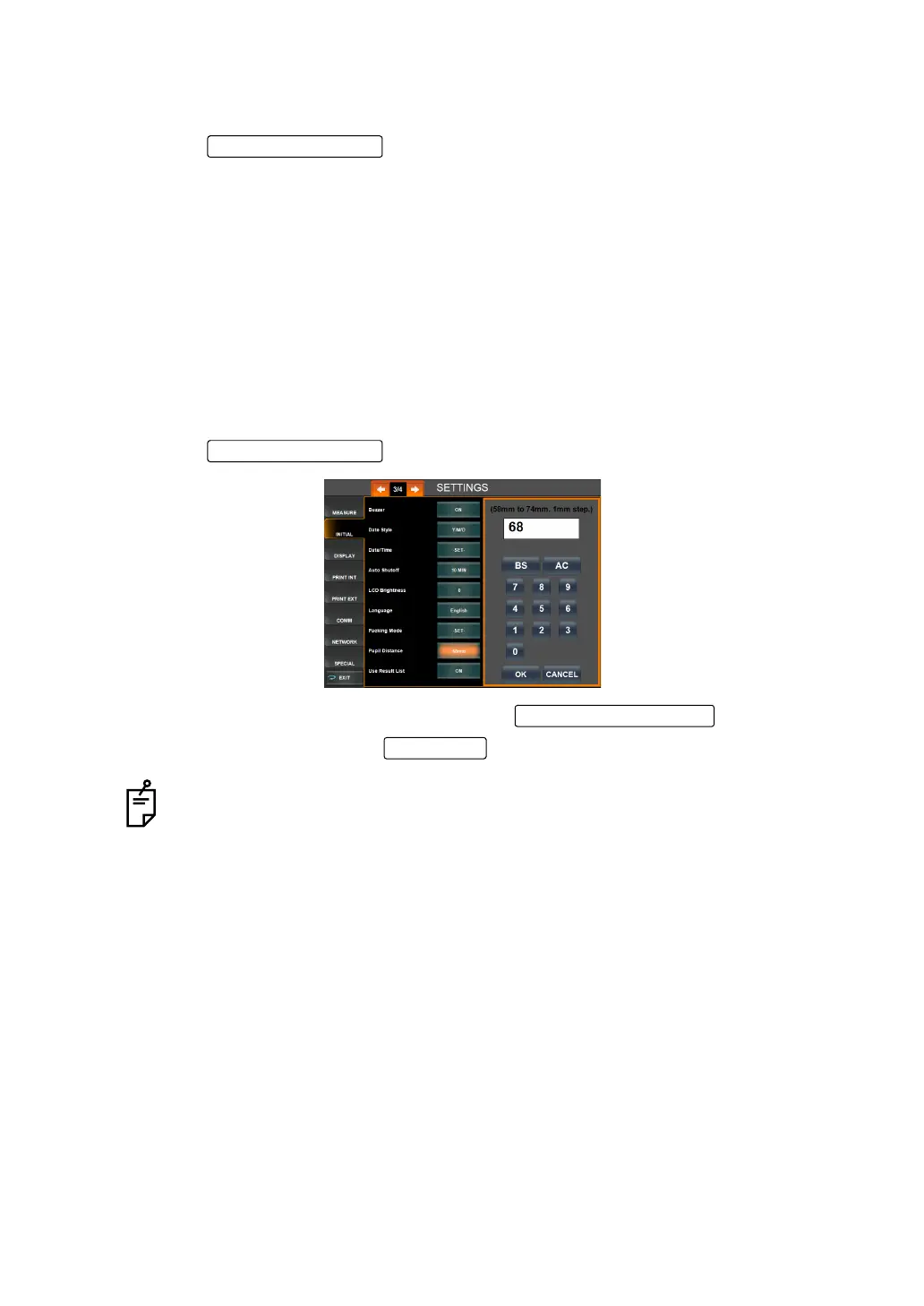
PUPIL DISTANCE
The travel distance of both eyes can be set from 58mm to 74mm. Before shipment, the default
setting is "68mm."
1 Tap the of the set item display "Pupil Distance" of "INITIAL."
2 Enter the number by the ten-key display of the .
3 Setting is done by tapping the .
When moving from the measuring position of one eye to the other eye, the total R-
L travel distance set does not mean the device will travel this entire distance; the
actual travel distance is 1/2 of the set distance from the origin/center of R-L move
-
ment for both right and left. Thus, if the setting is "68mm" as shipped, the travel
distance is 34mm from the center.
Set Condition button
Setting Change button
OK button



 To Next Page