155
FUNCTION SETTING USING SETTINGS
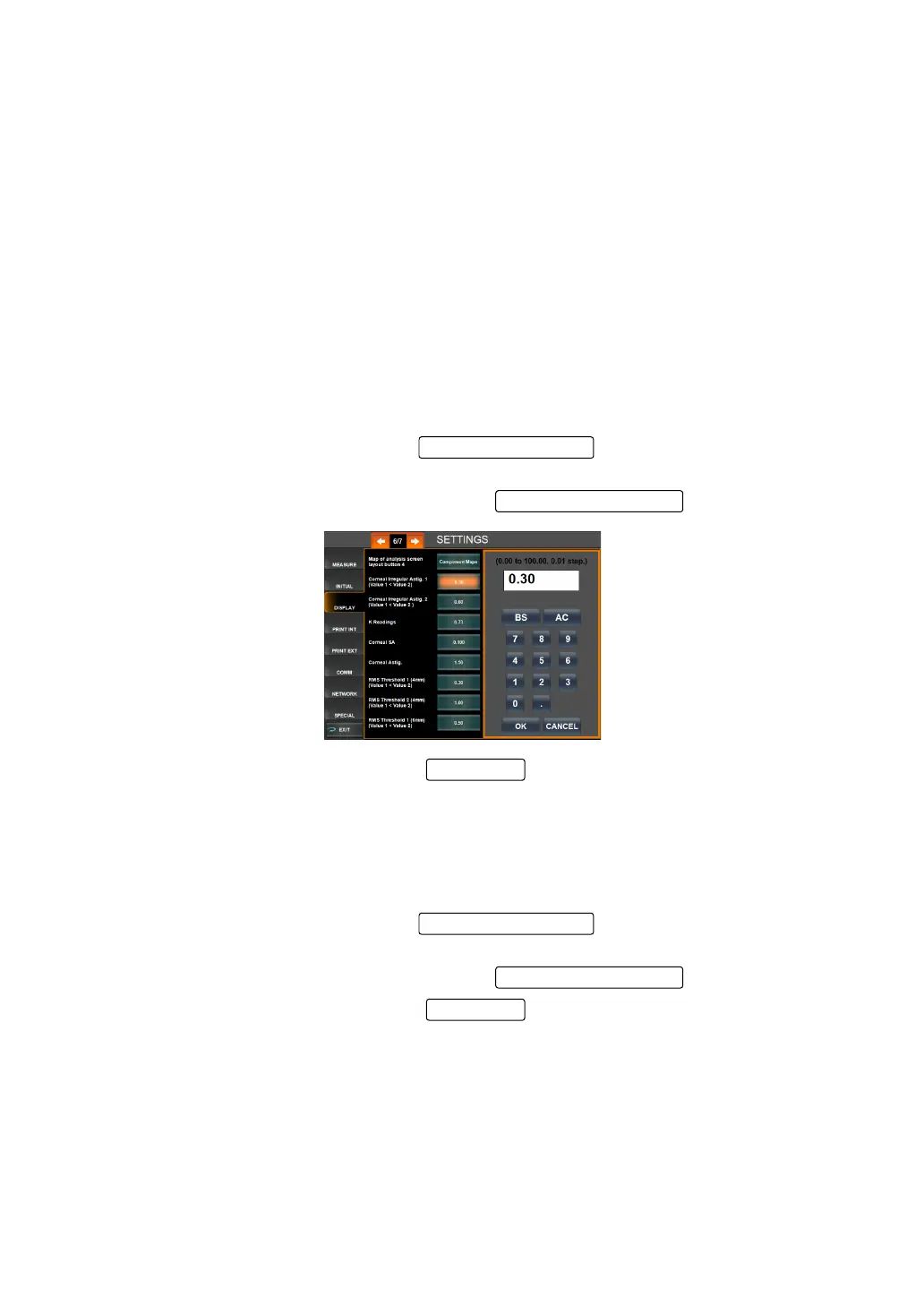
SETTING CORNEAL IRREGULAR ASTIG.1 (VALUE 1<VALUE 2)
The Corneal Irregular Astig.1 of the IOL Selection map is set.
• In the following cases, the character color is changed based on the set threshold values of
Corneal Irregular Astigmatism 1 and Corneal Irregular Astigmatism 2:
• When the measurement value is not more than the set threshold value of Corneal Irregu-
lar Astigmatism 1
• When the measurement value is more than the threshold value of Corneal Irregular Astig-
matism 1 and not more than the threshold value of Corneal Irregular Astigmatism 2
• When the measurement value is more than the threshold value of Corneal Irregular Astig-
matism 2
Threshold value of Corneal Irregular Astigmatism 1: Lowest setting of corneal irregular astig-
matism threshold value
Threshold value of Corneal Irregular Astigmatism 2: Highest setting of corneal irregular astig-
matism threshold value
The threshold value can be set between 0.00 and 100.00 in 0.01 unit.
Before shipment, the default setting is "0.30."
1 On the SETTINGS screen, tap the of the set item display "Corneal
Irregular Astig.1"of "DISPLAY."
2 Enter the value by the ten-key display of the .
3 Setting is complete by pressing the .
SETTING CORNEAL IRREGULAR ASTIG.2 (VALUE 1<VALUE 2)
The Corneal Irregular Astig.2 of the IOL Selection map is set.
The threshold value can be set between 0.00 and 100.00 in 0.01 unit.
Before shipment, the default setting is "0.60."
1 On the SETTINGS screen, tap the of the set item display "Corneal
Irregular Astig.2" of "DISPLAY."
2 Enter the value by the ten-key display of the .
3 Setting is complete by pressing the .
OK button



 To Next Page