75
DISPLAYING THE MEASUREMENT RESULT
(1) Scroll bar By scrolling the measurement result, measurement data can be
scrolled up and down.
(2) DELETE button Select the data to be deleted. The selected button
turns on in orange. Under this condition, deletion is done by tap-
ping the button of the (3)Function button.
(3) Function button Available functions are listed. Select the corresponding button on
the touch panel.
button The Measurement screen is returned and an addi-
tional measurement can be done. However, if data
are outputted to the connected PC or printed by the
internal/external printer, the display is changed to
"NEXT MEASUREMENT" and a new measurement
is started.
button Selecting the data to be deleted by the
button, the data can be deleted by tapping the
button.
button The screen is changed to the selected Analysis
Result screen, and the analysis result is displayed.
button Selected measurement result data can be outputted
to the RS-232C or to the connected PC.
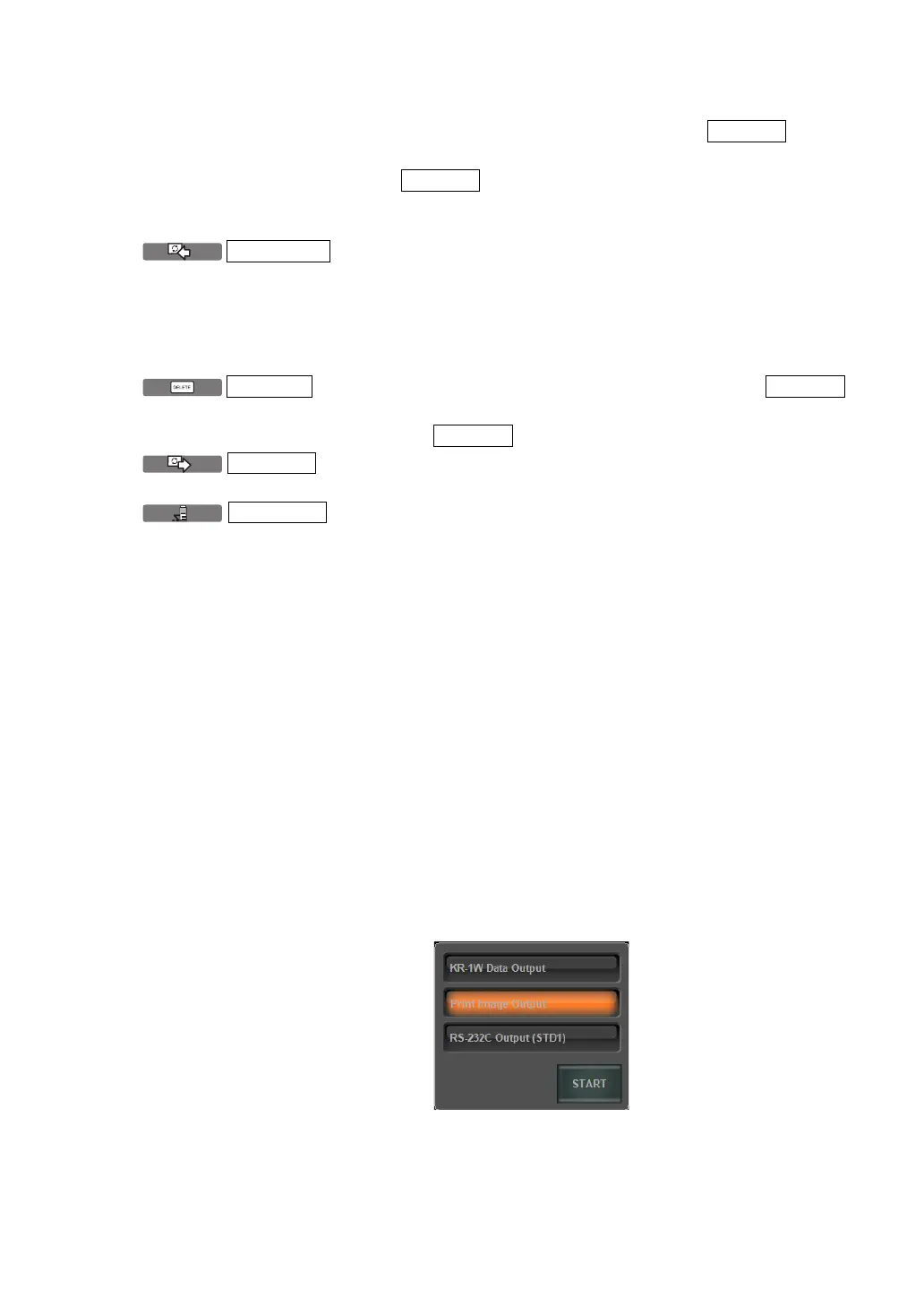
The following three settings can be assigned to the
button:
(1) KR-1W data output(1WS data)
(2) Print image output (Report image)
(3) RS-232C output(STD1)
Output data can be set on the SETTINGS screen.
Incidentally, as the "print image output," left eye/right
eye data framed in brown of the Measurement
Result List screen are outputted.
Also, by a long pressing of the DATAOUT button
(approx. 2 sec), the following menu is displayed,
where the desired data to be outputted can also be
selected.
* The setting here is a temporary setting which will
not be reflected in the following operations. To con
-
tinuously change output data, set output data on the
SETTINGS screen. (See pages
168 and 172).
DELETE
DELETE
MEASURE
DELETE
DELETE
DATA OU



 To Next Page