8. UPDATING FIRMWARE EO18-33030
8.4 Updating Firmware in B-FV Setting Tool (V1.0.34 or later)
8-25
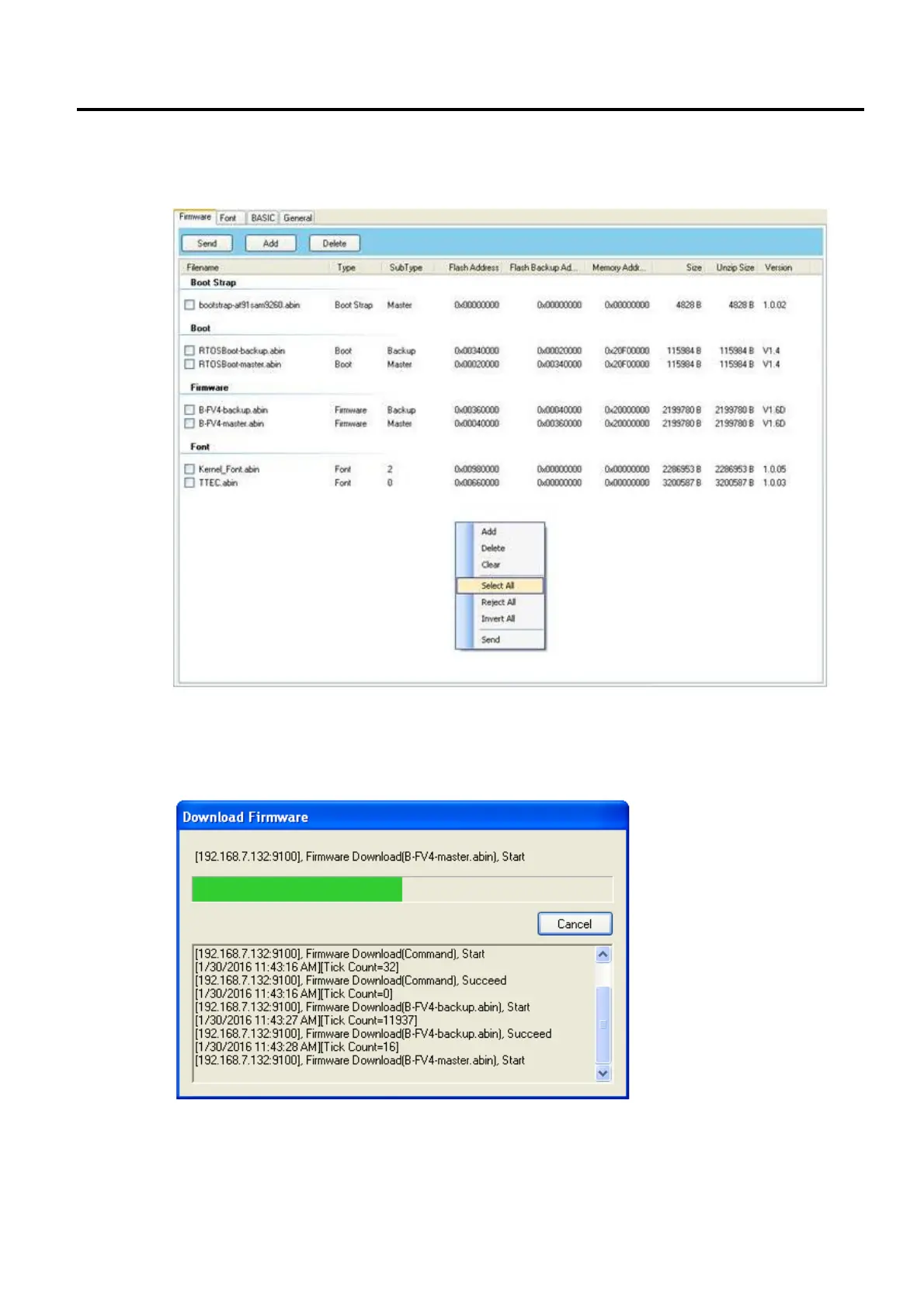
8. If you want to update specific files, select the check boxes of those files; if you want to update all
of the firmware files, right-click in the blank area in the list, and click Select All.
9. Click Send to send the firmware files to your printer. During the transmission LED 1 blinks green.
In the Download Firmware dialog box, the message shows the file your printer is downloading,
and the progress bar indicates the progress of downloading.



 To Next Page
 Loading...










