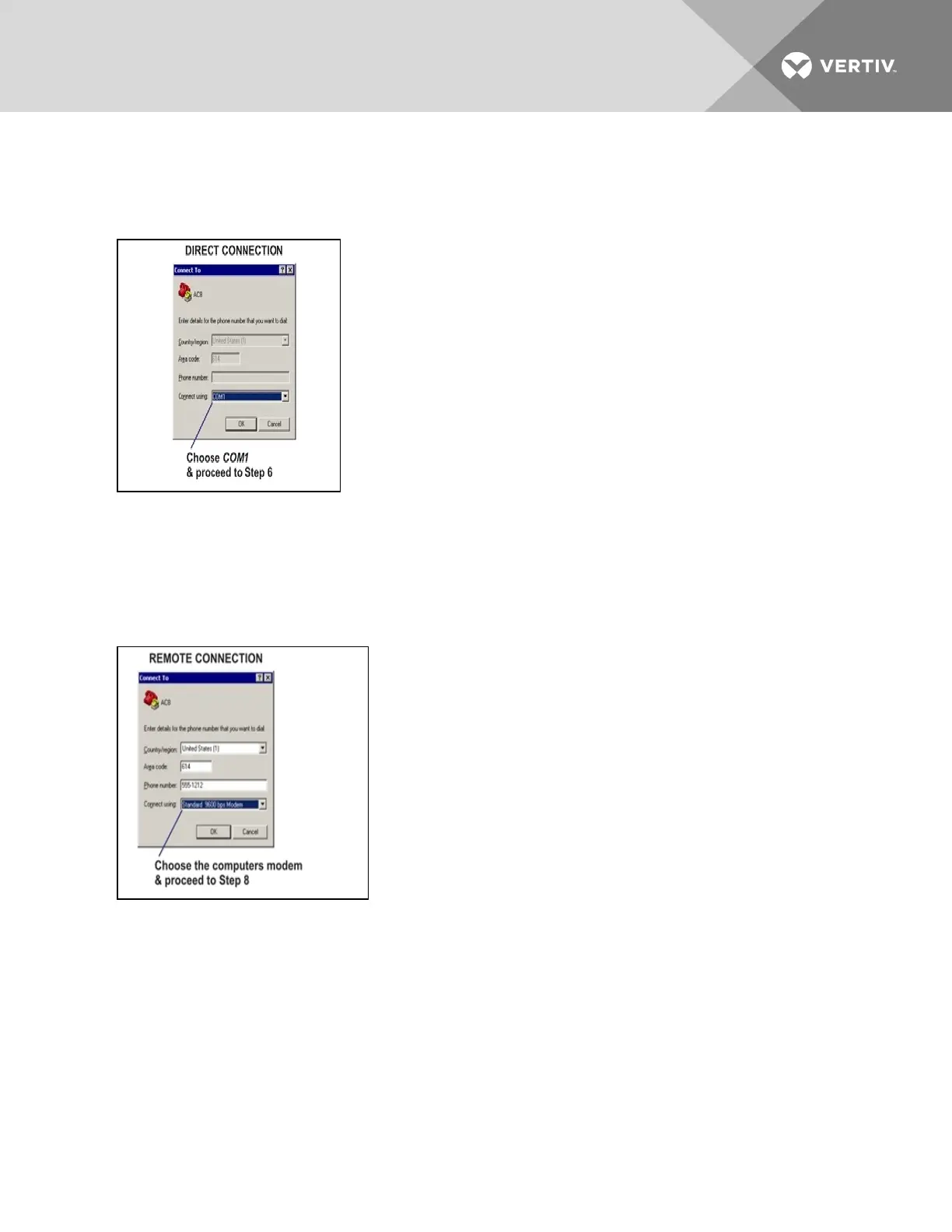
5. In the Connect To window, shown below, select the appropriate connection method from the
Connect Using drop-down list:
Direct Connection via RS232
• To set up a direct connection via the Liebert AC8’s RS232 port, select COM1 as shown above.
This opens the COM1 Properties window.
• Proceed to Step (next section).
Remote Connection via Modem
• To make a remote connection through the Liebert AC8’s modem, select your computer’s modem—
Standard 9600 bps Modem in the example shown above.
• Enter the area code and phone number of the Liebert AC8’s modem.
• Skip Steps 6 and 7 and proceed to Step 8 in Set Up the Connection’s Properties.
Set Up the COM1 Port - Direct Connection Only
The following steps apply only to setting up a direct connection to the Service Terminal Interface via the
Liebert AC8’s RS232 port. If you are setting up a remote connection via modem, skip to Step 8
Vertiv | Liebert® AC8 User Manual | 113



 To Next Page