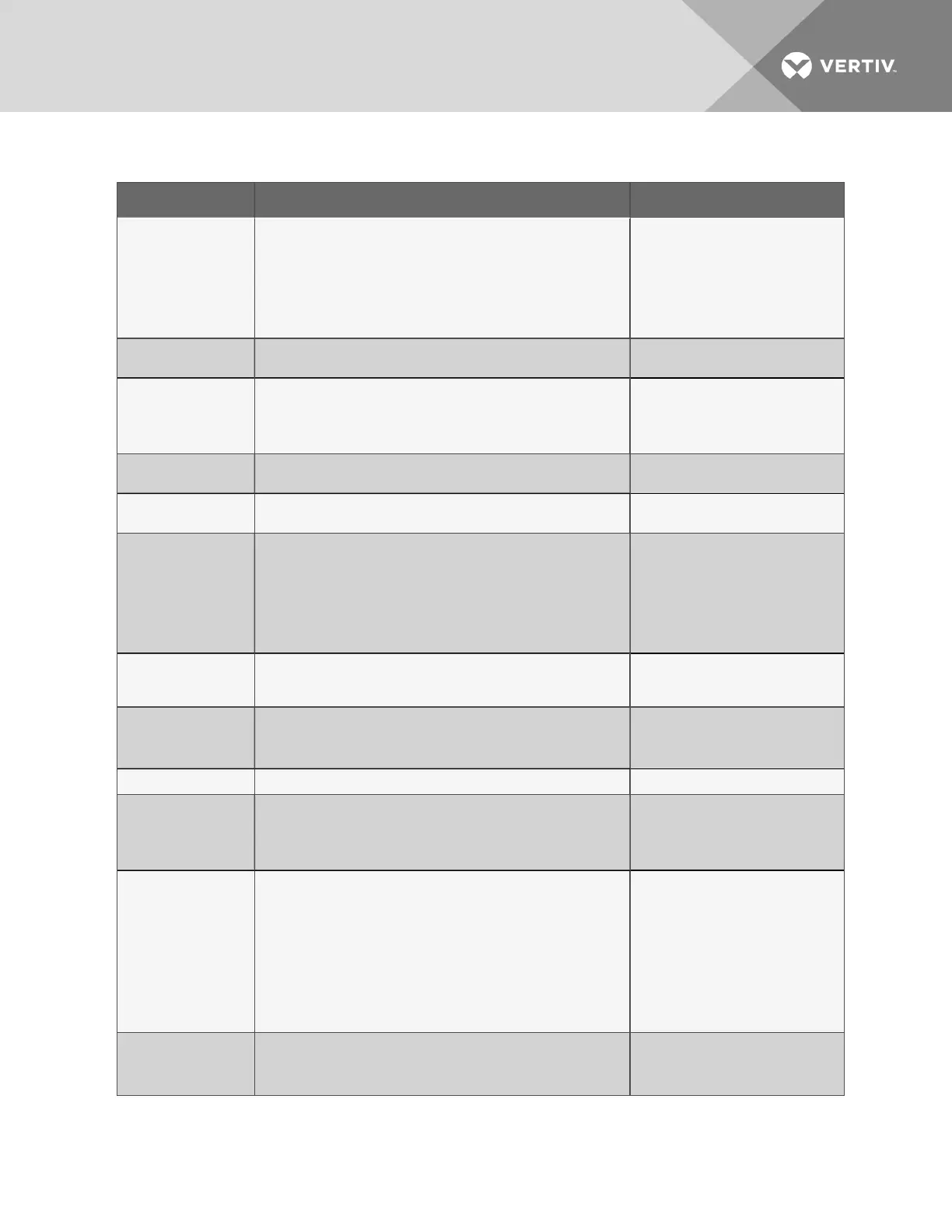
Item Description For more information, see:
M - Digital input
connectors
Each of the eight input connections is a two-state point: ON/OFF
(energized/de-energized).
An example of a field digital input point is a common alarm contact
on an air unit.
3.0: Wiring and Connections
Connecting Digital Inputs on
page20
View Input Status on page42
Setup System - Setup Inputs
on page56
N - Digital input
status LEDs
Each input has an LED to indicate its status: ON/OFF
(energized/de-energized).
LED Indicators on the next
page
O - EPOP contact
input
The emergency power operation (EPOP) input connection is a two-
state point: ON/OFF (energized/de-energized).
An example of an EPOP input point is a UPS or a generator.
3.0: Wiring and Connections
Connecting the Emergency
Power Operation (EPOP)
Input on page24
P - EPOP jumper
Jumper to enable or disable emergency power operation (EPOP).
Factory default is disabled.
Setting the EPOP Jumper on
page24
Q - Analog ground
connector
Connection for an externally powered analog sensor that needs a
reference to ground.
Connecting the Analog
Ground on page26
R - Analog input
connectors
Each of the four input connections accepts a 4/20mA signal.
An example of a field analog input point is a temperature sensor.
3.0: Wiring and Connections
Connecting Analog Inputs on
page25
View Input Status on page42
Setup System - Setup Sensor
on page60
S - 12VDC/24VDC
analog input jumper
Jumper to select voltage supplied for two-wire analog sensors. The
jumper supplies all four analog input connectors with the same
voltage. Factory default is 24VDC.
Setting the 12VDC/24VDC
Analog Power Jumper on
page26
T - SiteScan Web
connector (EIA422)
Connection to monitor Liebert AC8 from Liebert’s SiteScan Web™
graphical monitoring package.
3.0: Wiring and Connections
EIA422 Liebert SiteScan
Web™ Connector on page27
U - EIA485 connector
Not presently used N/A
V - Serial interface
connector
(RS232/EIA574)
Connection for laptop or video terminal. Used for configuration and
monitoring using the Service Terminal Interface. Requires a null
modem cable for connectivity
(P/N 201258P1).
RS232 Connector on page28
Connecting to the Service
Terminal Interface on
page111
W - Phone line
connector
Connection for phone line. Used for pager notifications, service
phone number, and configuration and monitoring using the Service
Terminal Interface. Requires an RJ11 connector.
Phone Line Connector on
page28
Setup System - Setup Modem
& Pagers on page72
Setup Serv Ph Num - Enter
Phone Number on page88
Connecting to the Service
Terminal Interface on
page111
X - Power receptacle
(Transformer Module)
115VAC power receptacle to power laptop during configuration
and diagnostics. Receptacle not available on 230VAC Transformer
Module.
Termination and Mounting on
page15
3.0: Wiring and Connections
Table 1.1 Controller board components (continued)
Vertiv | Liebert® AC8 User Manual | 7



 To Next Page